7
4.3.2 Set interval times
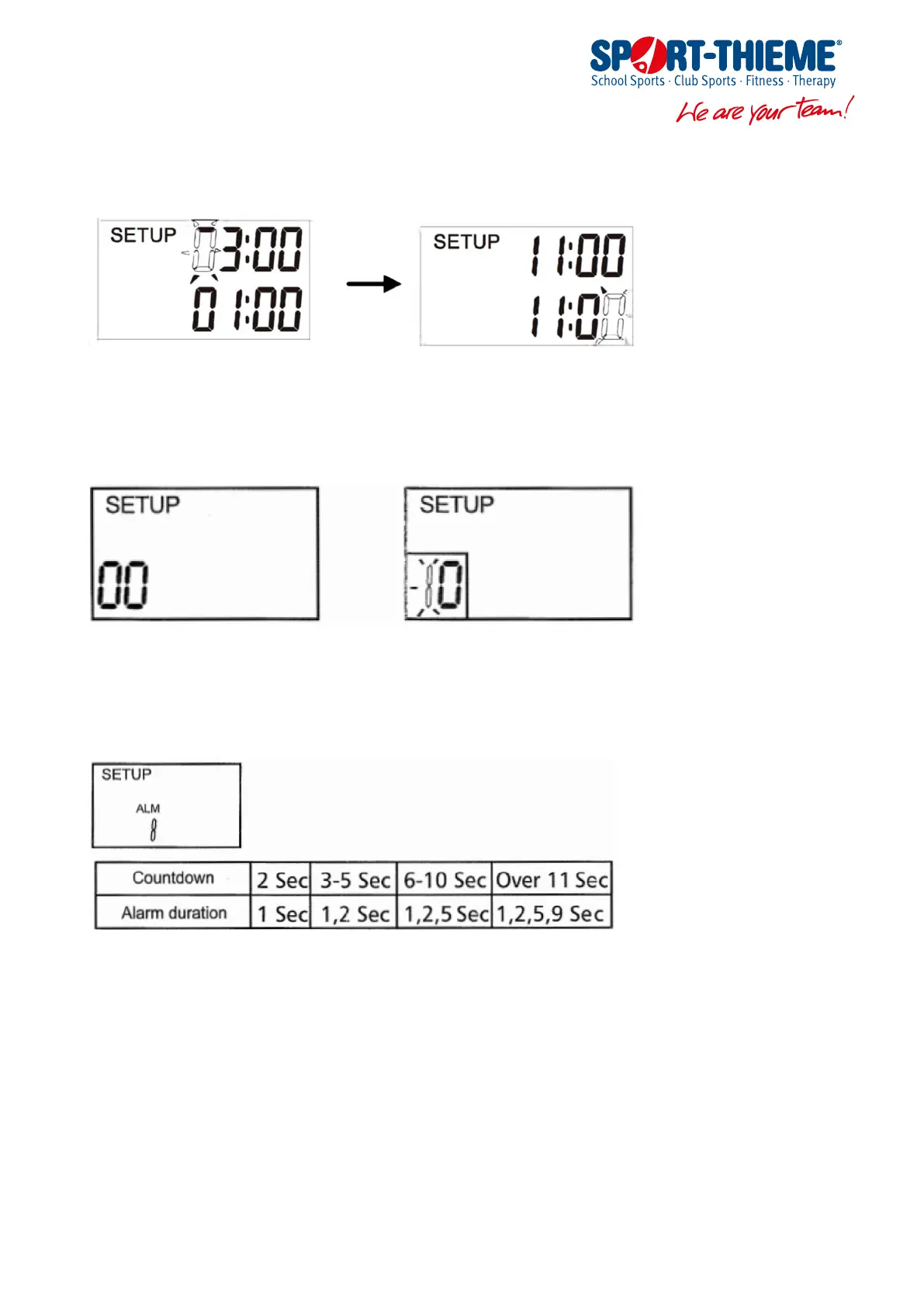
Press [NEXT] button to set the interval lime, when the rst interval time digit flashes, then press [CHANGE] button to
adjust the time you need, and so on (Minimum interval time 2 Seconds).
4.3.3 Set the number of repeats
After completing the interval times setting, continue to press [NEXT] button to set the number of repeats, then the rst
digit flashes, press [CHANGE] button to adjust the number you need.
Repeats counting upward: When the number of repeats is 00, there is no box around the repeats and it will increase by 1
at the end of each counling.
Repeats counting downward: When the number of repeats is 1-99, there is box around the repeats and it will decrease by
1 at the end of each counting.
4.3.4 Set Alarm Type
After completing the number of repeats setting, continue to press [NEXT] button to set alarm type, press [CHANGE] button
to choose -BH(beep high) -BL(beep low) -V(vibrate) -BHV(beep high + vibrate ) -BLV(beep low + vibrate).
4.3.5 Set Alarm Duration
After completing the number of alarm type, continue to press [NEXT] button to set alarm duration, press [CHANGE] button
to choose an alarm duration of 1,2,5 or 9 seconds:
4.3.6 Exit setup
After completing lhe alarm duration setting, press [NEXT] button to exit setup.
Manual for Product code 282 2509


 To Next Page