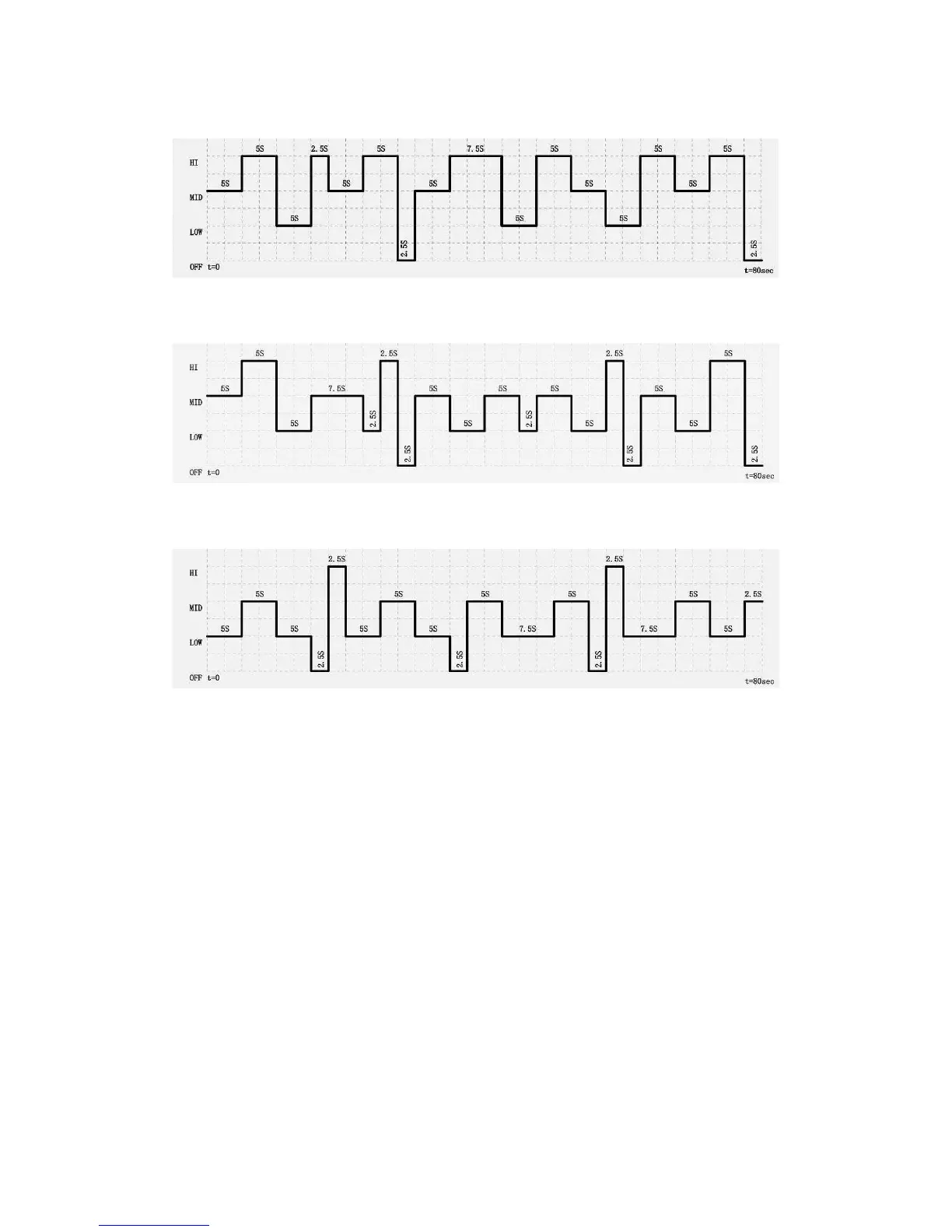
Program A
Program B
Program C
3) OSC
button
• To activate the Oscillation feature, press the
OSC button
once.
• Press OSC button again to turn the Oscillation feature off.
4) Timer
button
• When the fan is in use, you can set a time for the fan to turn off. Maximum is 8 hours.
• Press the
Timer
button, the LCD screen will display and flash the default time. The
default time is 0.0h
•
Press the timer button continually to set the timer-off function between 0.5 and 8 hours.
Each press is an increment of 0.5 hours.
5) ION button:
• Press once to activate the ION feature.
•
Press again to turn feature off.


 To Next Page