6
USING YOUR i4
The On/Off Button
When the i4 is powered on it will charge your iPhone's
battery as soon as it detects a drop in battery level.
However, for maximum efficiency, we recommend
turning on the i4 only after your iPhone's battery has
dropped to 20% of full charge or less. One of the great
benefits of the i4 is that you can continue to use your
iPhone while the i4 is recharging it.
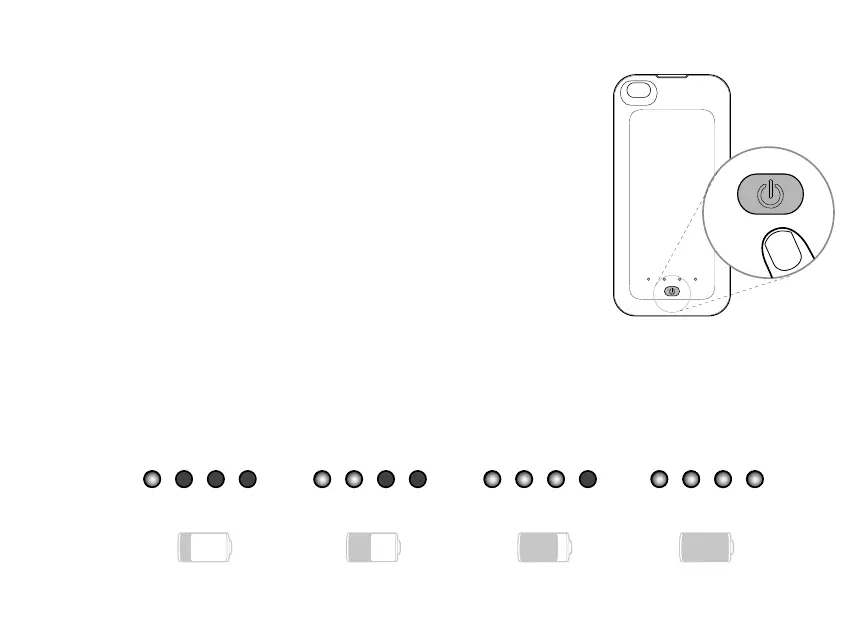
Turning the i4 on and off
Press and hold the On/Off button for about three seconds.
Battery level indicator
When the i4 is powered on, the LED array displays the i4's battery level, as
shown below.
25% 50% 75% 100%



 To Next Page