Page | 7
Finally, you need to connect to the Global Link device that is in the solar box, this is again
done via Bluetooth using the Victron Connect app with default pin 000000
Select Change Pin Code and change it to the fleet number provided to the solar assembly –
all digits in the fleet number starting with a 0 as it has to be a 6 digit pin number.
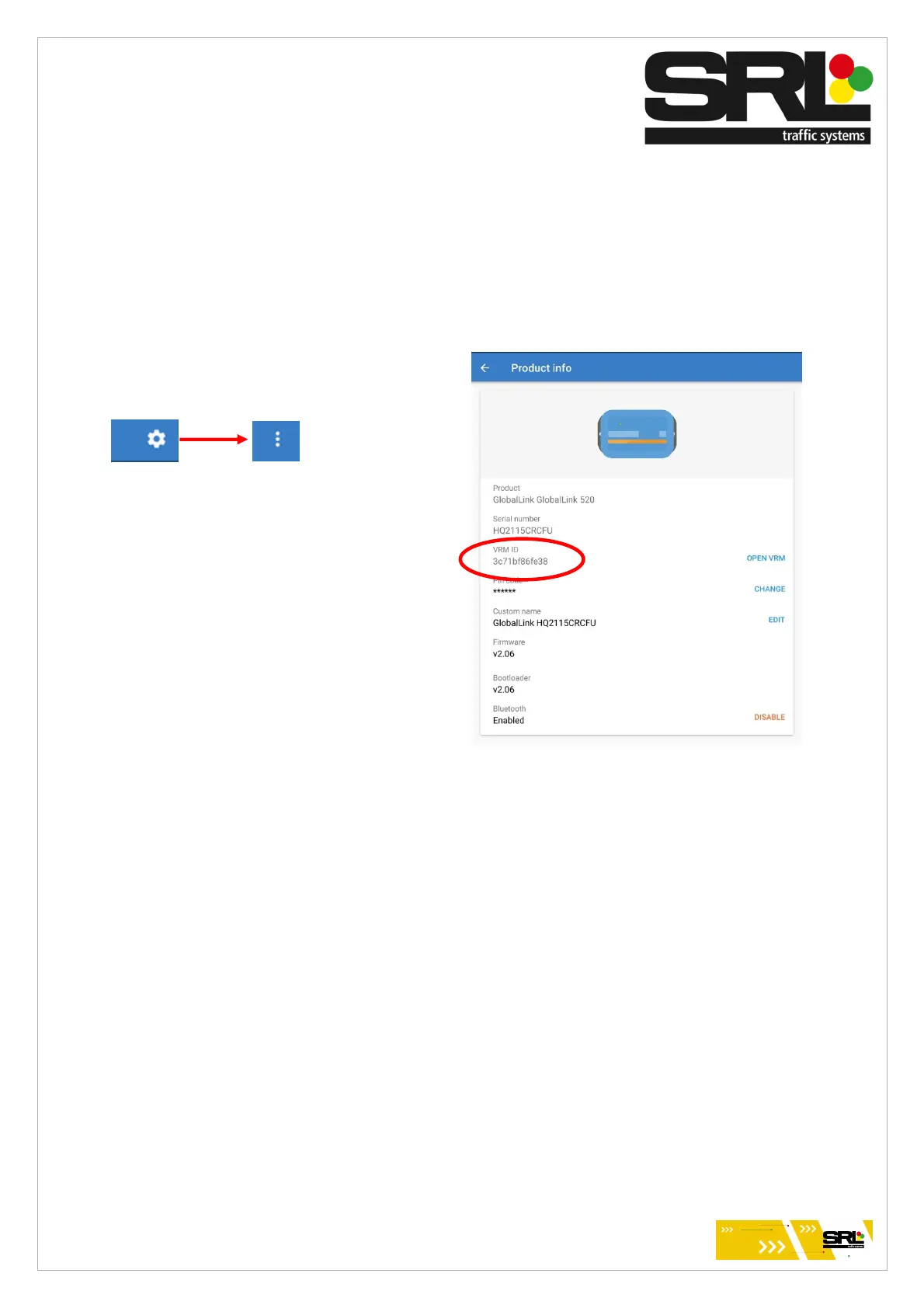
Navigate through settings and Product info to
find the VRM ID.
This ID needs to be provided to Technical
along with the Fleet number it is associated
with.
Sometimes it can take a while for the global
link to gain connection and provide a VRM ID.
Change the name of this device to match the fleet number provided to the solar assembly
including any letters and numbers.
Ensure correct warning label is secured to the inside of the solar lid according
to the setup of the battery details – Yellow Top SRL battery / AGM.
Setup is now complete


 To Next Page
 Loading...