DIGITAL MOISTURE METEROPERATION MANUAL
Thank you for purchase our Products. Please read this manual first
before use it. It will tell you how to use it and simply inspect it so
as to exert the ruggedization and durable of it's merit. The
instrument is a delicate one, which used to measure the
containing water of wood, bamboo, paper etc.
FEATURES:
* Digital large size LCD display
* Range: 5% to 40%
* Resolution:1%
* High resolution and response quickly
* Date hold
* Symbol and unit display can read the value
conveniencely
* Low battery symbol " "
* Power: one 9V battery
* Dimension: 129×63×32mm
* Weigh: approx. 116g (including battery)
* Operation temperature: 0 C to 40 C
(32 F to 104 F) 0 to 70%RH
FRONT PANEL DESCRIPTIONS
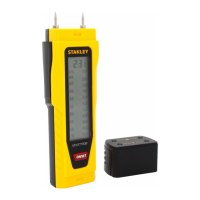
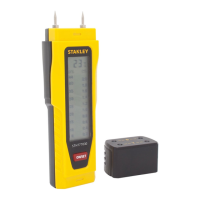
1. Probe shield
2. Measure probe
3. Date-hold button
4. Power button
5. LCD display
6. Battery cover
MEASURING METHOD
A. Press power button to pen the meter, and then insert the
pins into the object approx. 5mm, it will display the containing water of the
object on LCD.
B. Press "HOLD" button then can hold current value with " symbol,
press "HOLD" again, which can cancel hold function.
C. After measuring, press "POWER" button, turn of power and cover probe
shield, then measuring is over.
NOTES
1. The pins are very sharp and don't let children play.
2. Don't point pins at humans or animal to avoid the injury others

 Need help?
 General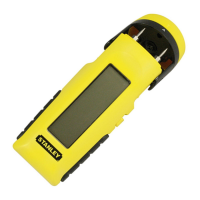




 To Next Page