Instructions for the Hugs® Wi-Fi Tag
Hugs® Wi-Fi Tag User Sheet
Introduction
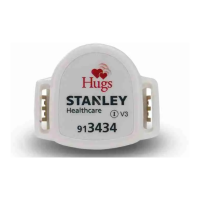
The Hugs Wi-Fi Tag with BabySense™
functionality is part of the Hugs infant pro-
tection system. The Hugs Tag is applied to
the infant using a tamper-proof band. From
the moment it is activated, the tag begins to
send “check in” messages indicating that it is
OK. The infant is automatically enrolled in
the system and protected against abduction.
The Hugs Tag incorporates a special sensor
to detect if:
• the tag is removed from the infant
• the band is cut
In addition, attempting to remove the infant
without authorization from the protected
area will immediately cause an alarm.
The Hugs Tag is reusable, and does not
interfere with other hospital or personal
medical equipment.
The patented asymmetrical shape of the tag
ensures that it does not pinch or irritate the
baby’s skin, and also helps prevent it from
being kicked off, while still allowing the ankle
joint to move freely.
The Hugs Tag is water proof which allows
bathing of the infant. It is also resistant to
soiling and UV light.
The Hugs Tag has an expiration date of 2
years from the time it is first activated into
the Hugs system. After 2 years, you will
not be able to admit the tag into the Hugs
system.
Cleaning the Tag
Note: The tag is not sterilized at the factory.
You may wish to clean it before rst use.
The Hugs Tag can be cleaned using a soft-
bristle brush. Follow these guidelines for
cleaning the tag:
• First, consult with your Infection Con-
trol representative for cleaners available
to your hospital that have been approved
for use on plastics.
• Use a disinfectant with no more than
20% alcohol or enzymatic cleaners with
a mild pH such as Enzol or Maxizyme.
• Do not use pathogenic cleaners speci-
fied for TB.
• Do not soak the Hugs Tag.
• Do not use an autoclave to clean the tag
or serious damage may result.
Items Required
• Hugs Tag (p/n TAG-HGS-1000)
• Hugs Tag bands (p/n 806A1401 or
806A2001)
• Safety scissors
Applying the Tag
The Hugs Tag should be placed on the
opposite limb or below other hospital
bracelets.
BAND
BAND
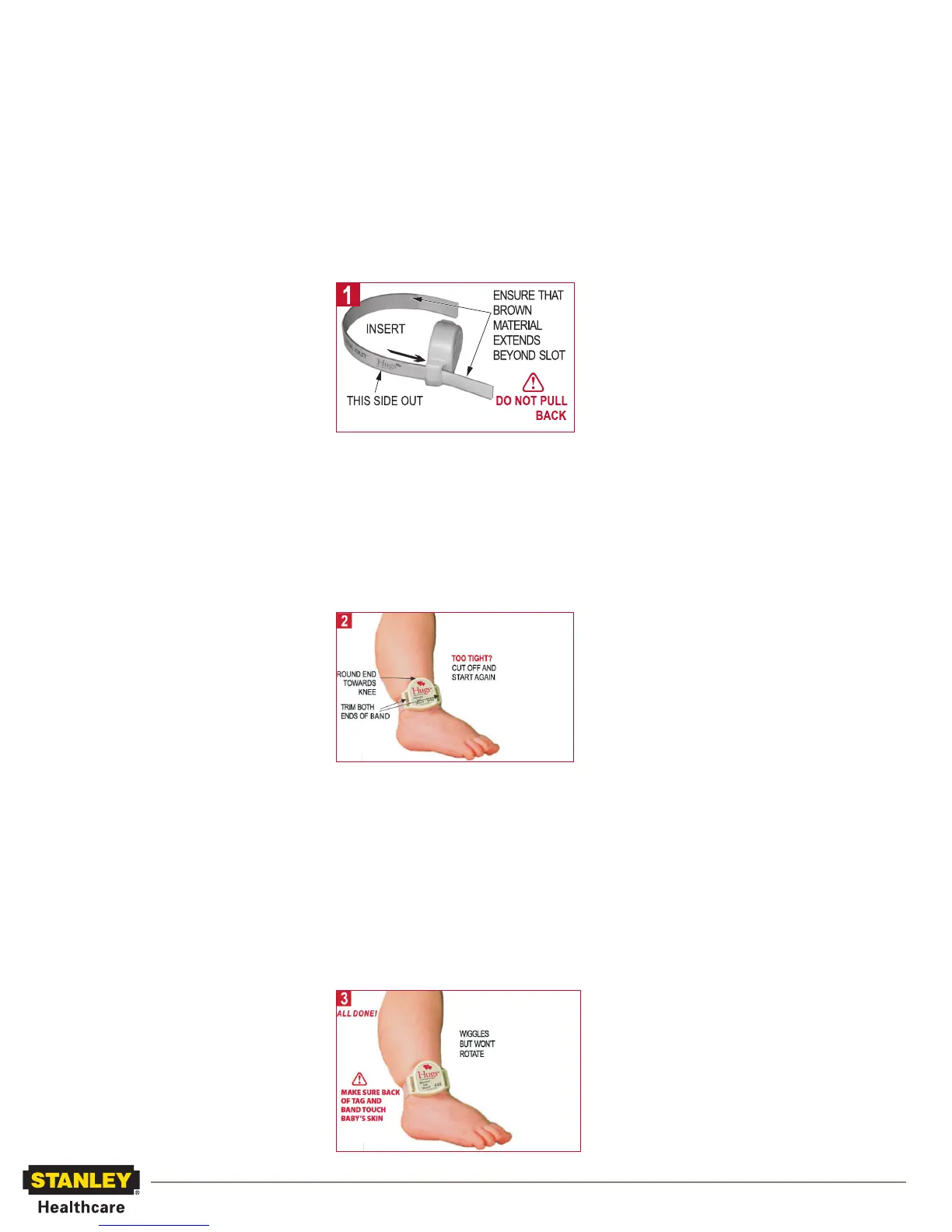
1 Align band with tag slot.
2 Make sure “This side out” is on the
outside.
3 Insert band into tag slot starting from
bottom of tag.
4 Pull through until the brown
material extends beyond the slot about
1/4 inch.
1 Wrap tag around baby’s ankle, placing
tag on outer aspect of ankle and insert
loose end of band into second tag slot.
2 Pull band through, and listen for the
battery status chime (two short beeps).
Check that the tag is snug and does
not rotate. The bottom (black) side of
the tag and the band must be in light
contact with the baby’s skin.
3 Trim both ends of band.
Assessing Tag Fit
When you apply a tag to the infant, you
need to make sure that a secure fit is
obtained. A secure fit is defined as a fit
snug enough to prevent the tag from slip-
ping over the heel while ensuring that the
back of the tag maintains light contact
with the infant’s skin.
1 It is recommended that a staff member
examine each Hugs Tag and tag site
regularly (per hospital policy) for
appropriate fit and the absence of any
skin irritation.
2 If skin irritation is noted, relocate the
tag site immediately.
3 If the Hugs Tag appears to be too
tight, as evidenced by tag or band
impressions on the infant’s skin or the
inability to move the tag on the skin
surface, remove the tag immediately
and apply a new band.
Removing the Tag
1 Discharge the baby (tag) from the
Hugs system.
2 Cut the band on the Hugs Tag using
safety scissors. Push the band pieces
through from the bottom to the top
of the tag, using a rocking motion.
Make sure no band debris remains
around the gold contacts in the slots
of the Hugs Tag.
3 Return the tag for cleaning and reuse.
Battery Information
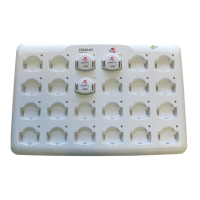
The Hugs Tag uses a non-replaceable
chargeable battery. (Lithium battery
4.2V).
The Hugs system software automatically
displays a Low Battery notification if the
Hugs Tag enters a low battery state during
use.
If you hear the low battery status chime
(Mismatch tone) when you apply the tag,
immediately pull the tag from service and
place it in the charger.
Handling Information
Battery Handling - This device contains
a lithium battery. Do not force open, heat
to 212°F (100°C), or dispose of in fire.
X-rays - Do not directly expose the tag to
X-rays. (The tag is not affected by stray
radiation.)
MRI - This tag contains metal components
and is not approved for use near MRI
equipment.


 To Previous Page
 Loading...