2
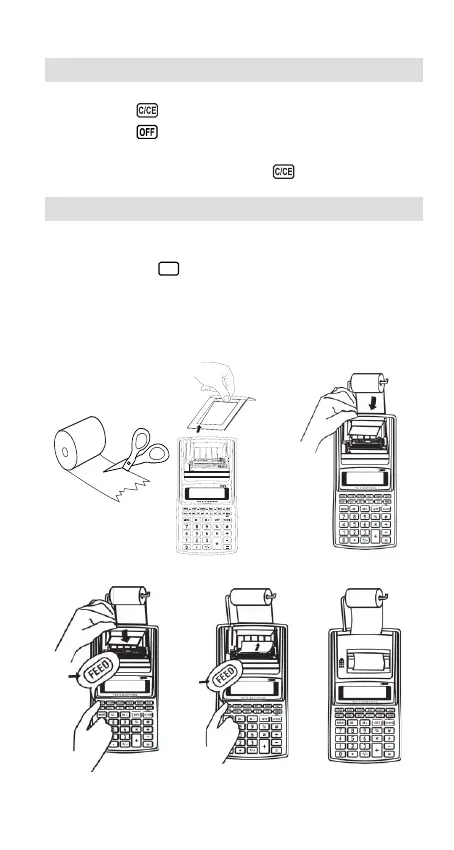
Fig.1
Fig.2 Fig.3
Fig.4
Powering On/Off of the Unit
Power on: Press (ON) to power on the unit.
Power off: Press to power off the unit.
The unit has auto power off function, when there is no operation for 6
minutes, it will turn off automatically, press to restart it.
Loading the Paper Roll
Switch ON the calculator, follow the procedure illustrated below.
• Always use the
FEED
key to advance the paper. Never pull on the
paper by hand.
•We recommend dustless type paper (58mm wide x 80mm or less
diameter).
.
............
.
..
Fig.5
Fig.6


 To Next Page