Customer Services Bulletin
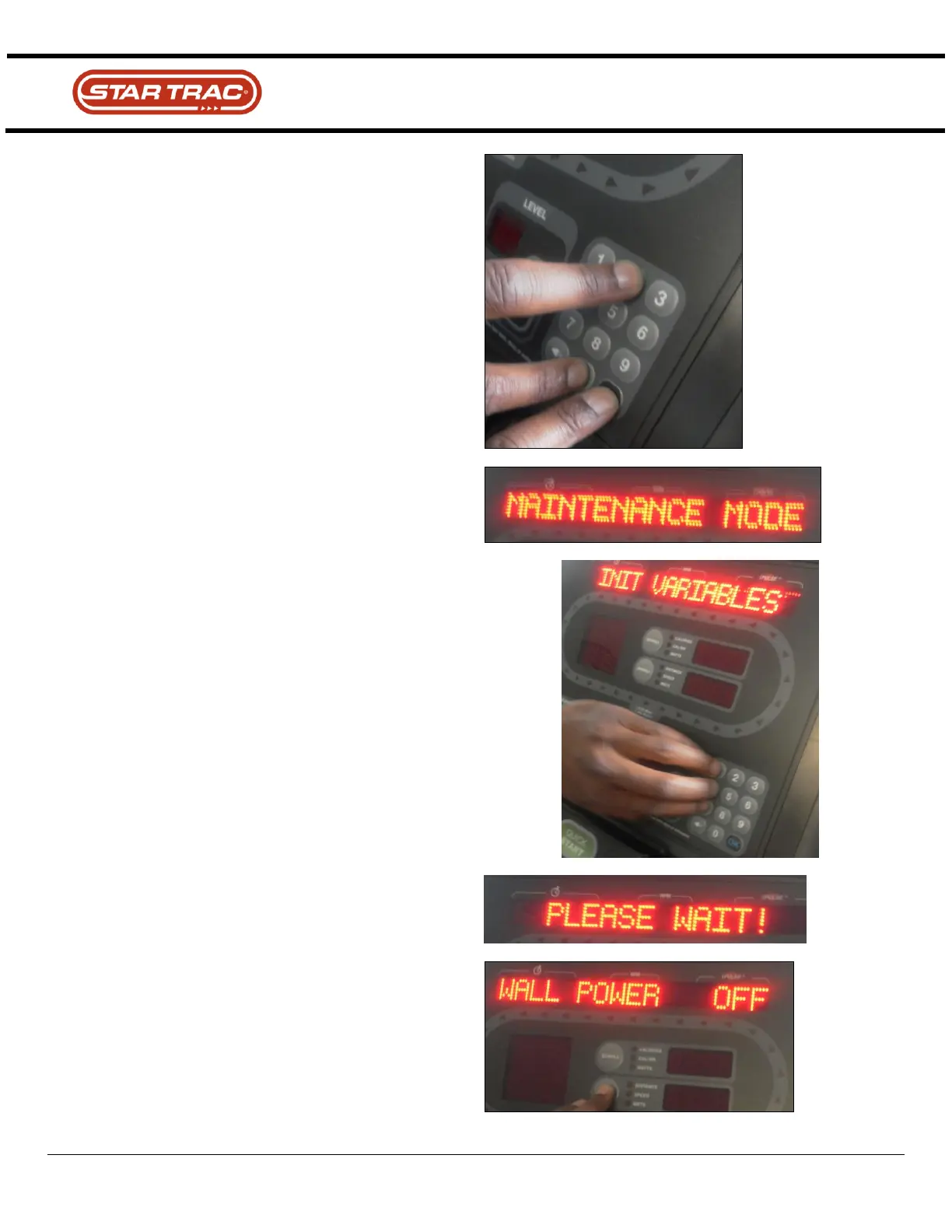
Once the unit is awake, press the number “0”, “2”, and
“Start” at the same time to get into the maintenance mode.
Right when “Maintenance Mode” comes up, press the
numbers “1”, 4” and 7” at the same time. “Init Variables” will
appear.
Note: very important to do it within 3 seconds of seeing the
“maintenance mode”
“Please Wait” will then appear.
Let the unit power down.
Start pedaling.
Return to the “Maintenance Mode”. Using the “SCROLL”
key. If it is plugged in the wall, make sure the “Wall Power”
is on.



 To Next Page