
 Need help?
Do you have a question about the Starry Station and is the answer not in the manual?
Follow manufacturer's instructions, use provided cables, and avoid using damaged units.
Ensure firm placement, avoid covering, direct sunlight, heat, and moisture.
Handle by the base, avoid lifting by cables, do not block vents, and do not disassemble.
Periodically wipe with a dry, non-abrasive cloth; use microfiber for the screen.
The unit has no user-serviceable parts; contact support for service needs.
Reach customer support via email or website for assistance.
Device complies with FCC rules, subject to specific operating conditions.
Explains potential interference and measures to resolve it, including antenna adjustments.
Restrictions for 5.15-5.25 GHz band and RF exposure below limits.
Device complies with Industry Canada license-exempt RSS standards.
Summary of hardware warranty terms and conditions, including coverage and claims.
 General
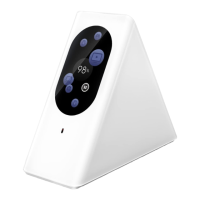
| Product Name | Starry Station |
|---|---|
| Ports | 2 x Gigabit Ethernet |
| Dimensions | 4.7 x 4.7 x 4.3 inches |
| Weight | 1.4 pounds |
| Wireless Standard | 802.11ac |
| Frequency Bands | 2.4 GHz, 5 GHz |
| Security Protocols | WPA2 |
| Security | WPA2 |

 To Next Page