●Powerkey:longpress2~3secondstostart/turnoff,shortpresstooffthescreen.
●Functionkeys: long pressto increaseandkeepthescreenbrightness, long pressagaintoreducethe
brightness.Intheintercominterface.
2, TheScreenDisplay
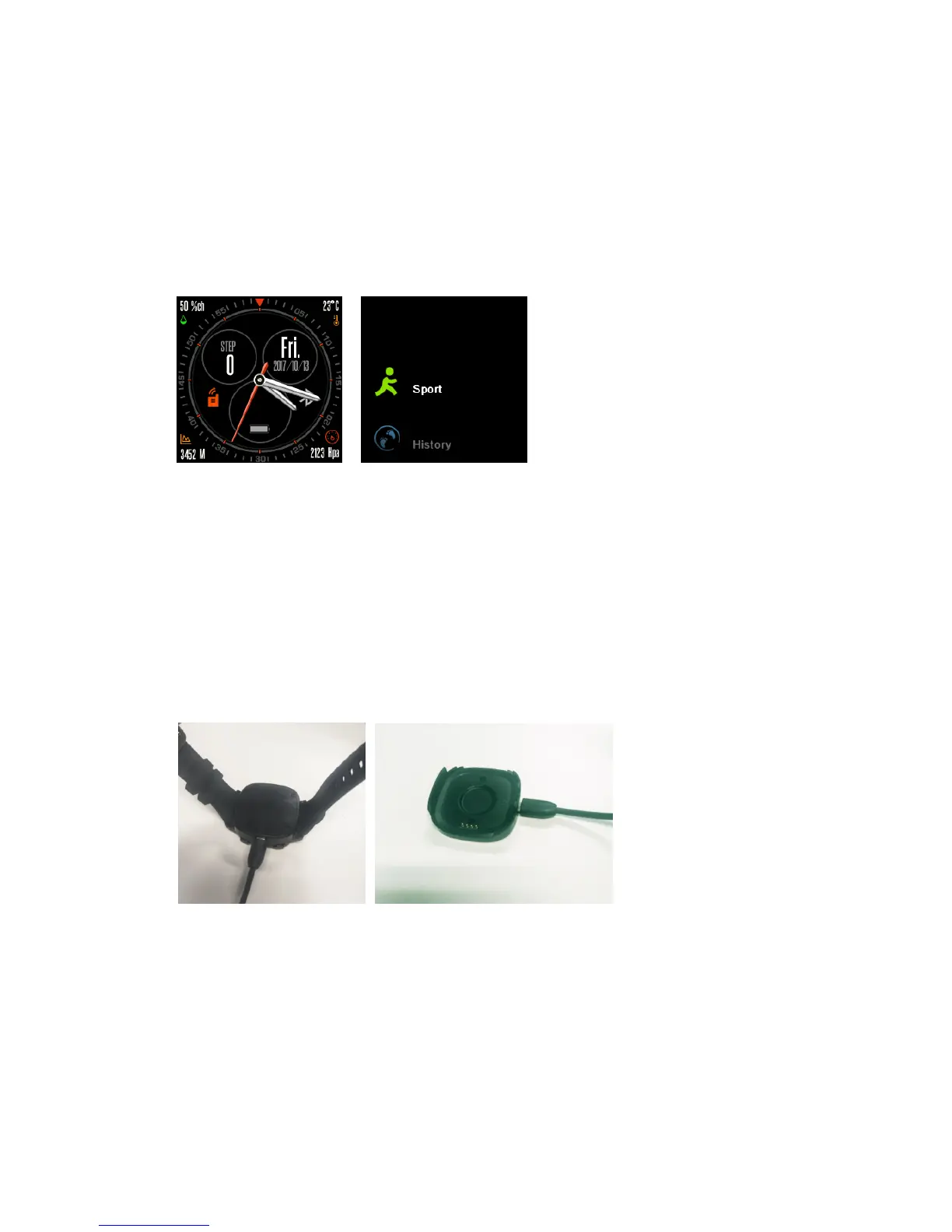
●Maininterface:interfaceiconsarehumidity,temperature,clock,step,systemdate,batterylogo,the
followingfortheelevation,pressure.
●Main Menu: Standby Slide the screen to the left to enter the main menu (the default is the fir st
intercom),slideupanddownthescreentoswitchtoothermain
menu,slidethescreentotherightto
exit.
●Functionmenu:Inthemainmenuinterface,clickonthescreentoenterthecorrespondingfunction
menu,slidethescreentotherighttoexit.
二、 OperatingInstructions
1, WatchPre‐charge
Asshownintheletterwitha
thimbleofthechargingbasefastenedtothebackofthewatch,notethe
positioningdirectionofthethimble,thenconnectthechargingcable,theotherendconnectedtothe
chargerorcomputerUSBinterface,startcharging,Thebatteryforaboutanhourcanbefilled.
Note:Duringcharging,thecharging
iconwillscrolluntilitstopsfull.
1, WatchBoot


 To Next Page
 Loading...