EasyManua.ls Logo

Steel City 40250 - User Manual

Steel City 40250
44 pages
Print Icon
To Next Page IconTo Next Page
Loading...
User Manual
Read and understand this manual before using machine.
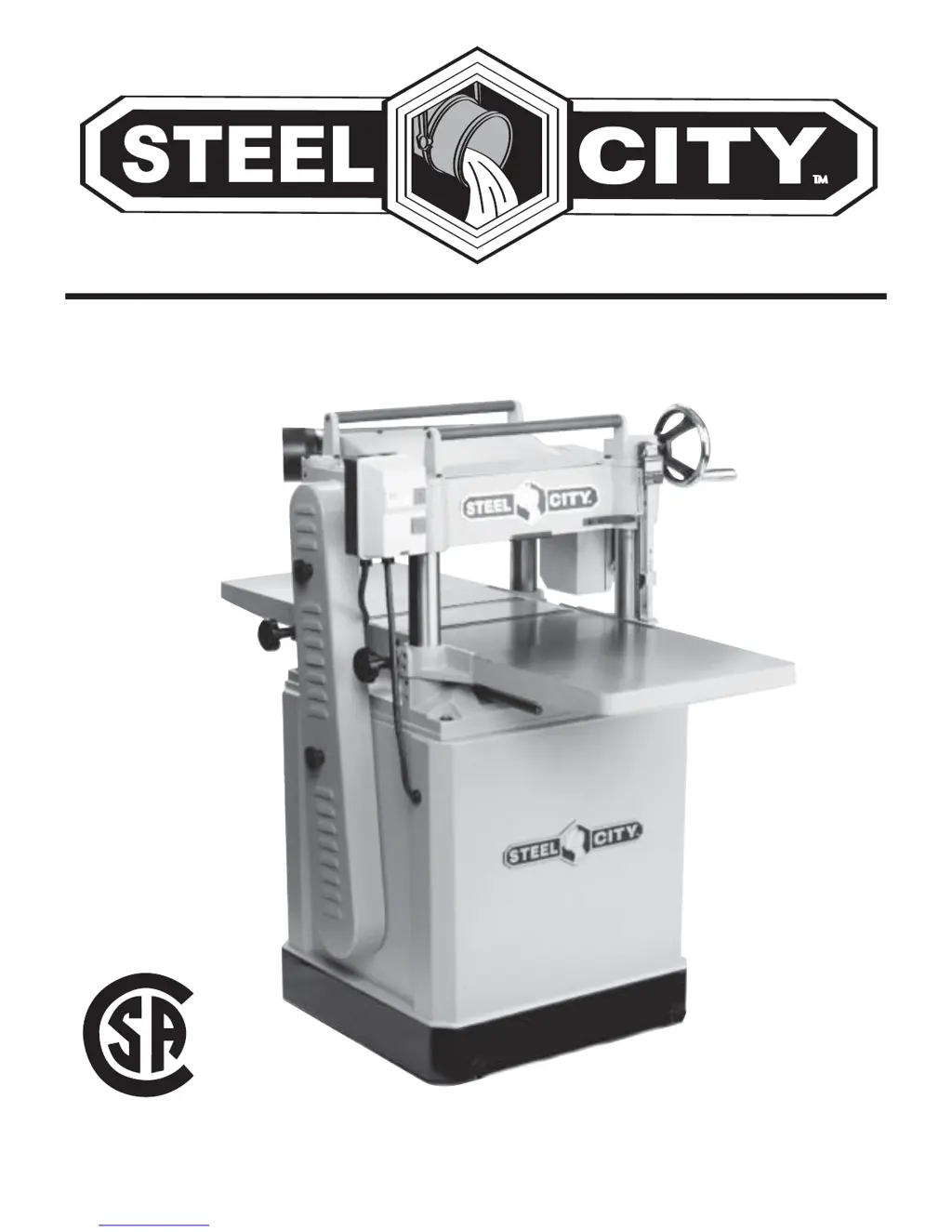
15” PLANER
STEEL CITY TOOL WORKS Manual Part No. OR71029
VER. 3.07
CUS
®
Model No.
40250

Questions and Answers

  • C
    Curtis CarlsonAug 17, 2025
    What to do if my Steel City 40250 motor stalls and blows fuses?
    • M
      Mr. Timothy DavisAug 17, 2025
      If the Steel City Planer motor stalls, resulting in blown fuses or a tripped circuit, inspect the motor connections for loose or shorted terminals, or worn insulation. Also, check for low voltage and correct it, ensure you have the correct fuses or circuit breakers installed, and reduce the load on the motor.
  • J
    Jacob SmithAug 22, 2025
    Why is my Steel City 40250 loud and overheating?
    • K
      Kaylee PhamAug 22, 2025
      If your Steel City Planer machine is loud when cutting and overheats or bogs down, decrease the depth of cut. Also, sharpen or replace the knives.
  • A
    Andrew FarleyAug 25, 2025
    Why does my Steel City 40250 Planer motor overheat?
    • A
      Aaron MartinezAug 26, 2025
      If your Steel City Planer motor overheats, reduce the load on the motor. Additionally, clean out the motor to ensure normal air circulation is not restricted.
  • D
    David Long MDAug 27, 2025
    How to fix a loud Steel City 40250 Planer?
    • T
      Thomas BurchAug 27, 2025
      If your Steel City Planer is making a loud, repetitious noise, inspect the keys and setscrews on the pulleys for looseness or if they are missing; replace or tighten as necessary. Also, check if the motor fan is hitting the cover and tighten the fan or shim the cover. Finally, inspect the V-belt and replace it if defective.
  • M
    Mr. Keith LeeAug 30, 2025
    What to do if my Steel City 40250 slows down when operating?
    • K
      Kenneth NicholsonAug 30, 2025
      To resolve the issue of your Steel City Planer slowing down during operation, reduce the feed rate and decrease the depth of cut.
  • M
    Mr. Jacob RiversSep 2, 2025
    How to troubleshoot a Steel City 40250 motor that won't start?
    • M
      Melissa PadillaSep 2, 2025
      If the motor of your Steel City Planer won't start, check the power line for proper voltage. Also, inspect all lead connections on the motor for loose or open connections.
  • A
    Audrey NelsonSep 5, 2025
    How to fix a Steel City 40250 Planer that howls on startup?
    • S
      Sherry SummersSep 5, 2025
      If your Steel City Planer howls on startup, move the chip deflector back 1/8” to 1/4” from the cutterhead.
  • A
    Alexander ThompsonSep 7, 2025
    What to do if my Steel City 40250 table moves down while cutting?
    • C
      Christopher JohnsonSep 7, 2025
      If the table of your Steel City Planer moves down while cutting, replace knives if they are dull and tighten the lock knobs.
  • F
    freytheodoreSep 10, 2025
    How to prevent infeed roller marks on my Steel City 40250 Planer?
    • F
      fullerannaSep 10, 2025
      To eliminate infeed roller marks on the workpiece from your Steel City Planer, increase the depth of cut.
  • K
    kelly65Sep 10, 2025
    Why does my Steel City 40250 blow fuses when I start it?
    • B
      Brian YoungSep 12, 2025
      If the motor of your Steel City Planer won't start and the fuses or circuit breakers blow, inspect the line cord or plug for damaged insulation and shorted wires. Also, check all connections on the motor for loose or shorted terminals or worn insulation. Finally, ensure that the correct fuses or circuit breakers are installed in the power line.

Summary

INTRODUCTION

WARRANTY

2 YEAR LIMITED WARRANTY

Details the warranty coverage and terms for the planer, including conditions and exceptions.

LIMITED WARRANTY - ACCU-SHOP line of bench top tools

Specifies warranty terms for the ACCU-SHOP line of bench top tools.

PRODUCT SPECIFICATIONS

Capacities

Lists maximum stock width, thickness, depth-of-cut, and minimum length.

Product Dimensions

Provides physical footprint, length, width, and height of the planer.

Cutterhead Specifications

Details cutterhead speed, number of knives, diameter, and cuts per minute.

Motor Specifications

Lists motor type, horsepower, amps, voltage, phase, hertz, and RPMs.

Shipping Dimensions

Gives carton type, length, width, height, and gross weight for shipping.

ACCESSORIES AND ATTACHMENTS

Available Accessories

Information on purchasing additional accessories for the planer.

DEFINITION OF TERMS

Planing Terminology

Clarifies technical jargon like planing, snipe, chatter marks, chip marks, and tear out.

FEATURE IDENTIFICATION

Machine Components Overview

Identifies key parts like switch, dust port, return rollers, handwheel, and guards.

GENERAL SAFETY

Safety Symbols and Definitions

Explains hazard symbols like DANGER, WARNING, CAUTION, and their meanings.

Dust and Respiratory Hazards

Details risks associated with dust exposure and necessary precautions.

Eye Protection

Emphasizes wearing safety goggles during operation to prevent eye damage.

Hearing Protection

Advises on using appropriate hearing protection that complies with ANSI standards.

Electrical and Environmental Safety

Covers electrical safety, workplace conditions, and safe operating practices.

Safe Operating Practices

Includes advice on not forcing the machine, not standing on it, and maintaining balance.

PRODUCT SAFETY

General Product Precautions

Discusses potential injuries, electrical shock prevention, and cord safety.

Electrical Shock Prevention

Covers outdoor use, wet hands, and unplugging the unit.

Cord and Accessory Safety

Guidelines for using recommended accessories and handling power cords.

ELECTRICAL REQUIREMENTS

Voltage and Outlet Compatibility

Specifies 230V single phase use and plug compatibility.

Grounding Instructions

Explains the importance of grounding for shock protection.

Extension Cord Guidelines

Provides recommendations for gauge, type, and condition of extension cords.

UNPACKING & INVENTORY

Safe Unpacking Procedures

Instructions for safe unpacking and checking for damage.

Inventory Verification

Guidance on comparing received items against inventory figures.

ASSEMBLY

Setup Location and Clearances

Covers floor support, working clearances, and outlet placement.

Safe Lifting and Moving

Warnings and methods for safely moving the heavy planer.

Mobile Base Installation

Instructions for attaching and using the mobile base lock knobs.

Handwheel and Extension Wings Installation

Steps for mounting the handwheel and attaching extension wings.

Dust Port and Knife Jig Assembly

Instructions for installing the dust port and assembling the knife setting jig.

ADJUSTMENTS

Table Parallelism Adjustment

How to ensure the table is parallel to the cutterhead.

Chain Tension and Drive Adjustment

Steps for adjusting chain drive tension and chain drive for table leveling.

Knife Inspection and Setting

How to inspect, adjust, and set planer knives for sharpness.

Knife Adjustment Details

Detailed steps for adjusting planer knives using gib bolts and jack screws.

Chip Breaker Adjustment

Setting the chip breaker to prevent gouging and tear-out.

Feed Roller Height and Pressure

Setting feed roller height and adjusting feed roller pressure.

Bed Rollers and Chip Deflector

Setting bed roller height and positioning the chip deflector.

Anti-Kickback Fingers and Pulleys

Checking anti-kickback fingers and aligning pulleys.

Belt, Gearbox, and Readout Adjustments

Adjusting belt tension, inspecting gearbox, and calibrating digital readout.

OPERATIONS

Planer Use and Lumber Inspection

Instructions for examining lumber and proper planing techniques.

Power Feed and Depth Control

How to select and adjust feed rates and use the depth limiter.

Table Locks and Handwheel Operation

How to use table lock knobs and the handwheel for height adjustments.

Trial Run Procedure

Steps for performing a test run after assembly and adjustments.

MAINTENANCE

Routine Inspections and Table Care

General checks for worn parts and how to clean and protect the table.

Knife and Bearing Maintenance

Importance of sharp knives, sealed bearings, and worm gear inspection.

Gearbox, Chain, and Roller Lubrication

Maintenance schedule for gearbox, drive chain, and feed rollers.

TROUBLESHOOTING GUIDE

Motor and Performance Issues

Troubleshooting for motor not starting, overheating, or stalling.

Workpiece Marks and Operational Problems

Solutions for roller marks, snipe, chip buildup, and table movement issues.

Common Troubleshooting Solutions

Addressing loud noises, slow operation, and other common problems.

NOTES

PARTS

Exploded View of Parts

Diagram showing numbered components for easy identification.

Steel City 40250 Specifications

General IconGeneral
BrandSteel City
Model40250
CategoryPlaner
LanguageEnglish

Related product manuals