11
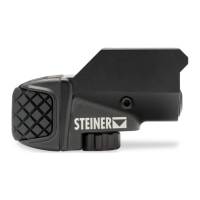
Adjust the laser beam using windage and elevation
screws
• To move the beam spot down, turn the elevation screw
clockwise.
• To move the beam spot up, turn the elevation screw
counterclockwise.
• To move the beam spot to the right, turn the windage
screw clockwise.
• To move the beam spot to the left, turn the windage
screw counterclockwise.
DO NOT over-torque the screws. It can damage the internal
laser module.
When the laser spot cannot move further, stop turning the
adjustment screw.
Turn on Auto On
The TOR Mini can be set to turn on automatically when you
raise or draw your weapon. This mode is ideal for training.
With the TOR Mini mount facing UP, do the following:
1. Turn the TOR Mini on using the right or left pressure pad.
2. Within 5 seconds, fully press and release the activation
pads in this pattern:
Left - Right - Left - Right
• If you take more than 5 seconds to press the pressure
pads in this order, the Auto On feature will not work.
• After the sequence is completed, the TOR Mini flashes
to indicate that the Auto On feature is activated.
3. Turn the unit off using the right or left pressure pad.


 To Next Page
 Loading...