Section 4
OPERATION BASICS
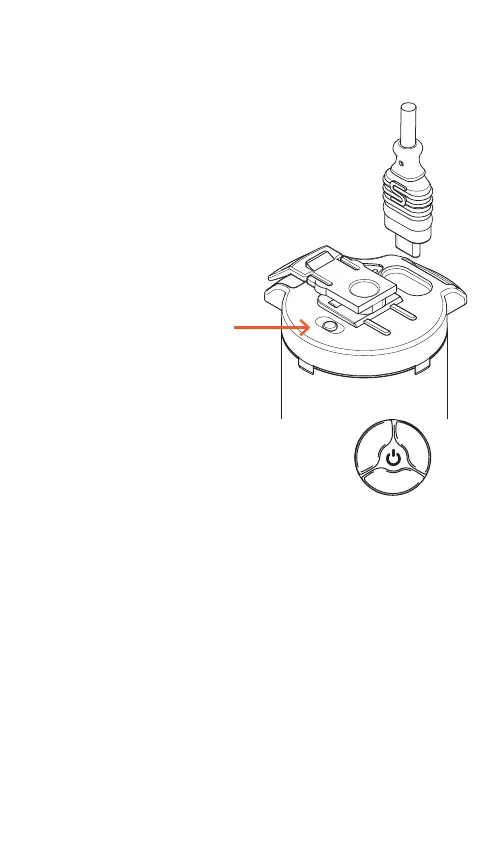
Connect short USB-C to the light and
battery. Press the white power button
on the battery. Battery Indicator will turn
red. Check connection and charge if in-
dicator light does not turn red. THe OLED
display will turn on if connections are ok.
•
•
•
•
•
A Short press (1 sec) switches between
Continuous and Digital Burst* (When in settings
menu advances through sub-menu)
A Medium press (2 sec) enters and exits the the
Reflex menu
Long press (4 sec) to enter sleep mode (Unplug
to turn o power)
Rotate Clockwise to increase output (Or change
menu setting)
Rotate Counter-clockwise to decrease output
(Or change menu setting)
USING THE CONTROL DIAL
*Transmitter is required for burst operation
White Power Button


 To Next Page