Photon 160 Installation & Quick Start Guide
2 Rev 01
Accessing the Model 160
You can access the Model 160 using any of the following techniques:
HDMI monitor and USB keyboard
Serial console port
SSH to the eth0 Management port ( 1)
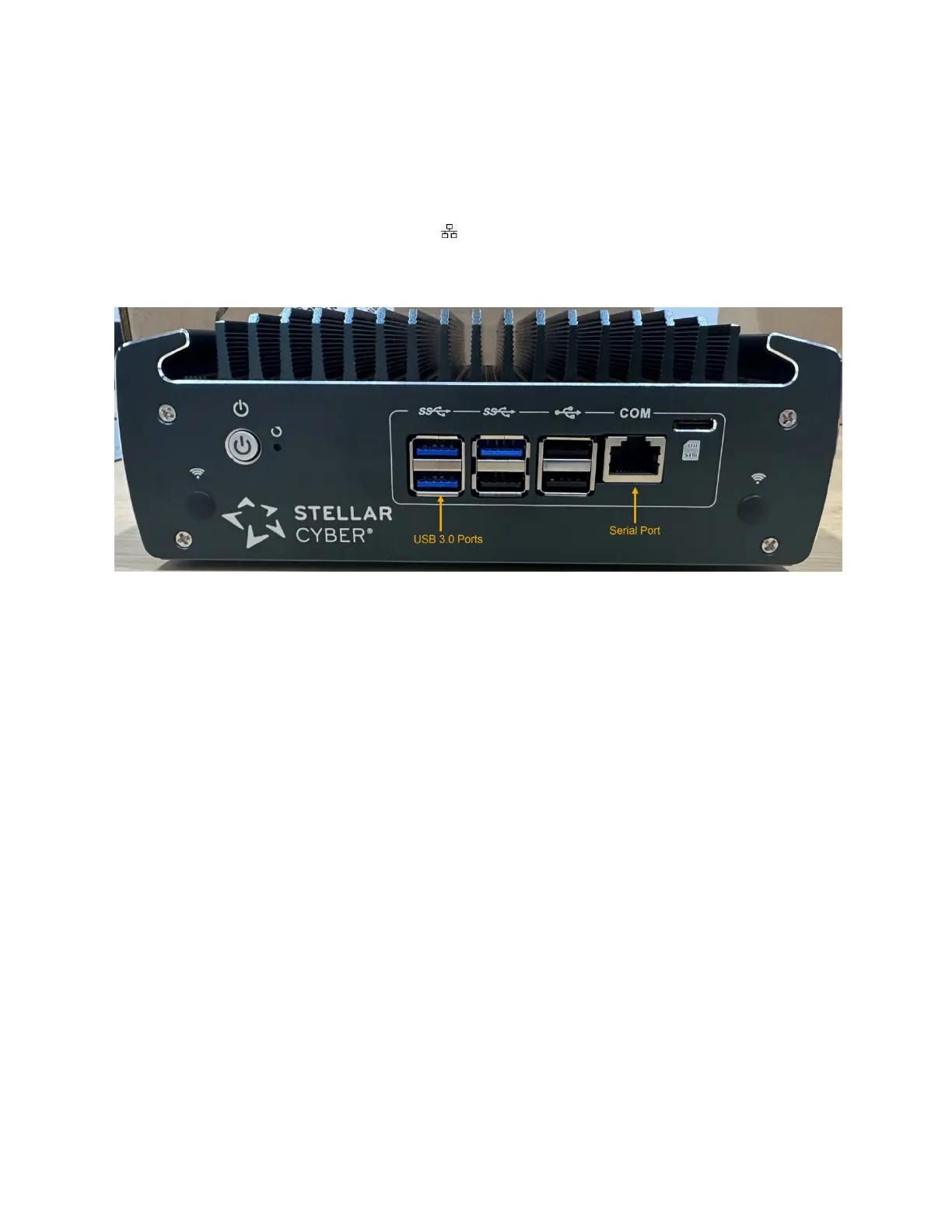
The USB and serial console ports are at the front of the appliance. The HDMI and eth0
Management ports are at the rear:
HDMI/USB Access
Connect an HDMI monitor to the HDMI port and a USB keyboard to one of the USB 3.0 ports.
Console Access
For console access use an RJ45 serial cable with the following settings:
Baud: 115,200
Flow control: none
Data bit: 8
Parity check: none
Stop bit: 1
SSH Access
The default management IP address on the Photon 160 is 192.168.1.100/24, and the
default gateway IP address is: 192.168.1.1. The default username is aella and the
password is changeme.
For SSH access to the Photon 160:
ssh -l aella@192.168.1.100



 To Next Page