API A065 series Interfacing Via bowling (MC2)/Switch pinsetters
18
Wins Advanced A.P.I. settings for Bumpers
WARNING: Vary the suggested parameters only; do not edit the other fields
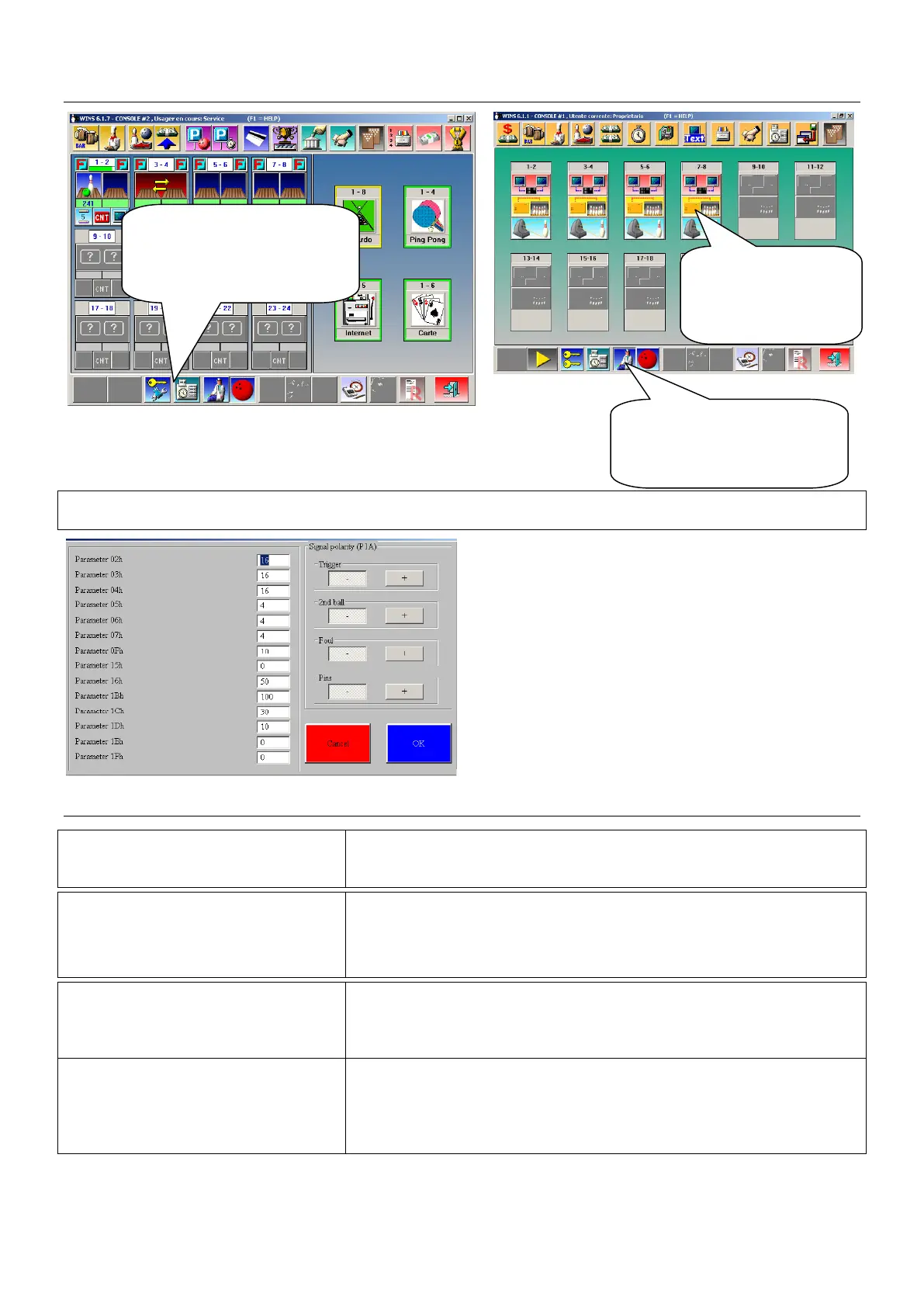
WAIT until the window dialogue is open, than
click on ADV Parameters button to load the
Advanced Parameters.
SETTINGS BUMPERS MODE
PARAMETER_15H = 0
[Bumper ON/OFF] – default -
Bumper out ALWAYS CLOSE until the next player begin
PARAMETER_15H = 1 to ..
[Bumper Toggle]
One pulse= Bump UP, next pulse = Bump Down
Value indicate length of close pulse (1 unit= 100 ms)
PARAMETER_15H = 1 to ..
[Bumper Toggle + UP SWITCH]
Value indicate length of close pulse (1 unit= 100 ms)
For UP switch detection mandatory set the 16H parameter
PARAMETER_16H = ..
Indicate the timeout for UP Switch detect.
Time starts after parameter 15H, if a UP/DOWN switch is not
detected before 16H time expires, score give another pulse for
bumper. Unit in 100 ms.
• At the end of modification, confirm with OK, save and exit.
Open Wins Main Desk
program and identify
yourself as SERVICE
(password required)
Click on the DOCTOR
icon to access the SET
UP MENU SCREEN
Click on each
A.P.I. icon to
access the A.P.I.
menu.


 To Next Page
 Loading...