77
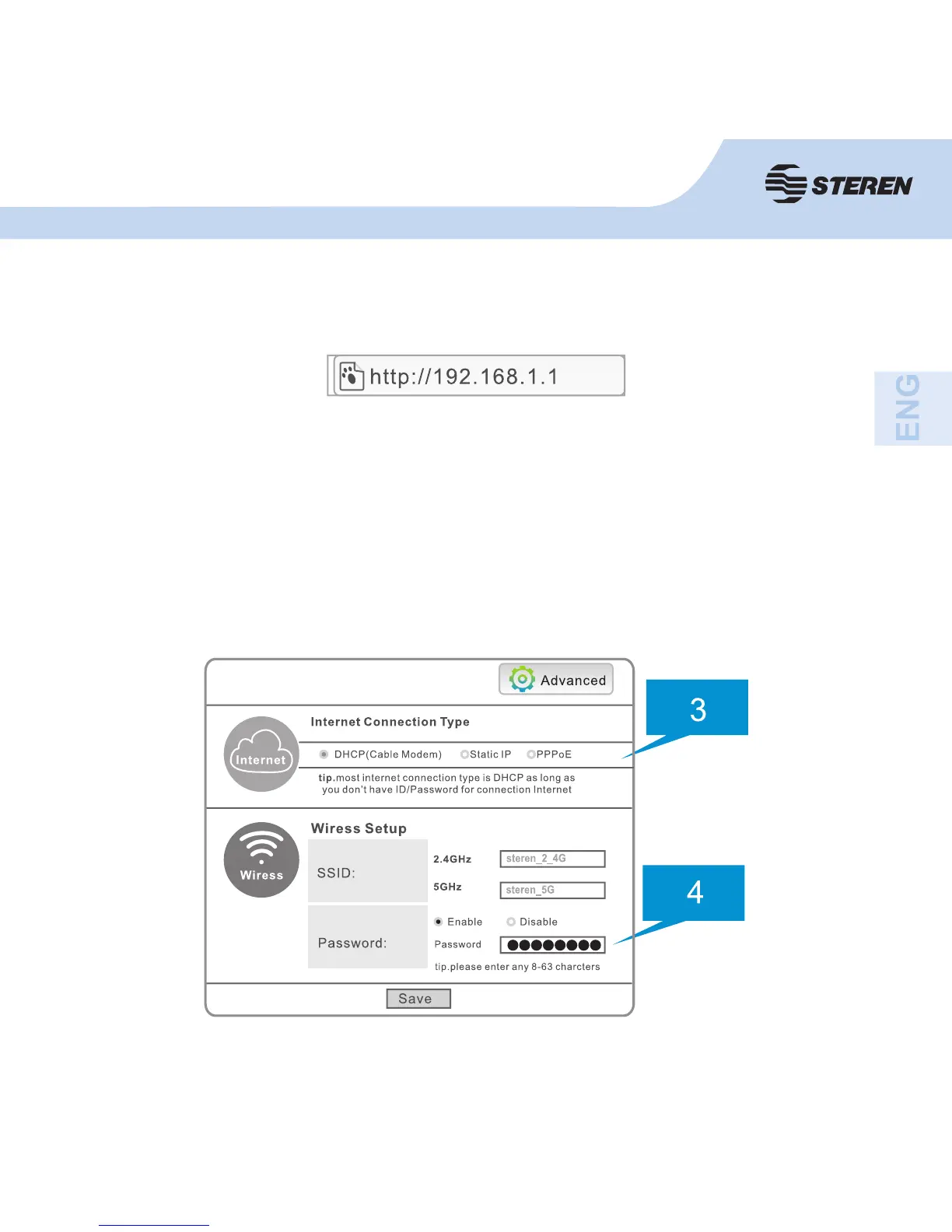
4. At the bottom you can assign a name (SSID) and password for 2.4 and 5.8
GHz networks. The default names are: steren_2_4G and steren_5G, the default
password is: password.
2. Open your browser and enter the address “192.168.1.1” to enter the
confi guration.
3. At the top, select the type of connection to the Internet (DHCP, Static, or
PPPoE). If you need assistance, please contact your service provider.


 To Next Page