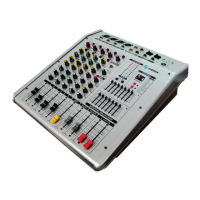
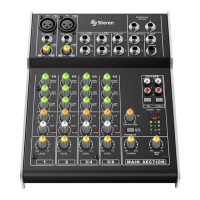
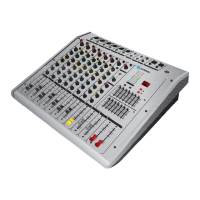
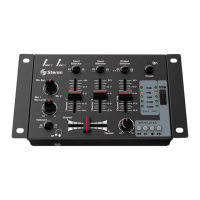
The Steren MIX-212 is a professional 12-channel passive audio mixer designed for various sound reinforcement and live sound applications. It allows users to control and enhance audio signals with a range of equalization and effects features.
Function Description:
The MIX-212 serves as a central hub for mixing multiple audio inputs, providing control over individual channel levels, equalization, and effects, before outputting a combined stereo signal. It integrates a versatile MP3 player, supporting USB and SD card playback, making it suitable for diverse audio sources. The mixer is equipped with a high-resolution DSP multi-effects processor and independent three-band semi-parametric equalizers per channel for precise sound shaping. Additionally, a 7-band general equalizer is available per output channel for overall sound refinement.
Important Technical Specifications:
- Power Supply: 120 V~60 Hz, 38 W
- Phantom Output: +48 V (for condenser microphones)
- EQ HIGH Gain: +15 dB @ 12 kHz
- EQ MID Gain: +15 dB @ 2.5 kHz
- EQ LOW Gain: +15 dB @ 60 Hz
- Frequency Response: 10 Hz to 60 kHz
- Total Harmonic Distortion (TDH): <0.5% @ +14 dBu (20Hz to 20 kHz)
- Signal-to-Noise Ratio (SNR): -90 dB
- Maximum Input Level: 15 dBu
- Gain Range: 12 to 60 dB
- Operating Temperature: 0-40 °C
- Relative Humidity (Rh): <80% non-condensing
- Consumption: 36 W/h
- Stand-by Power Consumption: Not applicable
Usage Features:
- MIC (1): Balanced XLR microphone input, capable of receiving balanced signals.
- LINE IN (2): 1/4" TRS balanced input, also usable as unbalanced. Microphone and line inputs cannot be used simultaneously on the same channel.
- GAIN (3): Adjusts the gain level for MIC and LINE IN inputs.
- PEAK (4): An LED indicator that lights up as a warning of approaching sound saturation or distortion.
- HIGH (5): Varies the levels of high frequencies (+/-15 dB).
- MID (6): Varies the levels of mid-range tones (+/-15 dB).
- MID FREQ (7): Varies the central frequency of the mid-range filter (250 Hz to 5 kHz).
- LOW (8): Varies the levels of low frequencies (+/-15 dB).
- AUX (9): Controls the signal level sent to the auxiliary channel.
- FX (10): Controls the signal level sent to the sound effects processor for each channel.
- PAN (11): Controls the balance of the audio signal between the right and left channels. Centered for equal output.
- CH MUTE (12): Mutes the individual channel.
- PFL (13): When pressed, allows monitoring of the channel exclusively through the PHONE output.
- FADER (14): Adjusts the volume level of each individual channel.
- CHANNEL INSERTS (41): Connectors for inserting external effects processors per channel (TIP SEND/RING RETURN).
Outputs and External Connections:
- MAIN OUTPUTS (15, 42): Male XLR connectors providing a balanced stereo signal (LEFT/RIGHT). Can be connected to amplifiers, speakers, or FX processors. Also available as 6.3 mm male balanced connectors.
- FX SEND (16): Allows sending an effects signal independently.
- AUX SEND (17): Allows sending an auxiliary signal to monitors.
- 2-TRACK INPUT (18): Connects external audio players (MP3, CD-player, smartphone).
- 2-TRACK OUTPUT (19): Connects to a recorder or amplifier.
- RETURN (20): Returns the signal from an external effects processor to the mixer, assigned to the main output control.
- PHONES (21): Output for monitoring via headphones.
- USB PORT (22): Connects a USB memory stick for audio file playback.
- SD SLOT (23): Supports an SD card for audio file playback.
Master Section and MP3 Player:
- OUTPUTS LEVEL INDICATOR (24): Displays the signal output level for the right and left channels.
- LEVEL (25): Volume meter for the effects module. Ensure the CLIP (peak) LED only flashes occasionally to avoid distortion from overloading the effects processor.
- DIGITAL DISPLAY (26): Shows the selected sound effect number.
- PROGRAM/PARAMETER (27): Rotary knob to select one of 16 sound effects. Press the knob to confirm selection after the number flashes.
- MP3 VOL (28): Controls the audio output volume from the USB port and SD card.
- DIGITAL AUDIO PLAYER (29): Controls playback and audio input selection (USB, SD card).
- STEREO GRAPHIC EQUALIZER (30): 7-band equalizer for precise tone control on the main LEFT and RIGHT output channels.
- +48V PHANTOM (31): Switch to provide +48V phantom power for condenser microphones.
- AUX SEND (32): Master volume control for the auxiliary signal.
- FX SEND (33): Master volume control for effects.
- PHONE (34): Headphone volume control.
- FX PFL (35): Allows monitoring of effects through headphones.
- MAIN L-R FADER (36): Adjusts the master volume level for the main LEFT and RIGHT output channels.
- CD/TAPE (37): Assigns the input signal from external devices (connected to 2-TRACK INPUT) to the main mix.
- EFFECTS FADER (38): Adjusts the signal level of external effects.
Power and Fuse:
- POWER (39): On/off switch for the mixer.
- AC INPUT (40): Power input connector.
- FUSE (43): Fuse holder, accessible only when the power cable is removed.
Maintenance Features:
Fuse Replacement:
- The fuse holder is located above the AC input.
- To access the fuse, the power cable must be removed.
- Replace the fuse only with one of the identical nominal value (F2 AL 250V).
Cleaning and Storage:
- Always ensure the mixer is disconnected and turned off before any cleaning or maintenance.
- Avoid using chemical cleaners, as they may damage the mixer's finish.
- When storing, place the mixer in its original packaging to prevent excessive dirt accumulation.
- Prevent foreign objects (paper, plastic, metal, etc.) from entering any vents or openings. If this occurs, immediately turn off the mixer, unplug the power cord, and contact a service center.
Important Safety Instructions:
- Place the mixer on a flat, stable surface with adequate ventilation, away from flammable materials.
- Do not use or store the mixer in wet areas to prevent malfunction or electric shock.
- Do not attempt to open the console, as this may cause damage and void the warranty.
- Always disconnect the mixer from the electrical current before cleaning. Use only a soft, dry cloth.
- Avoid exposing the mixer to extreme temperatures.
- If the power cord is damaged, contact a dealer for replacement.
- The mixer must be connected to an electrical outlet with a protective earthing connection.
- Do not cut or remove the third prong of the plug, as it provides protection against electric shock.
- High volume levels (above 90 dBA) can be harmful to hearing. Ensure volume controls are at the minimum level before connecting the mixer.
- Do not lean on or place heavy objects on the device, and avoid forcing buttons, switches, or connectors.
- Prevent foreign objects from entering any gaps or vents. If this happens, immediately switch off and unplug the power cord from the mains.

 Need help?
 General

 To Next Page