EasyManua.ls Logo

Stern Engineering TUBULAR Series - User Manual

Stern Engineering TUBULAR Series
17 pages
Print Icon
To Next Page IconTo Next Page
Loading...
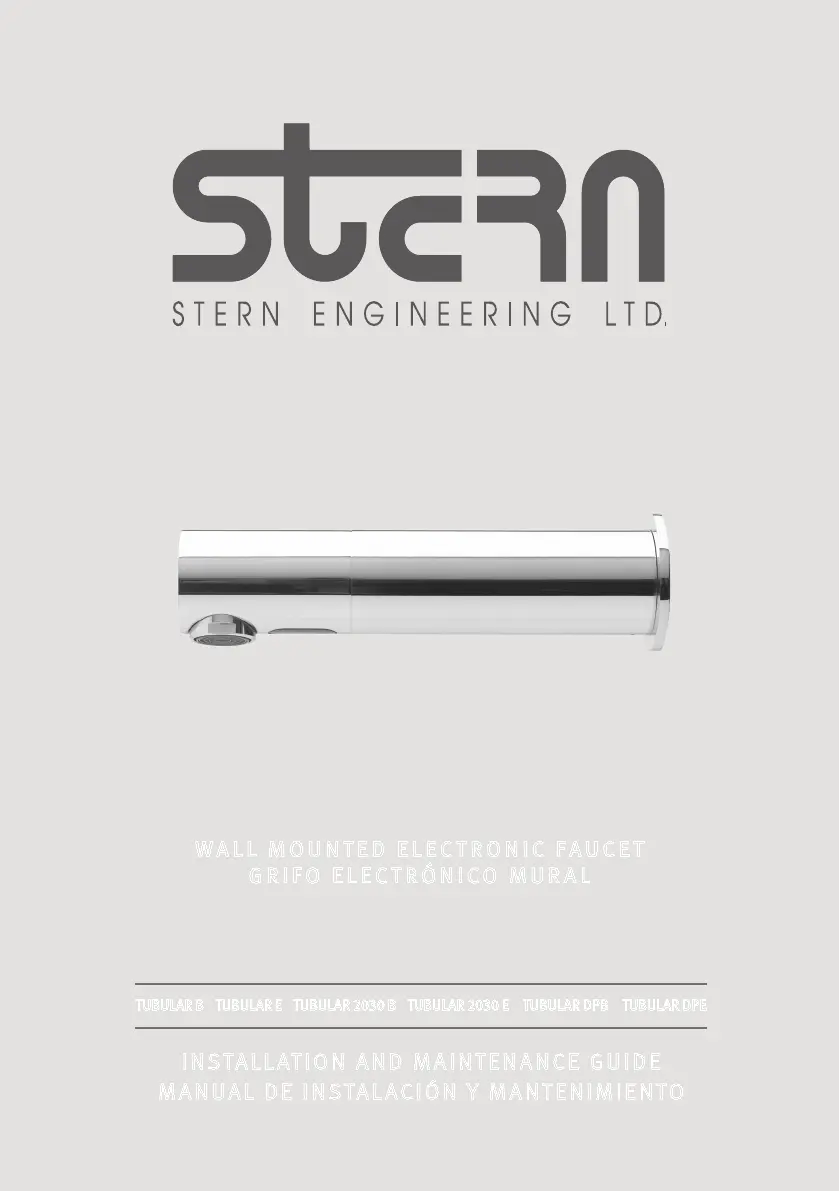
WALL MOUNTED ELECTRONIC FAUCET
GRIFO ELECTRÓNICO MURAL
TUBULAR SERIES
TUBULAR B TUBULAR E TUBULAR  B TUBULAR  E TUBULAR DPB TUBULAR DPE
INSTALLATION AND MAINTENANCE GUIDE
MANUAL DE INSTALACIÓN Y MANTENIMIENTO

Questions and Answers

  • C
    Crystal MiddletonAug 4, 2025
    Why is the LED not flashing on my Stern Engineering Plumbing Product?
    • S
      Sarah HernandezAug 4, 2025
      There could be several reasons why the LED in the sensor of your Stern Engineering Plumbing Product isn't flashing when hands are within range. It could be due to the range being too short or too long, requiring you to adjust the range accordingly. Alternatively, the battery might be completely drained and needs replacement. The unit might be in “Security Mode”. Also, the sensor might be picking up reflections from the washbasin or another object. Try to eliminate the cause of reflection.
  • B
    Brandon BrooksAug 9, 2025
    How to fix continuous flashing sensor on Stern Engineering TUBULAR?
    • S
      Samuel ThorntonAug 9, 2025
      If the sensor on your Stern Engineering Plumbing Product flashes continuously when hands are nearby, it likely indicates a low battery. The solution is to replace the battery.
  • L
    Laura WeberAug 13, 2025
    What to do if LED flashes once on Stern Engineering TUBULAR?
    • B
      Beth RodriguezAug 13, 2025
      If the LED in the sensor of your Stern Engineering Plumbing Product flashes once when hands are within range, it could be due to several reasons. There might be debris or scale in the solenoid, requiring you to unscrew it, pull out the plunger and spring, and clean them. Alternatively, the central orifice in the diaphragm might be plugged or the diaphragm is torn, in which case you should clean the orifice or replace the diaphragm. If the water supply pressure is higher than 8 bar, you should reduce it. If the water supply pressure is under 8 bars and yet the pressure in the faucet’s body is higher, shut off water supply and unscrew one of the flexible pipes in order to reduce the pressure that blocks the product.
  • C
    Carl LaneAug 19, 2025
    What to do if the LED in the sensor does not flash once when user’s hands are within the sensor’s range for Stern Engineering Plumbing Product?
    • A
      Anthony StevensSep 12, 2025
      If the LED in the sensor of your Stern Engineering Plumbing Product does not flash when hands are within range, it could be because the sensor is dirty or covered, requiring cleaning or removal of the obstruction. Another possibility is that the sensor is picking up reflections from the washbasin or another object; in this case, decrease the range or eliminate the cause of reflection.
  • R
    Robert RoyAug 25, 2025
    Why does the sensor flash once on my Stern Engineering Plumbing Product?
    • K
      Karen StoutAug 25, 2025
      If the sensor flashes once when your hands are within range of the Stern Engineering Plumbing Product, it could be due to debris or scale in the diaphragm. Try cleaning the orifice or replacing the diaphragm. Another cause might be disconnected or improperly connected connectors between the electronic unit and the sensor's range. Ensure these connectors are properly connected.
  • C
    Carla SmithAug 28, 2025
    How to unclog filter or aerator on Stern Engineering TUBULAR Plumbing Product?
    • B
      Bradley WoodwardAug 28, 2025
      If the filter or aerator of your Stern Engineering Plumbing Product is clogged, remove it, clean it, and then reinstall it.

Summary

Technical Data

Product Specifications Overview

Key technical specifications for various Tubular series models, including power and pressure.

Pack Contents

Component Lists for Tubular B;E and 2030 B;2030 E

Detailed listing of all parts included for Tubular B/E and 2030B/2030E models.

Pre-Installation Information

Pre-Installation Checks, Warnings, and Preparation

Essential checks, safety warnings, and preparation steps before commencing faucet installation.

Faucet Installation Guide

Step 1: Installing the Faucet (Tubular B;E)

Detailed steps for physically mounting the faucet body through the wall.

Step 2: Connecting Water Supply (Tubular B;E)

Instructions for connecting the water inlet and outlet to the solenoid valve housing.

Faucet Installation Guide (Continued)

Step 3: Connecting Power Source (Tubular B;E)

Guide for connecting the battery or transformer power source to the faucet.

Installing Tubular 2030 B;2030 E Faucet

Installation steps specific to the Tubular 2030B/2030E models.

Faucet Installation Guide (Continued)

Installing Tubular 2030 B;2030 E Faucet (Continued)

Further steps for mounting the product base and connecting components for 2030B/2030E.

Faucet Installation Guide (Continued)

Completing Tubular 2030 B;2030 E Installation

Final steps for connecting power and water supply for 2030B/2030E models.

Connecting Water Supply for Tubular DPB;DPE

Instructions for connecting the water supply for DPB/DPE models.

Faucet Installation Guide (Continued)

Installing Tubular DPB;DPE Faucet

Steps for mounting the product base and connecting components for DPB/DPE models.

Faucet Installation Guide (Continued)

Completing Tubular DPB;DPE Installation

Final steps for connecting power and water supply for DPB/DPE models.

Settings Adjustment

Using the Remote Control for Settings

Explains adjusting detection range, delay times, security time, and entering self-adjustment mode.

Settings Adjustment (Continued)

Additional Remote Control Settings

Covers delay out time, hygiene flush, comfort flush, temporary off, and reset functions.

Battery Replacement

Replacing Batteries for Tubular B

Step-by-step guide for replacing batteries in Tubular B models.

Battery Replacement (Continued)

Replacing Batteries for Tubular 2030 B;DPB

Instructions for replacing batteries in Tubular 2030B and DPB models.

Maintenance

Filter Cleaning Instructions

Procedures for cleaning the water filter to ensure optimal flow.

Maintenance (Continued)

Care and Cleaning of Finishes

Guidelines for cleaning chrome and special finishes to avoid damage.

Spare Parts List

Replacement Part Numbers

A list of available spare parts with their corresponding part numbers.

Troubleshooting

Common Issues and Solutions

Addresses common problems like no water flow, water flow not stopping, and diminished flow with solutions.

Limited Warranty

Warranty Terms and Conditions

Outlines the two-year warranty, exclusions, and claim procedures.

Stern Engineering TUBULAR Series Specifications

General IconGeneral
BrandStern Engineering
ModelTUBULAR Series
CategoryPlumbing Product
LanguageEnglish