29 30
3. PROGRAMMED WORKOUTS (S25TX)3. PROGRAMMED WORKOUTS (S25TX)
s25t
s25t
VIRTUAL TRAINER VIRTUAL TRAINER
Virtual Trainer is easy and convenient function for using STEX Fitness
product. Each step, if you press VIRTUAL TRAINER BUTTON,
the explanation of each process will be shown on the screen. Just you
follow the explanation.
EXAMPLE OF VIRTUAL TRAINER
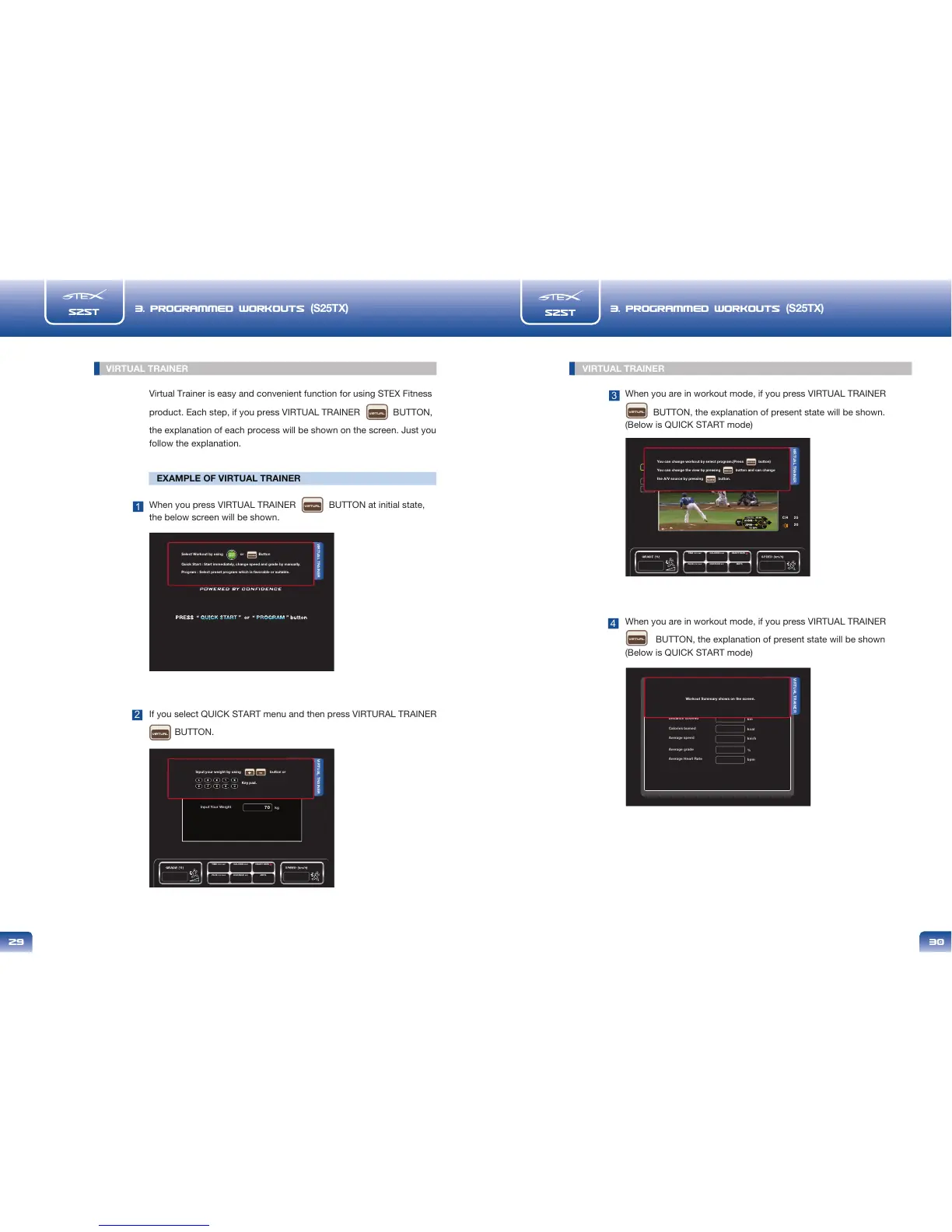
When you press VIRTUAL TRAINER BUTTON at initial state,
the below screen will be shown.
If you select QUICK START menu and then press VIRTURAL TRAINER
BUTTON.
1
2
VIRTUAL TRAINER
Select Workout by using or Button
Quick Start : Start immediately, change speed and grade by manually.
Program : Select preset program which is favorable or suitable.
PROGRAM
METS
HEART RATE
CALORIE kcal
PACE min:sec
TIME min:sec
DISTANCE km
Input Your Weight
kg
70
VIRTUAL TRAINER
Input your weight by using button or
Key pad.
When you are in workout mode, if you press VIRTUAL TRAINER
BUTTON, the explanation of present state will be shown.
(Below is QUICK START mode)
When you are in workout mode, if you press VIRTUAL TRAINER
BUTTON, the explanation of present state will be shown
(Below is QUICK START mode)
3
4
METS
HEART RATE
CALORIE kcal
PACE min:sec
TIME min:sec
DISTANCE km
TV
video
iPod
mp3
CH 25
20
VIRTUAL TRAINER
You can change workout by select program.(Press button)
You can change the view by pressing button and can change
the A/V source by pressing button.
PROGRAM
Work out
Exercise duration
Distance covered
Calories bumed
min:sec
km
kcal
Average speed
km/h
Average grade
%
Average Heart Rate
bpm
VIRTUAL TRAINER
Workout Summary shows on the screen.
VIRTUAL
VIRTUAL
VIRTUAL
VIRTUAL
VIRTUAL



 To Next Page