email - support@opsisbystinger.com
tel - 866-931-8021
20
Manual
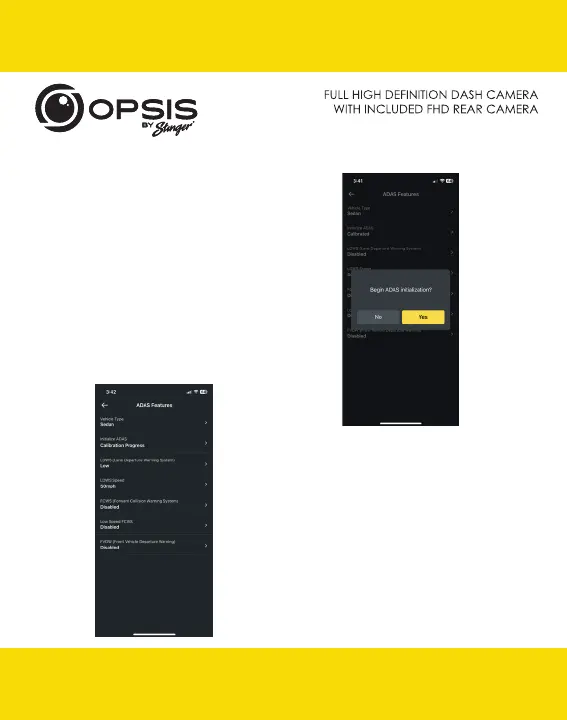
- Select “Initialize ADAS” and select “Yes”
to begin calibration.
With LDWS enabled, drive the vehicle above
18 mph (30 km/h) for approximately 1 minute.
Calibration data from this drive will be saved.
Until calibration has been completed and
LDWS warning beeps 2 times, calibration data
will keep getting collected during every drive
above 18 mph.
- During calibration, the status for “Initialize ADAS”
will update to “Calibration Progress.”
email - support@opsisbystinger.com
tel - 866-931-8021
20
Manual


 To Next Page