EasyManua.ls Logo

Stinger OPSIS - Page 23

Stinger OPSIS
118 pages
Print Icon
To Next Page IconTo Next Page
To Previous Page IconTo Previous Page
Loading...
23
Manual
email - support@opsisbystinger.com
tel - 866-931-8021
Menu Item Type Menu Title Description Default Settings Conditions
Camera Settings
(cont.)
Brightness (Rear)
Dark
Mid
Bright
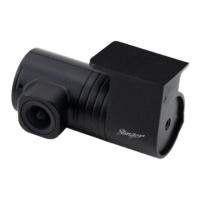
Rotate Rear
Camera
Rotate rear
camera image.
This means
that the image
is flipped
horizontally, as
well as vertically.
Enabled
Disabled
Recording
Settings
Parking Mode Select recording
mode when
vehicle is
parked. Motion
Detection
starts recording
when motion
is sensed.
Time Lapse
records whole
time vehicle is
parked. Energy
Savings starts
recording when
only impact is
sensed.
Disabled
Motion Detection
Time Lapse
Energy Saving
Impact
Sensitivity in
Parking Mode
Sets the impact
sensitivity while
parked. If an
impact occurs,
the G-sensor
detects the
change in
movement,
prompting the
dash cam to
automatically
start recording.
Lowest
Low
Mid
High
Highest
Motion / Time Lapse /
Energy Saving