62 63
Art. 247
Electric Backpack Sprayer 15 l LI-ION
Art. 247
Electric Backpack Sprayer 15 l LI-ION
For further information about the product, please contact info@stockergarden.com.
Sign up to our newsletter and keep up to date with our latest news info@stockergarden.com
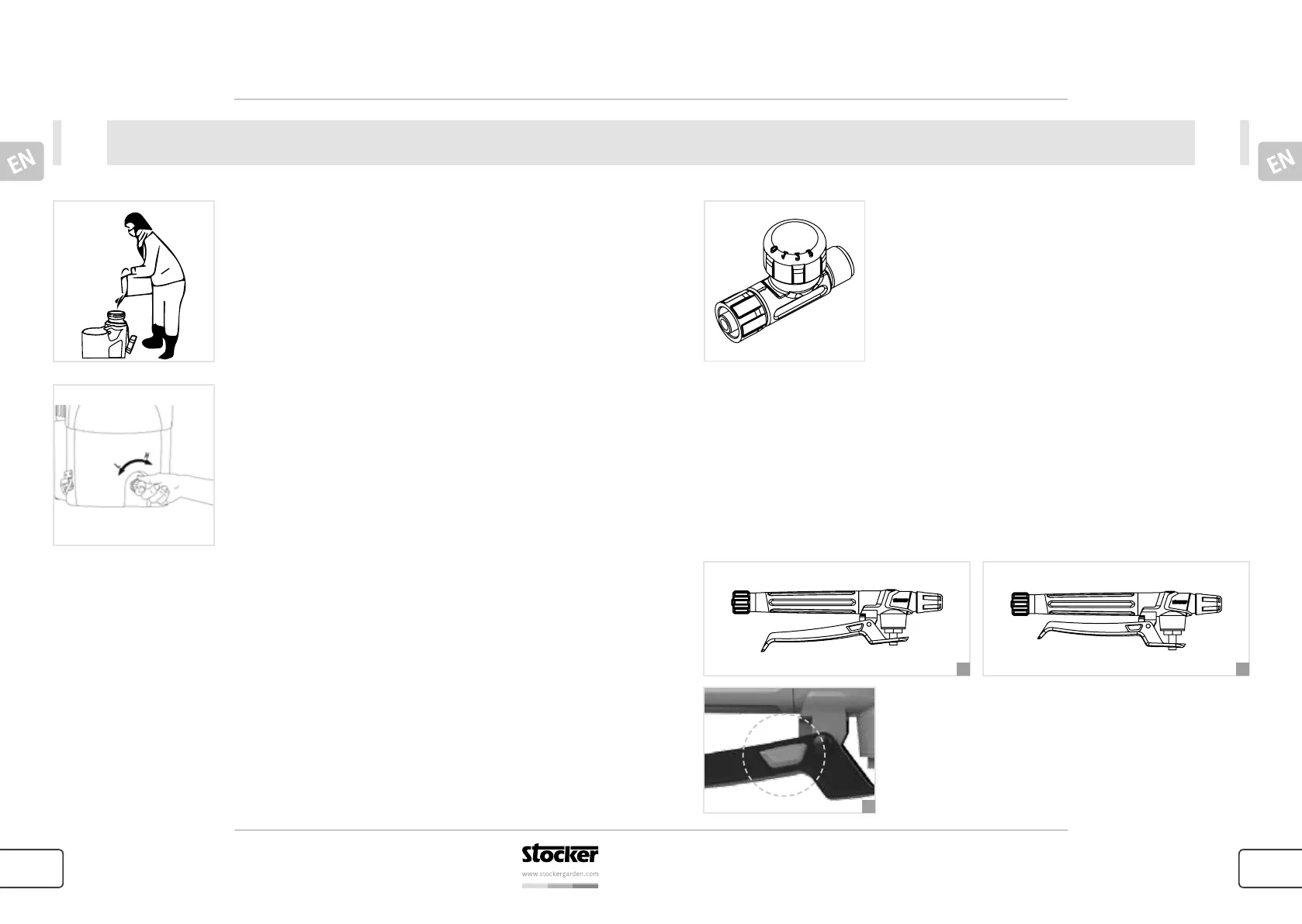
Filling the tank
Add the liquids before operating the sprayer. Remove the lid of
spray tank to fill the spray tank with liquids through the screen
slowly, then replace the lid of spray tank. Never immerse this
sprayer in water for filling or cleaning.
Switch ON/OFF and pressure regulating
Switch the sprayer ON by regulating the knob clockwise. For
regulating the pressure you can turn the regulating knob to
change the pump pressure, improve the atomizing size and
increase the spraying effect depending on the nozzle or the
objects to be sprayed. Turn the regulating knob clockwise to
increase the pressure and decrease the size and anticlockwise to
decrease the pressure and increase the size.
UsageUsage
Flow regulator
To adjust the pressure, push down on the knob and rotate to
align the desired number. You can choose between four different
pressure levels (0, 1, 2, 3).
Control of switch handle
The sprayer is equipped with an overload protection unit, which will enable the hydraulic pump
to release pressure automatically when the switch is closed or the nozzle is blocked during
normal spraying operation.
1. Spray jet interrupted
2. Keep the lever pressed for continuous spray.
3. Push the button for continuous spray without having to squeeze the handle with your hand.
3
1 2


 To Next Page