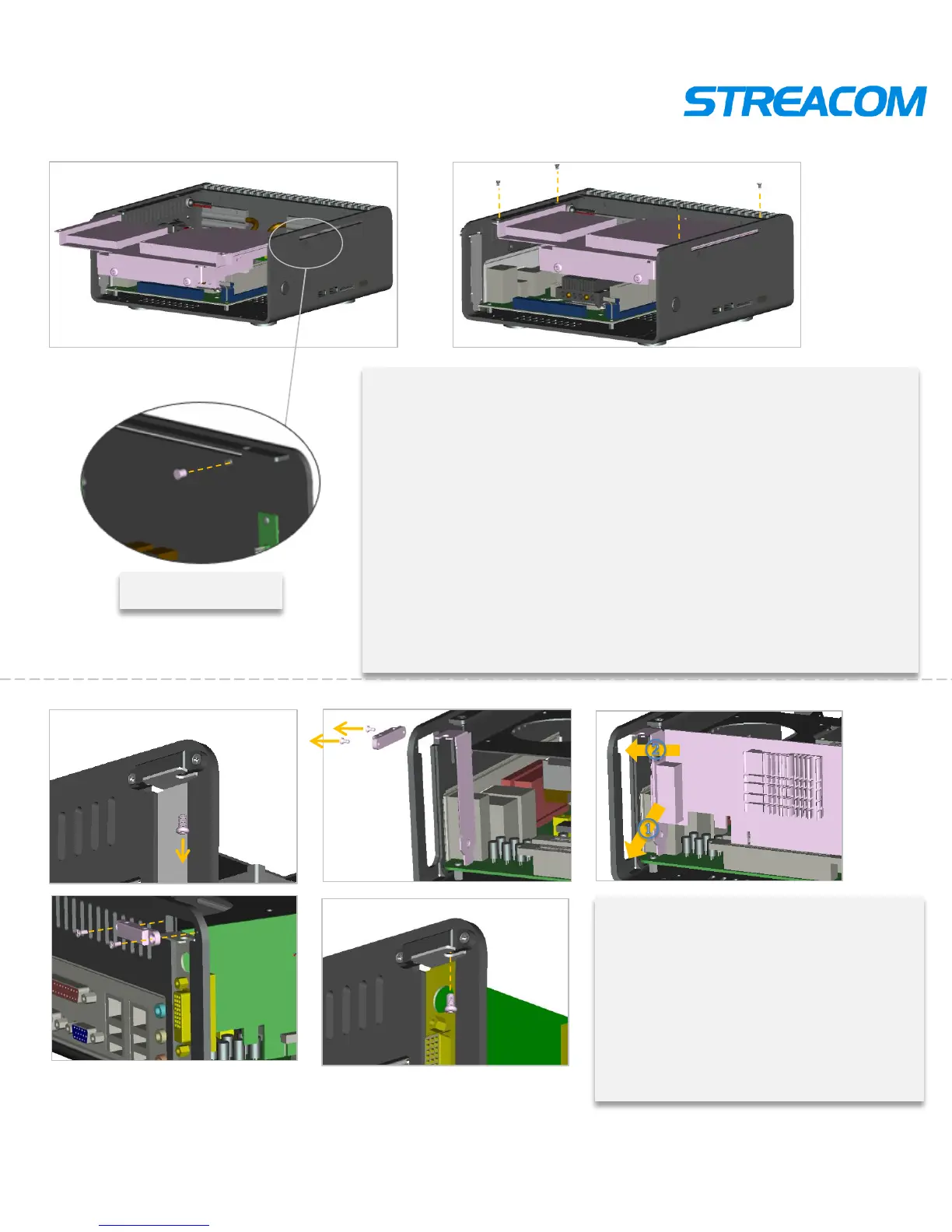
Bracket installment
Both 2.5 inch and 3.5 inch HDD can be installed. Here take
the 3.5 inch as example to show
Install the bracket ,which have been put ODD and HDD, into
the right place ( ①) ,and then insert the ODD and HDD line into
the motherboard,. Put the bracket which have been insert lines
into the right place of case. To correct of all the lines
connection
Install the ODD button secondly , and then put the bracket in
the case by its sideway. Alignment hole and lock screws
Show as pictures
PCI or PCIE installment
Exit screws firstly ,take out the
baffle plate and plate locking piece.
Put the PCI or PCIE expand card in.
and then put the plate locking piece
Then lock the screws.
Show as pictures
①
Put ODD button



 To Next Page