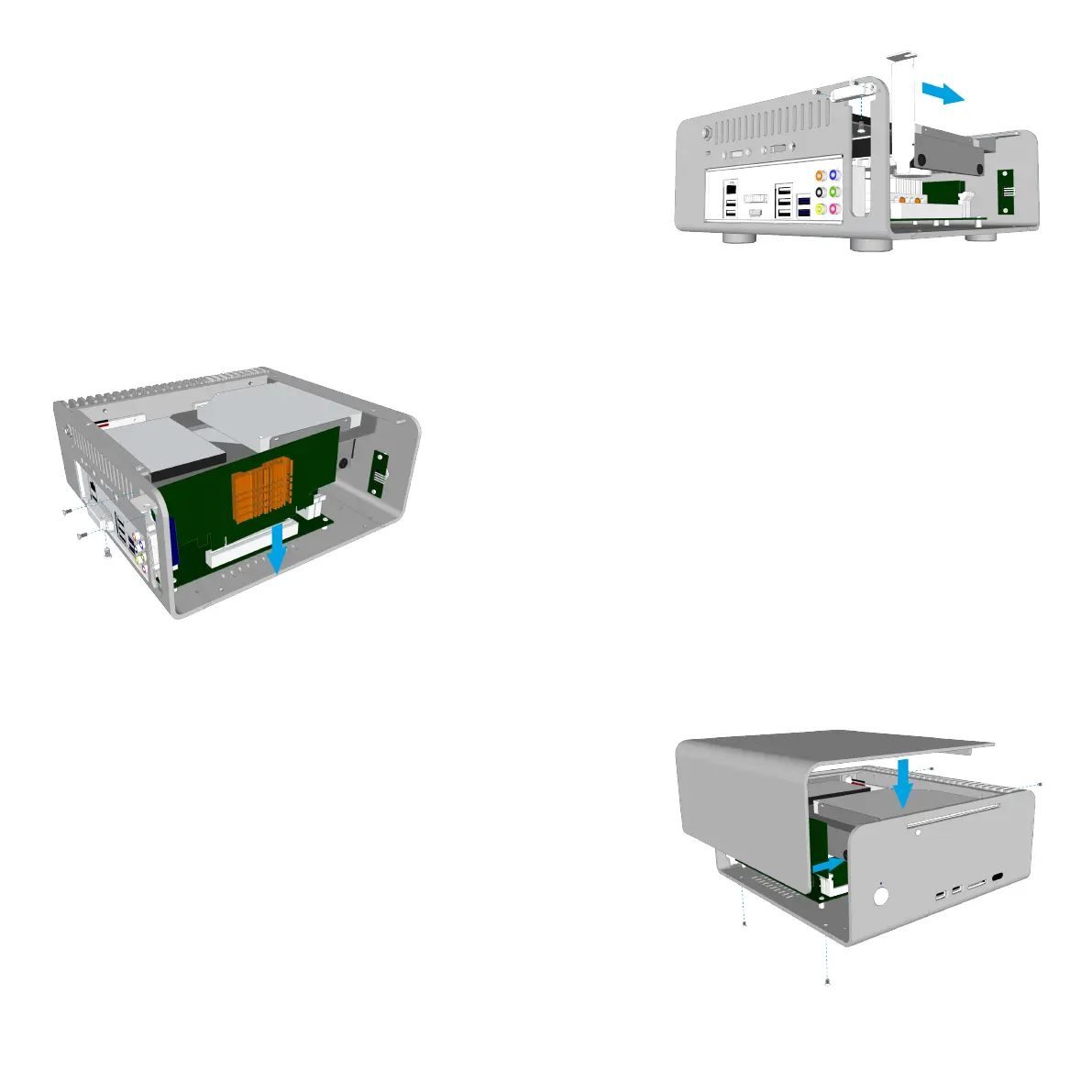
Installing PCI Card (Optional)
To install an expansion card, first remove the pre-installed
PCI blanking plate by removing the single lower screw. The
PCI mount can also be removed to make it easier to install
the expansion card. This is done by removing the 2 screws
either side on the mount.
Carefully place the card into the motherboard slot ensuring
the rear side (where the ports are located) firstly passes
through the expansion slot opening of the chassis. Once the
card is fully seated into the motherboard, replace the PCI
mount and finally secure the card with the single screw
from underneath the mount.
Replace the Top Panel
With all the components installed, all that remains is to
replace the top panel. Prior to doing this, ensure that all
cables are connected and all components are securely
fitted. Replace the top panel and secure it in place using 4
screws, 2 from the side and 2 from underneath the chassis.
INSTALLING PCI CARD AND TOP PANEL - P9



 To Next Page