Bluetooth / App Connectivity
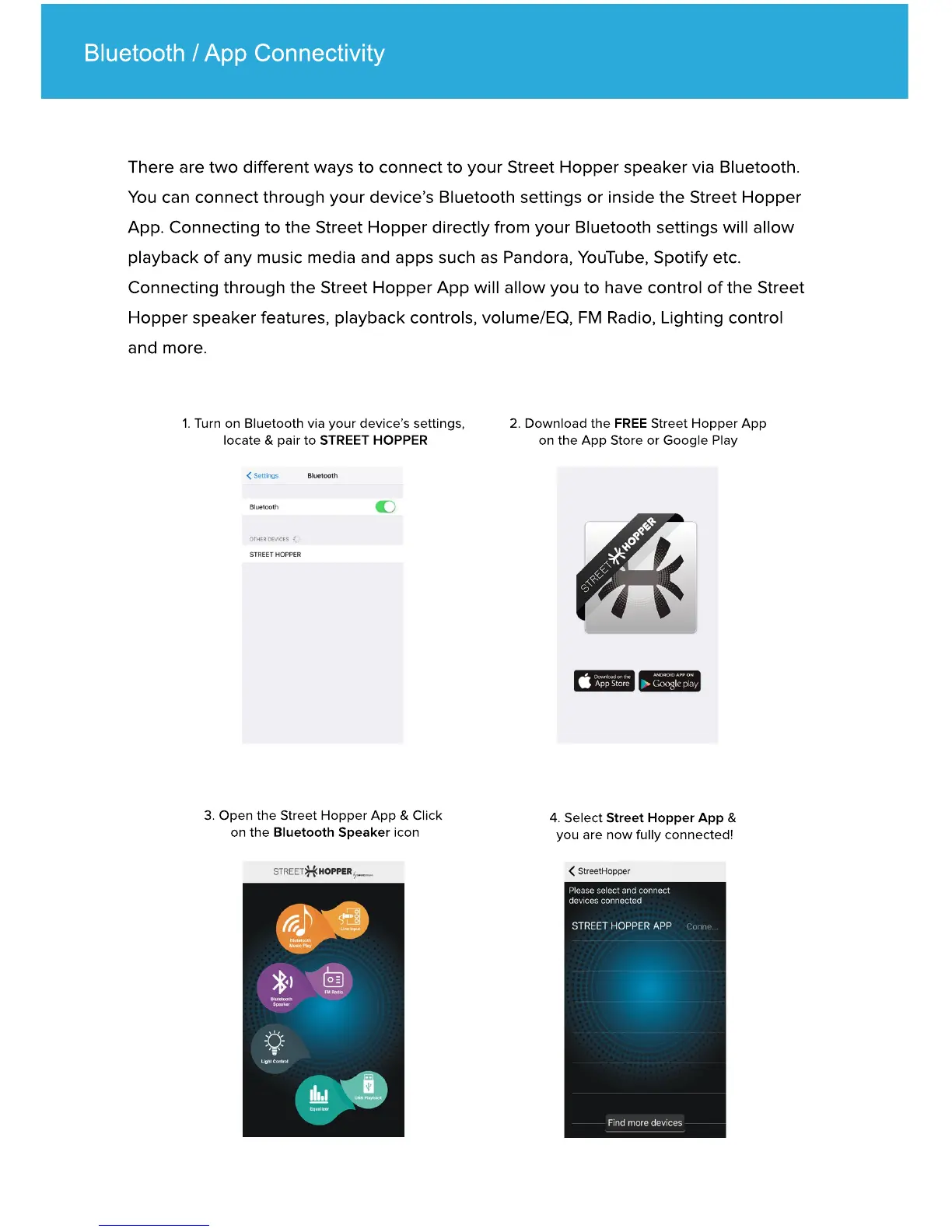
1. Turn on Bluetooth via your device’s settings,
locate & pair to STREET HOPPER
2. Download the FREE Street Hopper App
on the App Store or Google Play
3. Open the Street Hopper App & Click
on the Bluetooth Speaker icon
4. Select Street Hopper App &
you are now fully connected!
There are two different ways to connect to your Street Hopper speaker via Bluetooth.
You can connect through your device’s Bluetooth settings or inside the Street Hopper
App. Connecting to the Street Hopper directly from your Bluetooth settings will allow
playback of any music media and apps such as Pandora, YouTube, Spotify etc.
Connecting through the Street Hopper App will allow you to have control of the Street
Hopper speaker features, playback controls, volume/EQ, FM Radio, Lighting control
and more.


 To Next Page