Model # 00346
Troutman, NC | 704-658-9332 | info@strikerconcepts.com | StrikerConcepts.com
TURNING ON/OFF
Press power button located on top of main
body to turn light on or off
Changing Modes
When FLEXiT is on press the “MODE” button
to cycle through the 5 modes: High Spot &
Flood > High Flood > Low Flood > Red
Night Vision > Strobe
CHARGING
MICRO-USB
1) Lift up “USB cover” and plug a micro-USB cable into the micro-USB port of the FLEXiT SOLAR 2) plug
the other end of the cable into a USB wall charger*, USB car charger*, or any other USB charging device*
(such as a computer). *Not included. *Charger output of 1A to 2A is recommended to charge the FLEXiT
Solar. To prevent battery damage charger output should NOT exceed 2A.
- - Power button blinks while charging then solid glow when fully charged.
SOLAR
Whenever the solar panel located on top of the main body of the FLEXiT SOLAR is exposed to light the
battery will recharge. Charge time will vary greatly depending on available light.
**Please recharge a stored unit every four months to maintain optimum performance of the lithium-ion
battery and maximize charging levels. Damage to unmaintained battery is not covered by warranty.
OPERATION
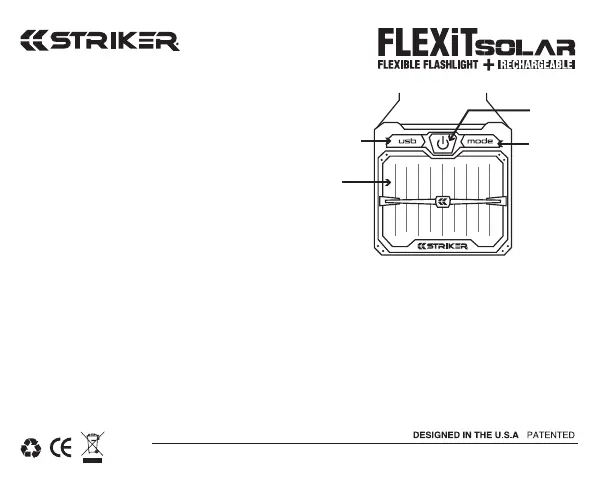
Solar Panel
On/Off
Button
Mode
Button
Micro-USB Port
Lift cover



 To Previous Page
 Loading...