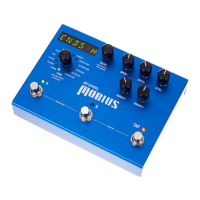
Mobius - User Manual
®
pg 36
OTHER MIDI CC NUMBERS:
A footswitch 80 down=0 up=127
B footswitch 82 down=0 up=127
TAP footswitch 81 off=0 on=127
Remote TAP 93 any
Expression Pedal 100 0-127
Bypass 102 byp=0 eng=127
Phase Reset 125 any
MIDI Patch Bank 0 0-1
- Send a 0 value to access presets 00A - 63B
- Send a 1 value to access presets 64A - 99A
MIDI CLOCK:
Mobius will accept MIDI clock at the MIDI input and sync modulation
speed. A MIDI start clock message resets the modulation phase.
CC# Value Range
MIDI PATCH CHANGES:
Mobius presets are arranged in a grid of 100 numbered Banks (00-99)
with 2 presets (A and B) within each Bank for a total of 200 presets.
Because MIDI Program Change messages have a maximum number of
128 (0-127), the presets are grouped into 2 MIDI Patch Banks:
MIDI BANK 0 = PRESETS 00A-63B
MIDI BANK 1 = PRESETS 64A-99B
The presets are numbered sequentially within each bank:
PRESET 00A = MIDI program # 0
PRESET 00B = MIDI program # 1
PRESET 01A = MIDI program # 2
PRESET 01B = MIDI program # 3
PRESET 02A = MIDI program # 4 etc. up to #127...
Mobius always powers up in MIDI Patch Bank 0, so if you plan to stay
within the first 127 presets (00A-63B), simply send a standard MIDI
Program Change message to load a preset.
If you will be using MIDI Bank 1, it is advisable to send a standard MIDI
Bank Change message [MIDI CC# 0 with a value equal to the MIDI
Bank #] before each MIDI Program Change.
MIDI Specification Continued


 To Next Page
 Loading...