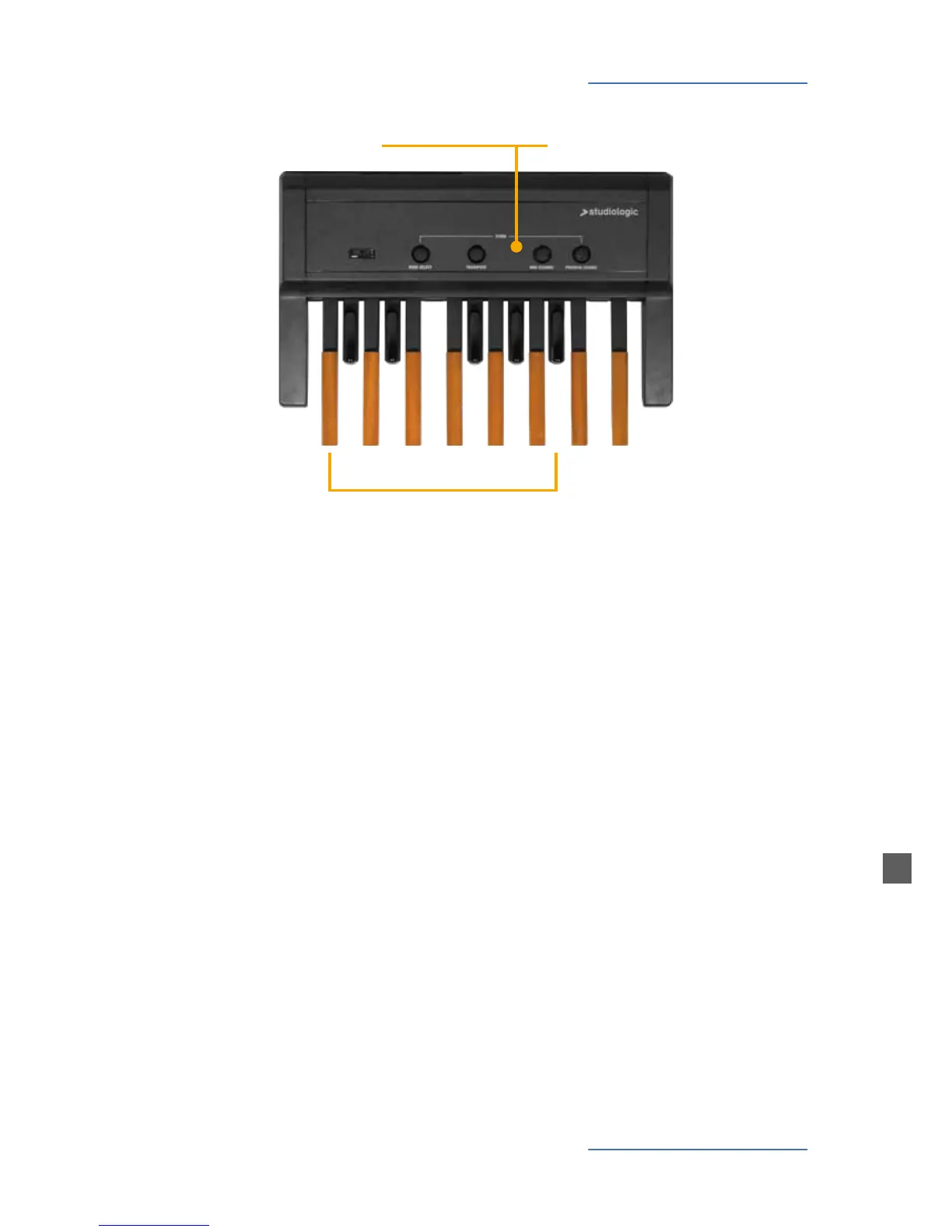
Functions
Numeric keypad
0-9, -/H
Panel controls
Bank select, MIDI Channel, Store,
Transpose, Program Change
0
1 2
3
4 5 6 7
-H
8 9
Operations must be carried out sequentially. To assign value
to commands, hold the specic button, enter the number on
the keypad and then release the button.
When you switch on the pedalboard, it will send the following
data:
• VOLUME = VALUE 127
• PITCH BEND = VALUE 64
PLEASE NOTE
If there are any pedal pressed on the pedalboard, no com-
mand will be accepted. On the contrary, if you press any panel
button, no sound is produced, since the keys act as a numeric
keypad.
Operating method
To change MIDI channel, hold the MIDI CHANNEL button and
enter the channel number by the numeric keypad. Then re-
lease the MIDI CHANNEL BUTTON. Now the pedalboard is sen-
ding on that channel.
MIDI Channel
To assign the Program Change, whose value corresponds to
a sound of the MIDI module, hold the PROGRAM CHANGE
button and enter the desired number (1 through 128). After
releasing the PROGRAM CHANGE button, the module sound
will be changed.
Program Change



 To Next Page