11
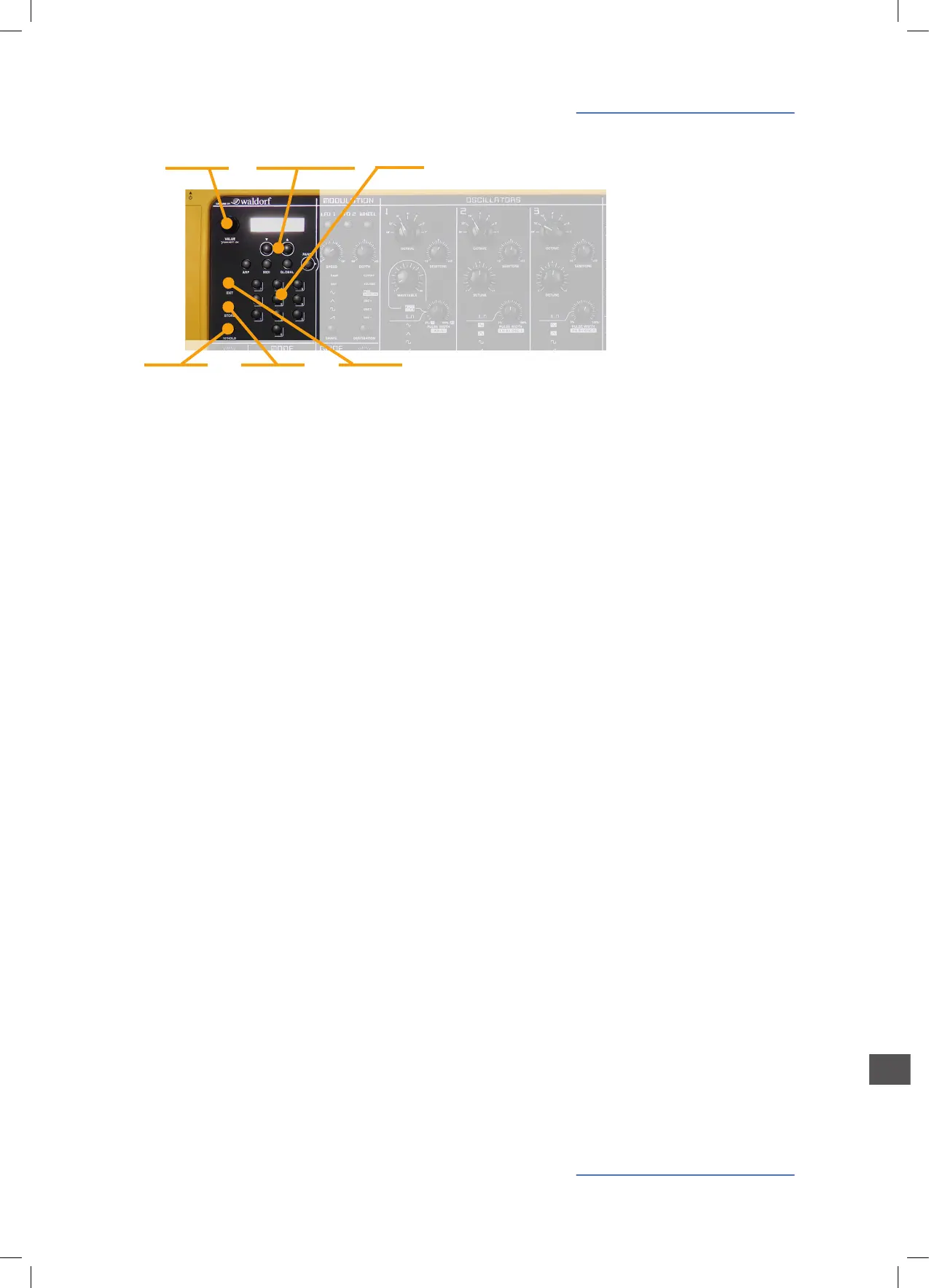
All sounds / programs can be selected in 3 ways:
• By rotating the Value dial;
• Using the 2 Navigation tabs under the display;
• Selecting the related program change on the numerical
key pad; please note that 3 numbers should always be
selected to recall a certain sound (for instance: 001 to se-
lect sound n°1).
In order to make a sound selection faster (in real time per-
formances) the 10‘HOLD function allow to “x” the decimal
number of the desired sound and use the 10 key pad number
for a direct selection using only 1 button at the time: for in-
stance, activating 10 hold when the sound 100 is active, by
using the number from 1 to 9 the user can recall sound 101 to
109 only pressing the related number (from 1 to 9)
Allows to exit (escape) from any of the selected menu func-
tion (Arp, Midi, Global)
This control activates the Store function when a new sound
has been edited or created; pressing the Store the rst time
the function is ready and the user could change the related
number (program change); at the second Store selection the
related sound is stored in the memory. The Store function
consists of 3 pages, accessible thru the two Navigation but-
tons below the display.
• Store program to: by using the Value encoder the user can
select the position (001-999);
• Name: the push function selects the digit and the Value
encoder select the letter;
• Sound Category: to assign the program to one of the Cate-
gories (See Category Search).
Sound Selection
10‘HOLD
EXIT
STORE
Sound Selection
Value
EXIT10‘HOLD STORE
Navigation tabs
Up/Down arrows Key Pad


 To Next Page
 Loading...