21
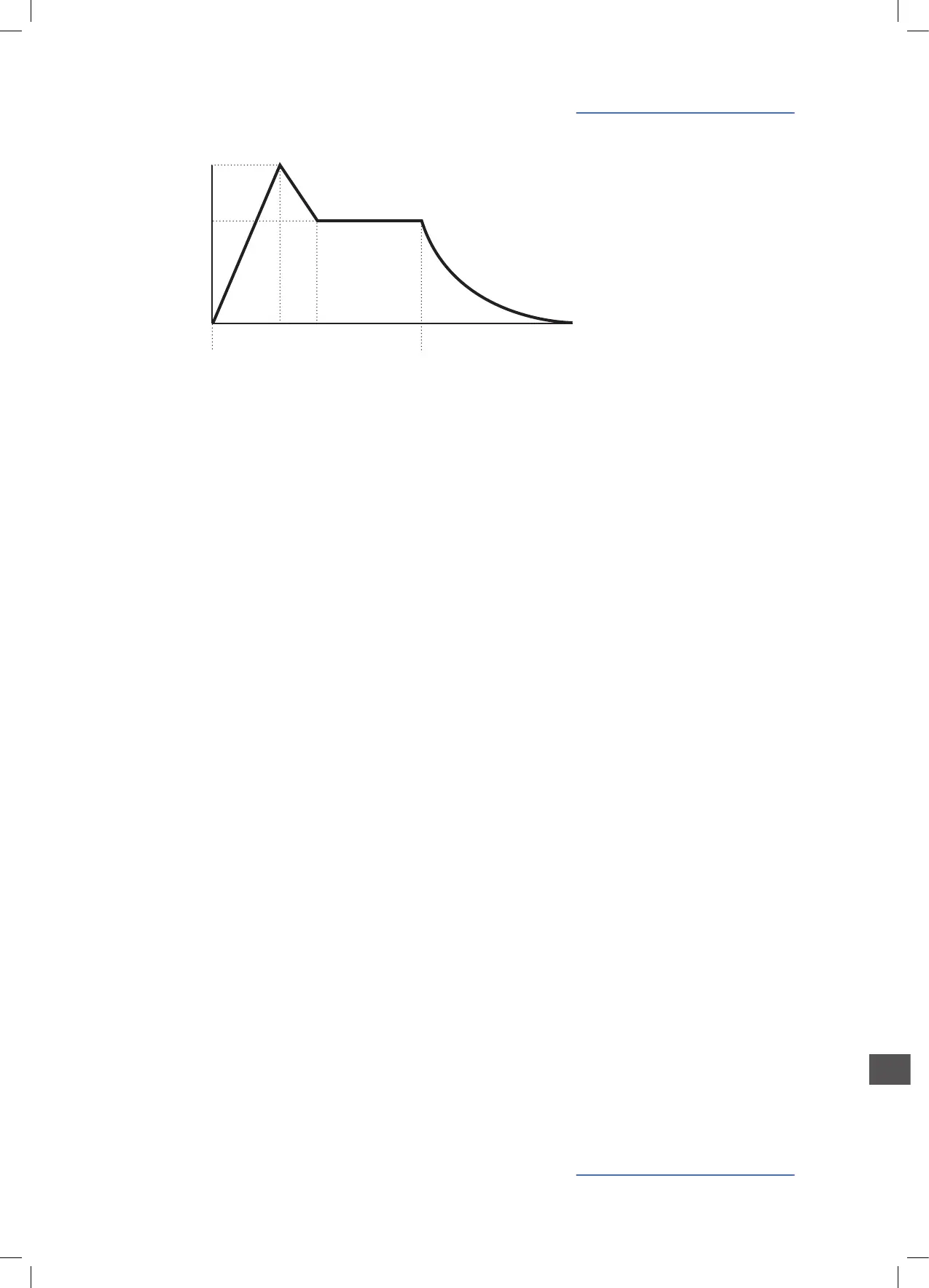
Attack: determines the time to reach the maximum lter cut o fre-
quency, that is also determined by other parameters (ref: amount).
Decay: controls the time to reach the Sustain level (frequency of
the lter when the played key is kept pressed (on the keyboard)
Sustain: frequency that the Filter reaches and maintain (after the
Decay) keeping the played key
Release: time to reach the nal frequency, when the key of the key-
board is released
Note: remind that all these controls are modied by other parame-
ters, such as the Filter (starting) frequency and the Amount control:
as an example, keeping the Filter Cuto close to minimum (10 Hz)
and the Amount close to Maximum (+63) will allow the Filter Enve-
lope to work on the entire Filter Range, with a maximum result in
terms of Sound character change during the envelope.
Amount: it determines the amount of control that the ADSR has on
the Filter frequency and response. The Higher is the Amount, the
more evident is the Filter sweep eect, controlled by the ADSR sec-
tion. This control is by-directional and can be set to positive values
(00/+63), the most used for typical analogue sounds, to negative
values (00/-64) to obtain reverse Filter envelopes.
FILTER ENVELOPE
CUTOFF
TIME
KEY ON
KEY OFF
ATTACK
SUS FREQ
DECAY SUSTAIN
RELEASE
Filter envelope


 To Next Page
 Loading...