Instruction manual VMK SERIES
22
pedals
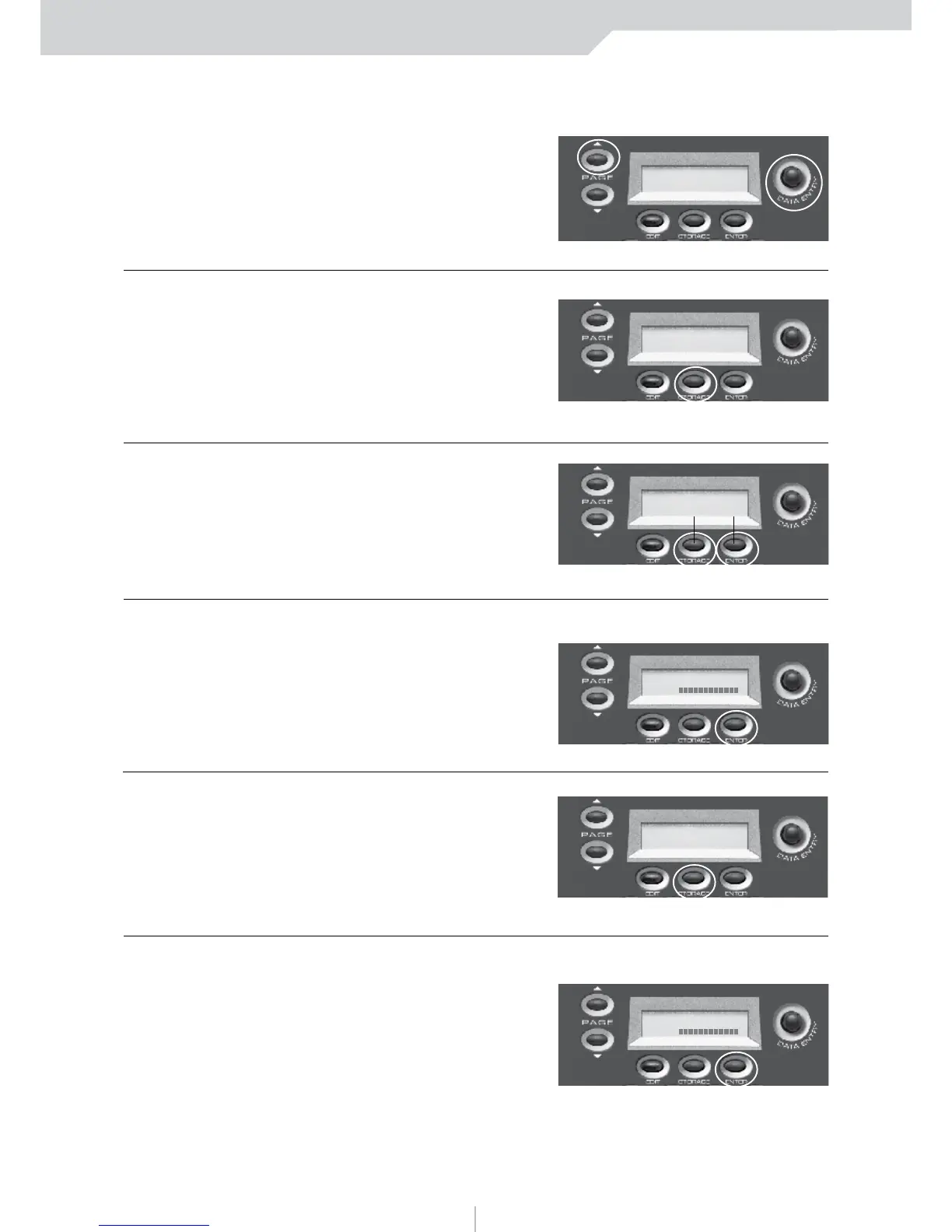
6) PRESS PAGE UP
This is where the flexibility of the
VMK comes into play. You can adjust
the Polarity to the Pedal that’s
being used. If there’s sustain without
the Pedal being depressed just adjust
the Polarity on the VMK to fit the pedal.
7) PRESS STORAGE
You are now going
to save your program
to a user preset.
NOTE:
Storage and Enter
buttons now function
as No and Yes buttons.
8) PRESS ENTER (Yes)
In this example we’ll choose Ye s .
9) PRESS STORAGE
The blinking cursor indicates
preset number selection.
10) PRESS ENTER (Yes)
You will now return to the
Preset page.
You will have to repeat
these steps in order to
program more pedals.
EDIT PEDALS: -1-
POLARITY: DN>UP
SCREEN
CHANGE
STORE PARAMETER
NO YES
SCREEN
CHANGE
STORE PARAMETER
NO YES
PRESET NUMBER: 1
NAME:
SCREEN
CHANGE
CURSOR will blink
ARE YOU SURE?
NO YES
SCREEN
CHANGE
To adjust the Polarity value use the DE knob
PRESET NUMBER: 1
NAME:
SCREEN
CHANGE



 To Next Page