(6) Car Info ( 11.6-inch display only )
From this item, the user can set the display for the vehicle's onboard advanced safety
functions and the vehicle maintenance timing.
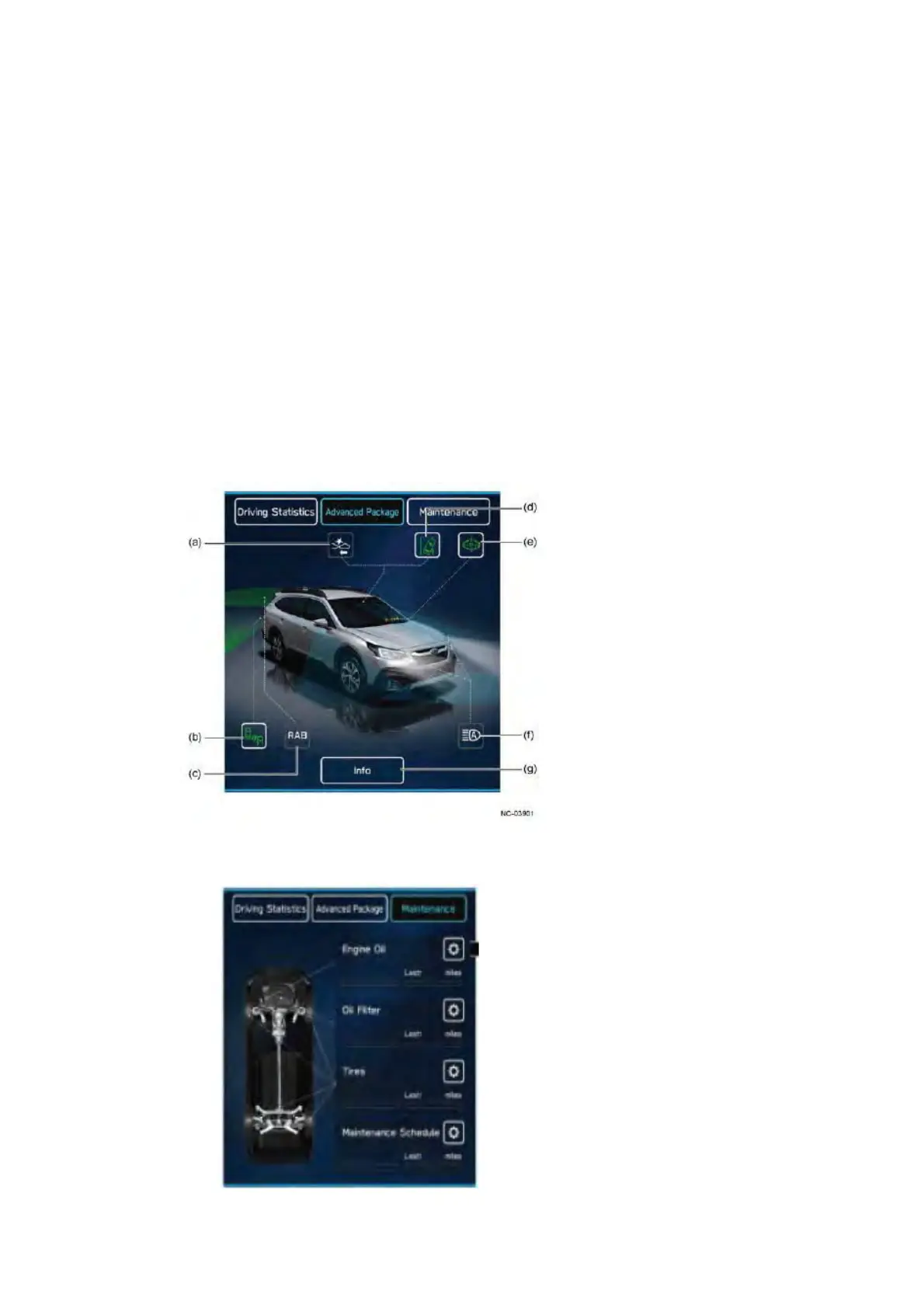
Enables the display or operation of information screens categorized in the tabs of Driving
Statistics, Advanced Package and Maintenance.
(a) Pre-collision braking system
(b) SUBARU Rear Vehicle Detection (SRVD) system
(c) Reverse Automatic Braking (RAB)
(d) Lane departure warning
(e) EyeSight assist monitor
(f) High beam assist
(g) Info button
䙟 Advanced Package
This content displays a screen that presents a full visualization of SUBARU's advanced
safety functions. This enables the driver to provide a visual explanation to passengers
about the vehicle's onboard advanced safety functions.
Passengers can visually check the on/off status and operating status of normally invisible
functions, such as the EyeSight assist monitor, Reverse Automatic Braking (RAB),
automatic light, SUBARU Rear Vehicle Detection (SRVD) system, and so on.
Functions not equipped to the vehicle are not shown.
In addition, the illuminating condition of small lights, fog lights, high beams, brake lights,
and other lights can be checked from within the vehicle.
䙟 Maintenance
The timing for changing engine oil, oil filter, and tires (by date/distance) and periodic inspections
(by date/distance) can be set up as follows.


 To Next Page
 Loading...