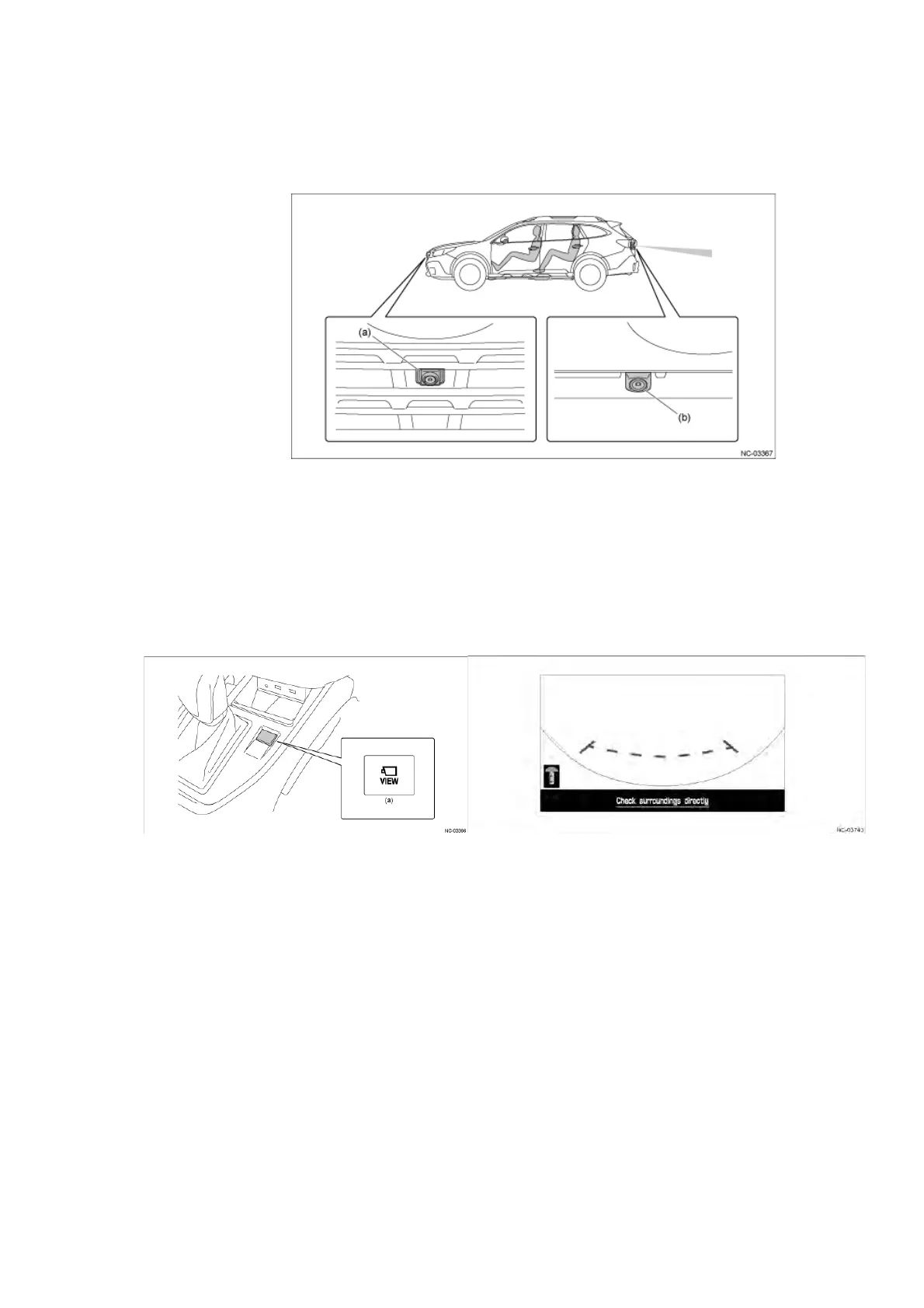
(3) Camera ( Front View Camera / Rear View Camera ( by grade ) )
Location
䙟 Front View Camera ( by grade)
A front view monitor (by grade) has been set for displaying images captured by the camera
mounted on the front of the vehicle body onto the Center Information Display (CID).
The front view monitor screen is displayed by pressing the VIEW switch in the center console.
Also, operations such as turning the link with the shift position on or off and adjusting the
contrast or brightness can be performed from the customization screen of the Center
Information Display (CID).
䙟 Rear View Camera
A rear view monitor has been set for displaying images captured by the camera mounted on
the rear of the vehicle body onto the Center Information Display (CID).
The rear view camera capturing the rear of the vehicle supports the driver when checking the
rear of the vehicle by displaying images from the blind spot of the driver.
# Delay function for rear camera image cancellation
A function has been added to delay the cancellation of the rear camera image display by 9
seconds when the shift position is changed from "R" to "D".
This maintains the image when turning the steering wheel repeatedly. The rear camera image
display is canceled when the shift position is changed to "P" or the vehicle speed rises to 5
mph (8 km/h) or higher.


 To Next Page
 Loading...