23
Bluetooth Basics
Bluetooth without
Navigation System
BlueConnect
®
Bluetooth with
Navigation System
Bluetooth with
TomTom
®
Navigation
Nav
tion System
nne
avigatio
ystem
Bluetooth wit
To
Navigati
Bluetooth
with Navigation
TomTom
®
Making a Call
t5BQBOZXIFSF
within the displayed
navigation map to
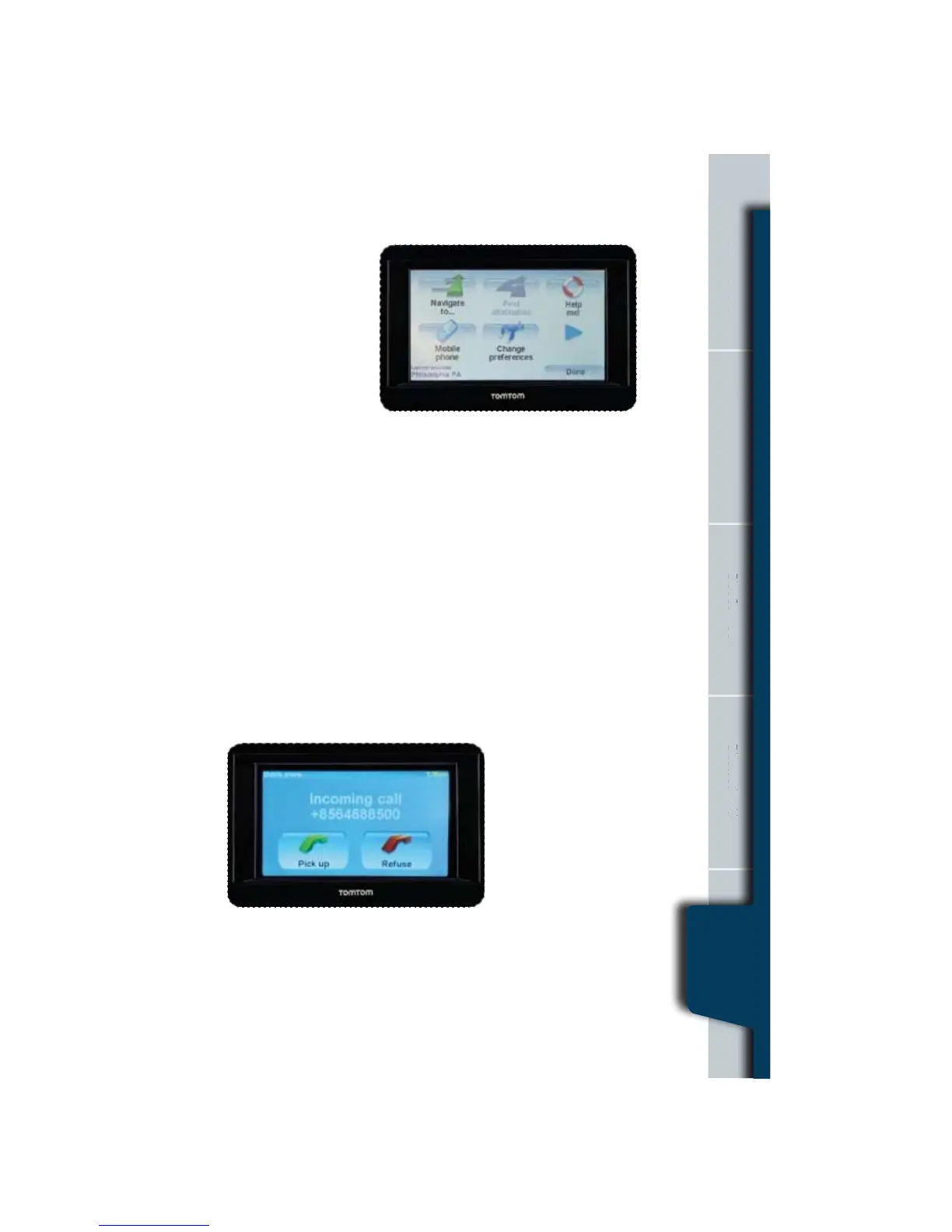
bring up the Main Menu.
t5BQ.PCJMF1IPOF
in the Main Menu.
t5BQ$BMMJOUIFOFYU
TDSFFO*GNPSFUIBO
one phone is paired,
make sure that your
QIPOFJTDVSSFOUMZTFMFDUFE$VSSFOUQIPOFJTTIPXOBUUIFCPUUPNPGUIFTDSFFO
t5BQOVNCFSUPFOUFSBQIPOFOVNCFSUPDBMMJOUIFOFYUTDSFFOBOEQSFTTUIF
HSFFOQIPOFUPTFOEPSEPPOFPGUIFGPMMPXJOH
t5BQ)PNFUPDBMMZPVSQSFWJPVTMZFOUFSFEQIPOFOVNCFS
t5BQ1PJOUPG*OUFSFTUUPDIPPTFB10*DBMM
t5BQ1IPOFCPPL&OUSZUPTFMFDUBDPOUBDUGSPNZPVSQIPOFCPPL
NVTUCFQSFWJPVTMZJNQPSUFEGSPNZPVSQIPOF
t5BQ3FDFOUMZ%JBMFEUPTFMFDUGSPNBMJTUPGQFPQMFPSOVNCFSTSFDFOUMZDBMMFE
using your phone.
t5BQ3FDFOU$BMMFSUPTFMFDUGSPNBMJTUPGQFPQMFPSOVNCFSTXIPDBMMFEZPVSFDFOUMZ
Receiving a Call
If someone calls when you are driving, a screen will automatically pop up, and you
will have the option to Accept or Refuse the call. If you accept the call, the radio
should mute, and the call will be
DPOOFDUFE*GUIFSBEJPEPFTOPU
mute, tap the Mute button on the
SBEJPUPTJMFODFUIFSBEJP


 To Next Page