VDC-25
VDC (DIAGNOSTICS)
CLEAR MEMORY MODE
10.Clear Memory Mode
A: OPERATION
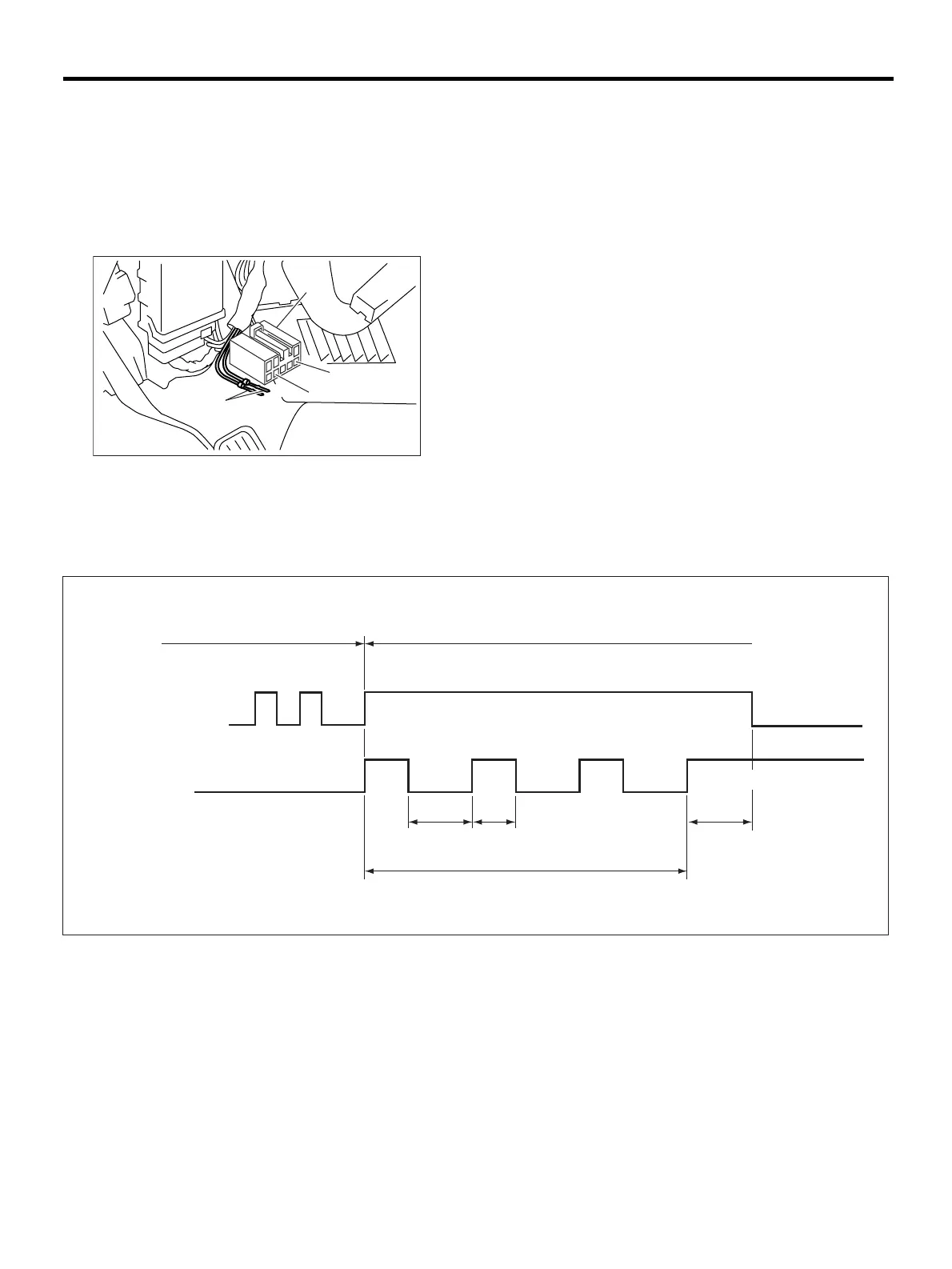
1. WITHOUT SUBARU SELECT MONITOR
1) After calling up a diagnostic trouble code (DTC),
disconnect diagnosis connector terminal 8 from di-
agnosis terminal.
2) Repeat 3 times within approx. 12 seconds; con-
necting and disconnecting terminal 8 and diagnosis
terminal for at least 0.2 seconds each time.
NOTE:
After diagnostics is completed, make sure to clear memory. Make sure only start code (11) is shown after
memory is cleared.
2. WITH SUBARU SELECT MONITOR
Refer to SUBARU SELECT MONITOR for informa-
tion about how to clear diagnostic trouble codes
(DTCs). <Ref. to VDC-20, Subaru Select Monitor.>
(1) Diagnosis connector
(2) Diagnosis terminal
(3) 8 terminal
(4) 5 terminal
( 1 )
( 2 )
( 3 )
( 4 )
VDC00136
VDC00138
0.2 sec
or more
0.2 sec or more
GND(Low level)
1.5 sec
12 sec or less
Terminal 8
ABS warning lamp
Diagnostic trouble code (DTC) indication mode
Memory erase mode
GND open (High level)










 To Next Page