156
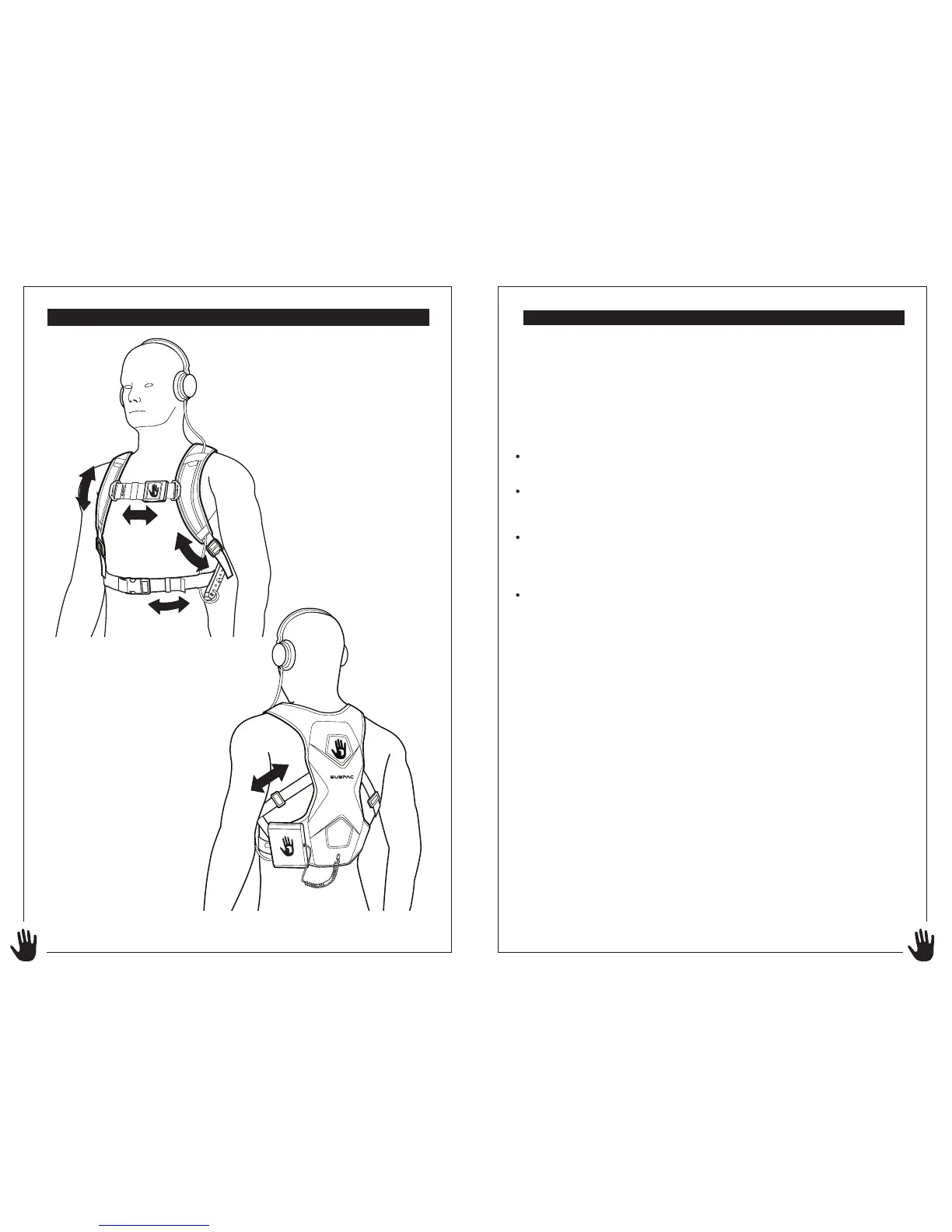
FIT ADJUSTMENT
M2 Back view
M2 Front view
Using your SubPac
®
M2 in the Studio
If you are a producer of music be sure to feel the bass response of a
number of different tracks to create a reference point. Like any new piece
of monitoring equipment, you need to understand and calibrate your
SubPac® to get the most from the experience.
Download the guided calibration recording from our website to get
started:
http://theSUBPAC®.com/download/SUBPAC®-guided-calibration-file/
Matching Workflow for the Studio in four easy steps:
Select a song similar in style/production and preferably in the same key as
the track you are mixing/producing.
Before turning up the intensity of your SUBPAC®, adjust the volume of the
track you are attempting to reference in your headphones, so that the kick
drum in the reference song is the same volume as the kick drum in the
song you are mixing/producing.
Now turn up the SUBPAC® and play the reference song while you increase
the intensity knob, until you find a level that suits you.
Next, use the SUBPAC® (without adjusting the intensity knob) to compare
the reference song to your song/mix and make adjustments accordingly,
striving to match the intensity and volume in the sub bass and bass
frequencies of your song/mix to the reference song.


 To Next Page
 Loading...