CONNECTION Touch Panel / Screen for Booting
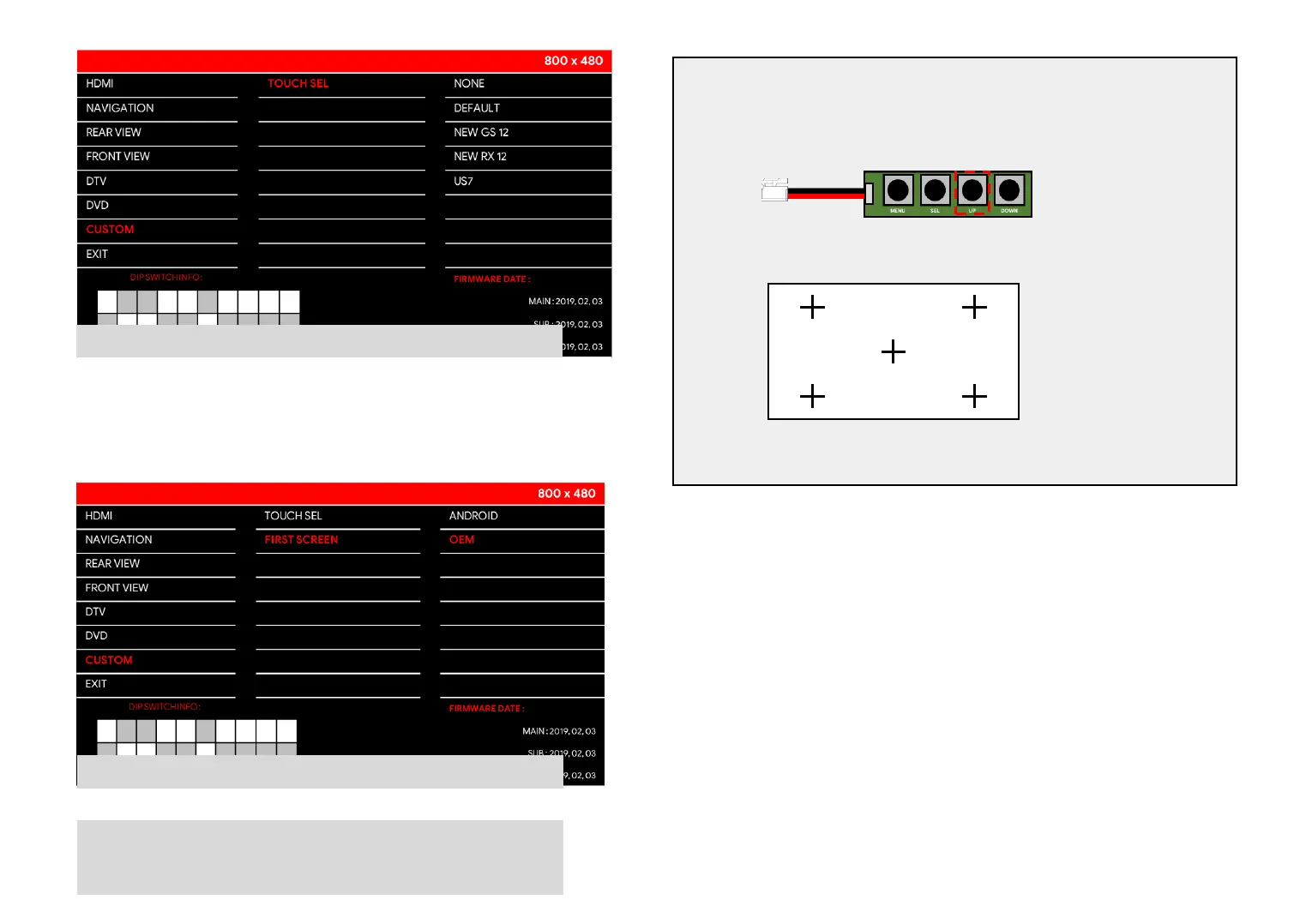
SELECT TOUCH PANEL
When need to set touch panel settings.
Select touch panel which you want to use.
* Most panel types do not need to be selected.
* Panel has default settings value for each panel.
1. Enter settings mode.
2. Press up button of k-pad for 3 sec.
3. Press the 5 cross in order to make
calibration for touch.
4. Press screen to save value of calibration.
5. System would be reset.
How to make calibration for touch:
SELECT Screen for booting.
If you select android screen as booting screen.
Turn acc on and then screen would be changed to android screen in 5
sec automatically.



 To Next Page