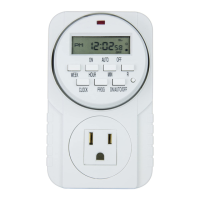
Press “WEEK” again, the display will show Th, Fr, Sa. The timer will work in these 3 days.
Press “WEEK” again, there is no week day showing. The timer won’t work in all the days.
Press “R” for cancelling the setting week days. Press it again for coming back to the previous week day.
4. Timer ON/OFF turn on or turn off mode
Press” ”, there is an indicator in the display show “ON” or “AUTO” or” OFF” stage.
Press the indicator to “ON”, the timer will give a permanent “switch on” output.
Press the indicator to “AUTO”, the timer will be switched on and switched off during the setting time.
Press the indicator to “OFF”, the timer is turned off.
5. Special Functions
Press “WEEK” and “Hour” at the same time. The display will show “O” at the right hand side. This means
the ON timing and OFF timing will be extended from 2 Minutes to 32 minutes randomly.
6. NOTES
Output loading should not exceed 115V~,15A,1725W
Before use it is recommended to plug the unit into a power main for a few hours for charging the battery
inside the timer.
The tolerance of the timer is 2 minutes per month.
Summer time can be added to the timer (optional, please contact your dealer).
This timer is 24-hour display, 12-hour version is available, please contact your dealer.
6.6 If you find the no display on the LCD, please recharge the timer before using.


 To Previous Page
 Loading...