5
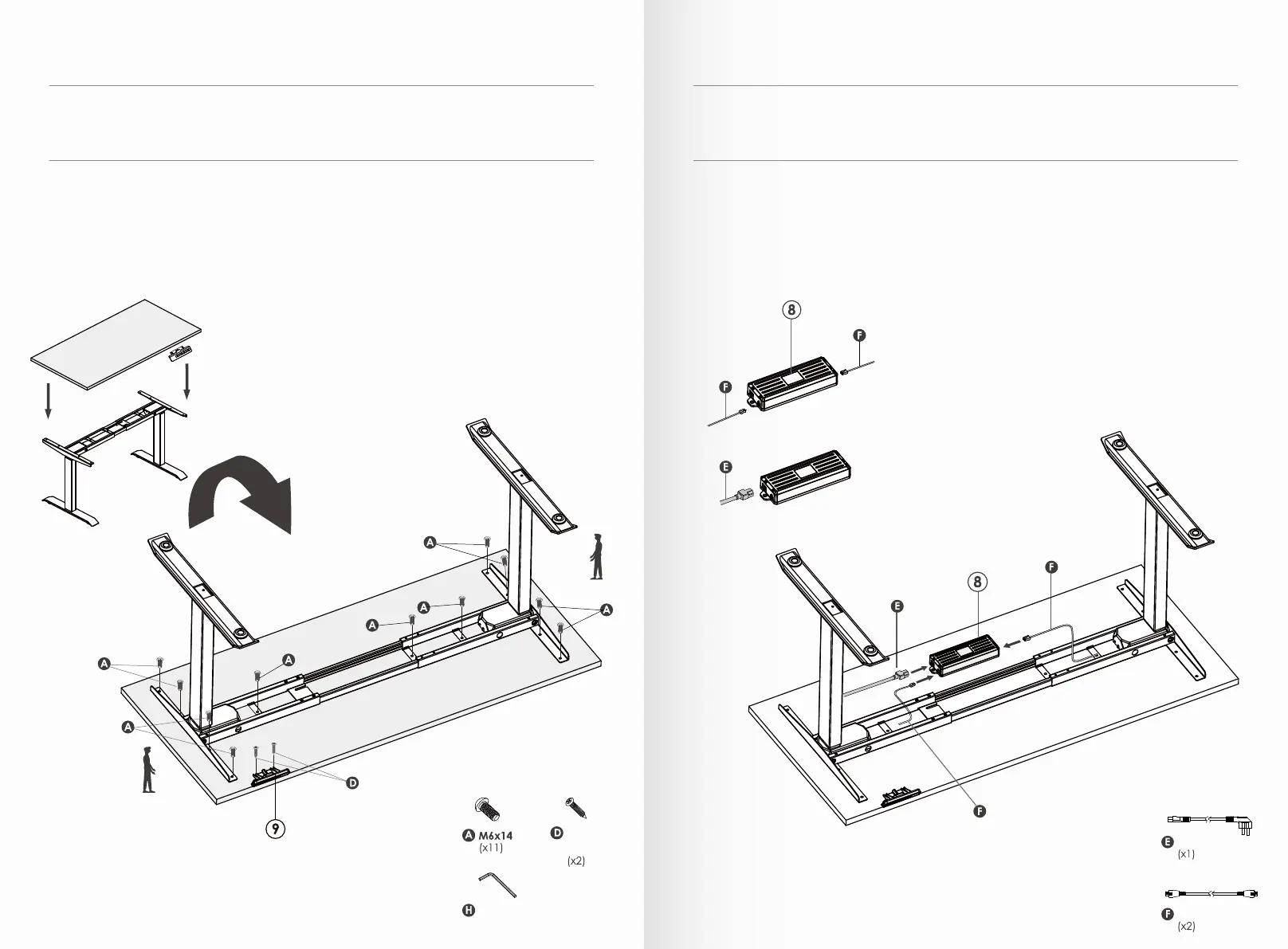
1. To attach the worksurface, start by laying the worksurface down on the floor with the top down.
2. Lay the base assembly upside down on top of the worksurface.
3. Double check to ensure that the base is properly positioned on the underside of the worksurface
pre-drill screw holes, and then attach with M6x14 screws.
4. Attach the Handset on the underside of the worksurface.
M4 Allen Wrench
(x1)
(Optional)
6
1. Make sure that the both side motors plugs into the control box ports.
2. Connect power plug after the motors and handset are connected properly.
3. Reset the base by holding the down arrow button until it reaches its lowest height.
4. Attach the steel cable cap to desired area to secure cables and wires.
Power Cable
Controller Cable
ST4.2x16



 To Next Page