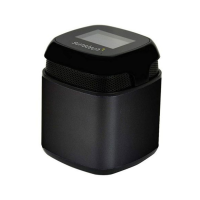
○
1
Microphone
○
2 USB input
○
3 Micro US D connector DC IN 5V
○
4 TF card connector
○
5 3.5mm Line In conne ctor
○
6
On/O : Switch the power button to “ON” to turn on the
speaker, to“OFF”to turn o.
○
7
Battery cover
○
8
LEFT:
Previous track/Volume down: Press shortly to go back
to p revious song/track, press long to d ecrease volume.
RIGHT:
Next track/Volume up: Press shortly to move on to
next song/track, press long to increase volume.
○
9
LEFT:
Play/Pause/Hands-free
RIGHT:
Mode: After turning on the speaker, press to select
Bluetooth-TF card - Line In – USB
○
10 Working indicator
○
11 Charging indicator



 To Next Page