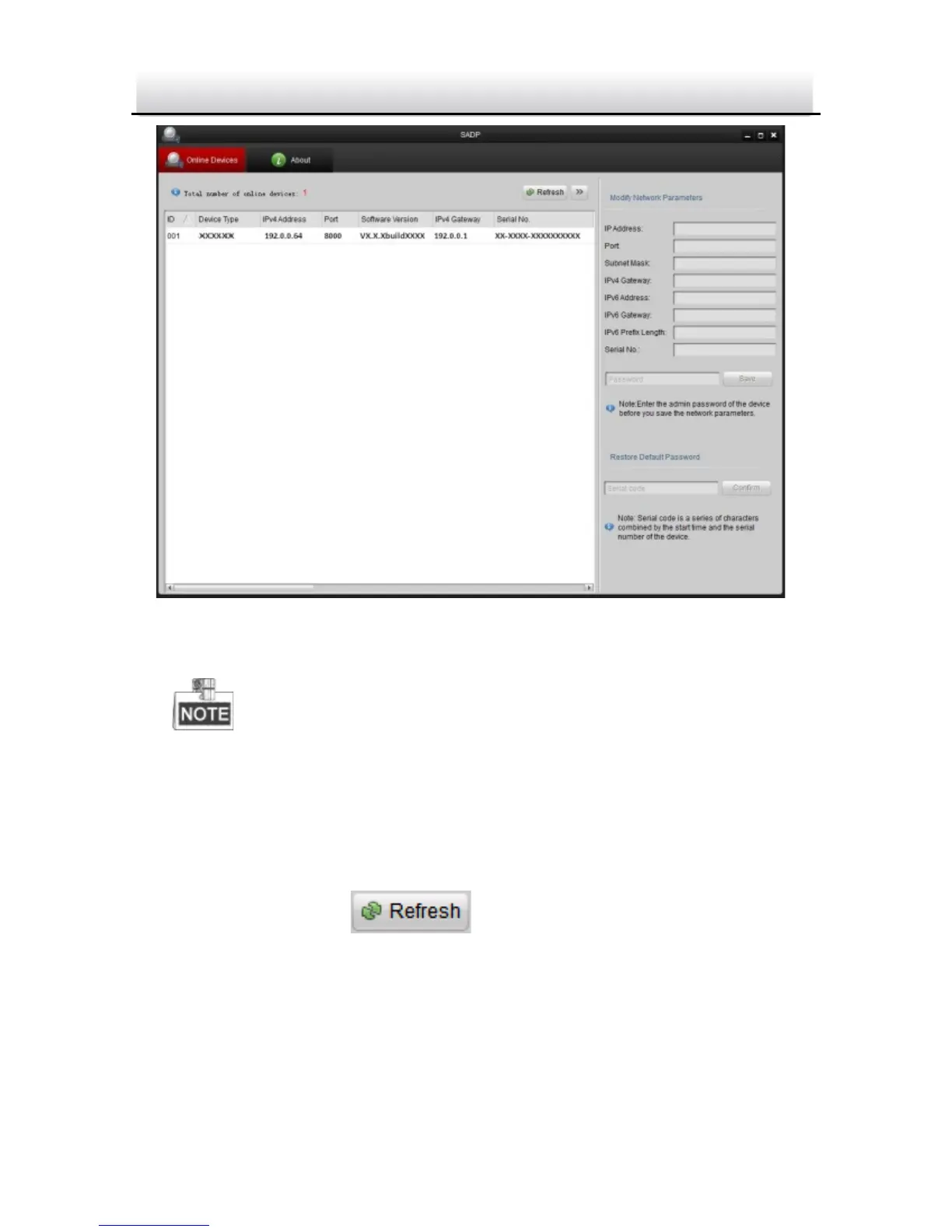
Search Online Devices Figure 3-2
Device can be searched and displayed in the list in 15 seconds
after it goes online; it will be removed from the list in 45 seconds
after it goes offline.
Search online devices manually:
You can also click to refresh the online device list
manually. The newly searched devices will be added to the list.



 To Next Page