This manual describes the Superior Spas Be Well Canada Spa Hot Tub, specifically focusing on the Control in.k1000 Hot Tub Manual. It provides comprehensive guidance for pre-installation, setup, operation, and maintenance of the hot tub.
Function Description
The Superior Spas hot tub is designed to provide relaxation and hydrotherapy. It features an in.k1000+ full-featured color capacitive touchscreen keypad for control, allowing users to manage various aspects of the spa's operation, including water temperature, jet functions, lighting, audio, and sanitization. The system is engineered with robust components for durability and comfort.
Important Technical Specifications
- Weight (filled): Approximately 1500kg (for an average filled hot tub, excluding occupants).
- Electrical Requirements: The manual emphasizes the need for correct electrical supply, advising consultation with an electrician. It mentions a 240V, 50A, 60Hz electrical connection for most spas, with specific details for 13AMP (Plug & Play) and 32AMP/40AMP electrical requirements. A 6mm² 3-core SWA cable is needed for 32AMP hot tubs, and a 10mm² 3-core SWA cable for 40AMP hot tubs. An IP65 Rotary Isolator Switch is recommended.
- Water Temperature Range: The system allows for setting the desired water temperature, with a typical heating time of 12-24 hours depending on spa size, voltage, and external factors.
- Sanitization System: Compatible with an in.clear water sanitization system, which uses sodium bromide to generate bromine for water purification.
- Audio System: If an in.stream 2 audio station is detected, the hot tub supports audio playback with speaker calibration, source selection (Bluetooth, FM, USB, Aux. 1), and volume control.
Usage Features
Control Panel Operations (in.k1000+)
The in.k1000+ keypad offers an intuitive touchscreen interface for managing the hot tub.
- Spa Mode Selection: Users can select different spa modes, which display equipment start/stop keys, temperature controls, messages, and quick access to display options (orientation, contrast).
- Accessory Control: Pumps, blowers, and lights can be turned on/off and their speeds adjusted via dedicated icons.
- Water Temperature Setting: The desired water temperature can be set using up/down icons, with indicators for "Cooling to" or "Heating to" the set value.
- Display Settings: Options to modify display orientation (normal/inverted) and contrast (day/night).
- Sleep Mode: A dedicated key allows the keypad to enter sleep mode, preventing accidental pump activation from water splashing.
Water Care Management
The manual provides five suggested water care modes to optimize filtration and heating:
- Away from Home: Spa remains in economy mode, reducing the set point by 20°F.
- Beginner: Spa never enters economy mode and filters according to low-level configuration.
- Energy Savings: Spa in economy mode during peak hours, normal mode on weekends.
- Super Energy: Spa always in economy mode during peak hours, every day.
- Weekender: Spa in economy mode Mon-Fri, normal mode on weekends.
Users can modify water care schedules, including economy schedules (adding/deleting schedules, setting time/duration) and filter cycles (adding/deleting schedules, setting time/duration). Purge settings can also be adjusted.
Maintenance Reminders
The in.k1000+ keypad provides reminders for tasks such as rinsing or cleaning the filter, with adjustable durations based on normal use. Users can check the time remaining before maintenance is due and reset tasks once completed.
Standby Mode
A Standby mode is available for servicing the spa, which stops pumps for 30 minutes before automatically restarting.
Date and Time Settings
Users can adjust the year, month, date, hour, minute, and time format.
Keypad Settings
Options to change temperature units (Fahrenheit/Celsius) and display orientation (normal/inverted). An optional keypad color setting allows selection from 8 pre-defined colors or association with an in.mix zone if installed.
Miscellaneous Settings
- Warm Weather Option: Allows bypassing the pack filtration over-temperature feature, preventing filtration from stopping if water temperature is high due to running pumps.
- Info Messages: Controls the display of smart winter mode, heating suspended, and filtering suspended messages.
Wi-Fi Connectivity
If an in.touch 2 module is detected, users can connect to available Wi-Fi networks, view network strength, and enter network passwords.
Swim Mode (Training Drills)
If a swim spa configuration is detected, the system offers various training drills:
- Endurance: Constant intensity swimming workout.
- Lap: High and low intensity intervals of equal step time.
- Transition: Equal steps at random intensities.
- Cardio: Two successive steps at high intensity, one at low intensity.
- Power: Pyramid program with progressively increasing and then decreasing intensity.
- Personalized: Three editable personalized training drills allowing users to create custom workout patterns.
Users can adjust workout duration, warm-up time, cooldown time, and step intensity.
Audio Mode
If an in.stream 2 audio station is detected, users can control audio functions:
- On/Off: Turn the in.stream 2 on or off.
- Main Display: Play/pause, adjust volume, mute/unmute, and skip tracks.
- Speaker Settings: Adjust balance, fade, and subwoofer levels.
- Audio Source Selector: Choose between Bluetooth, FM, USB, and Aux. 1.
- Disconnect Bluetooth: Disconnect a Bluetooth device from the in.stream 2.
Sanitization Mode (in.clear)
If an in.clear water sanitization system is detected, users can manage:
- On/Off: Turn the in.clear system on or off.
- Bromicharge™ Level: A gauge indicates the approximate sodium bromide level. Users are advised to keep the level in the green zone for optimal performance and can add BromiCharge™ as needed.
- Boost Level: Automatically activated 5 minutes after starting a pump, increasing bromine generation rate. The level can be adjusted based on the number of bathers.
- Maintenance Level: Users are advised to check bromine levels (3-5 ppm) with a test kit and adjust the maintenance level accordingly.
Color Mode (in.mix)
If an in.mix system is detected, users can control lighting:
- Zone Selection: Select between zone 1, 2, or 3.
- Changing Colors: Choose from a palette of colors or select a color effect.
- On/Off: Turn the in.mix system on or off.
- Intensity: Adjust the intensity of the selected color.
Installation Error Messages
The manual lists various error messages related to installation, such as "There is a problem communicating with the in.mix" or "The in.mix is not connected." Solutions typically involve checking connections or contacting a qualified service person.
Maintenance Features
Pre-Installation & Set-Up
- Site Selection: Choose a flat, firm, and reinforced area (concrete 100-150mm thick, patio slabs, block paving, or reinforced wooden decking) that can support the hot tub's weight. Grass is not suitable.
- Service Access: Ensure 600mm access around all sides of the hot tub for future maintenance.
- Delivery Access: Verify adequate access for the hot tub's dimensions, checking doorways, passages, gates, and vertical clearance. Cranes may be required for difficult access, incurring additional costs.
Checklist Before Using Your Spa
- Filling the Spa: Fill the spa through the filter area using a garden hose (run for 5 minutes first) and a hose-end filter/water softener to prevent airlocks and balance water. Fill to the recommended water level (1 inch above the top of the back jets).
- Leak Check: Remove a side panel and check for leaks around plumbing fittings, hand-tightening any loose connections.
- Power Up: Re-fit the side panel and turn on power at the isolator.
- Water Balance: Test and balance hot tub water (pH, alkalinity, calcium hardness) before adding sanitizers to prevent cloudiness, discoloration, or foul smells, and to promote equipment longevity.
Water Care
- Regular Cleaning: Clean filters regularly (every 2-4 weeks) by rinsing and soaking in filter cleaner.
- Water Treatment: Use sanitizers (chlorine or bromine), pH increaser/decreaser, alkalinity builder/reducer, and calcium hardness increaser/reducer as needed.
- Shock Treatment: Shock the water weekly or after heavy use to kill bacteria and break down organic contaminants.
- Drain and Refill: Drain and refill the spa every 3 months or when water chemistry becomes difficult to balance.
Preparing Spa for Holiday
- Less than 7 days: Test and balance water, clean/replace filter, add sanitizer to a floating dispenser, shock water, secure cover, drop temperature (optional), do not turn off power.
- More than 7 days: Same as above, plus add sanitizing tablets to a floating dispenser (ask a neighbor to add chemicals), add water clarifier, and consider using a Hot Tub Protection Bag.
Spa Winterization
- Drainage: Remove filters, add hot tub flush, circulate for 30 minutes, then turn off power. Drain the hot tub completely using a submersible pump or drain plug.
- Pipework Clearing: Use a wet/dry vacuum (set to blow) to clear water from all jets and pipes.
- Cleaning: Clean the shell with hot tub surface cleaner and deep clean the cover.
- Protection: Secure the cover with straps and consider a Hot Tub Protection Bag.
Servicing & Warranty
- Troubleshooting: The manual includes a troubleshooting guide for common issues like an inoperative spa, no heat, jet operation issues, light problems, flow/heater dry, remote control issues, and touchscreen problems. Solutions range from checking power, cleaning filters, resetting breakers, and checking connections to contacting a qualified service technician.
- Warranty: The hot tub comes with a warranty covering breakdowns or damaged parts. Claims require logging an account and logging the claim online at superiorspas.co.uk.
This comprehensive manual ensures users have all the necessary information to safely and effectively enjoy and maintain their Superior Spas hot tub.

 Need help?
 General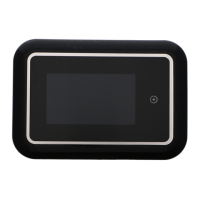

 To Next Page