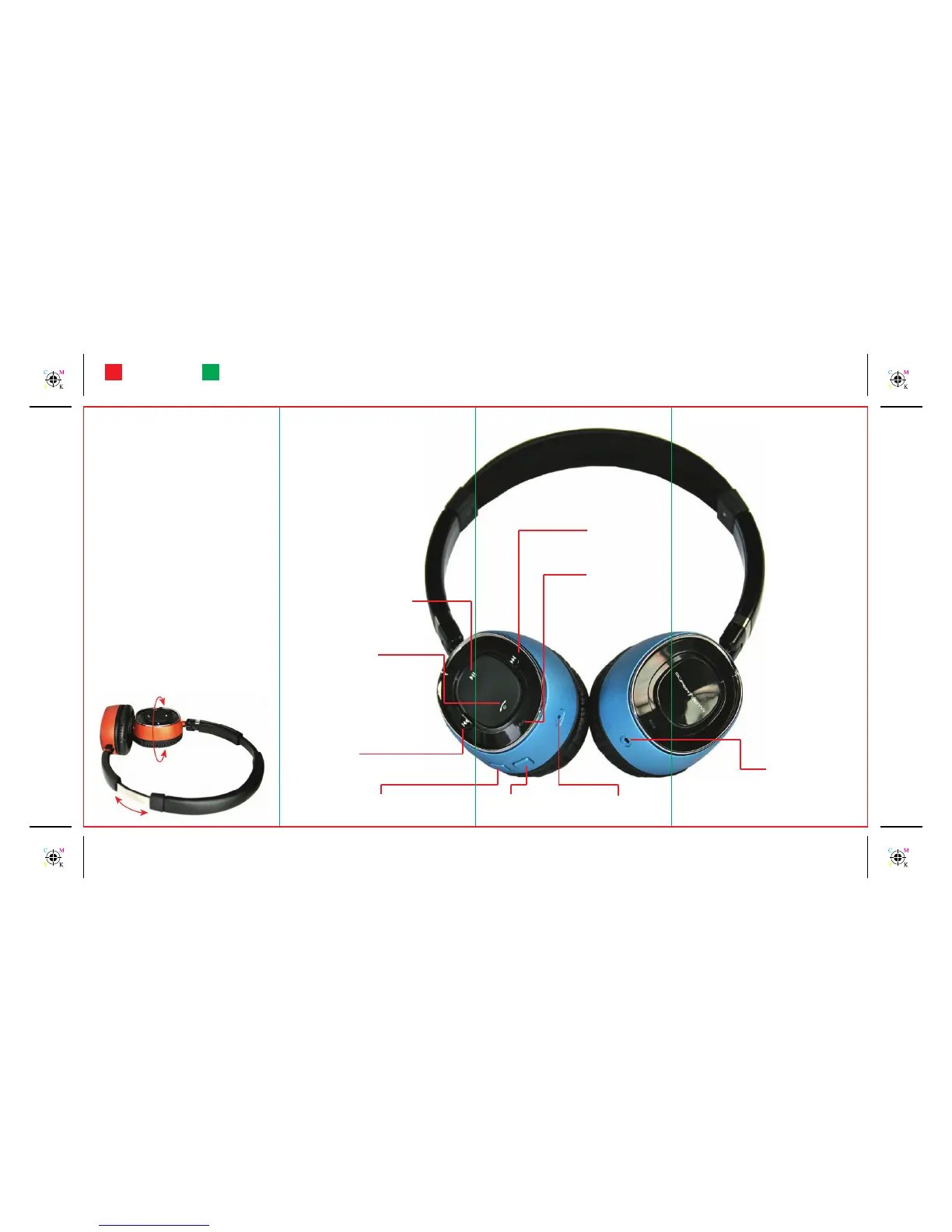
(10) Bluetooth indicator:
• Green ash: power on.
• Red ash: power off.
• Blinking blue slowly: connected / paired / on.
• Blinking blue quickly: in pairing mode.
(9) Forward button:
• Press once to go to next track.
• Keep pushing for fast forward.
(8) Play / Pause / Stop / Mute button:
• Press once to play or pause.
• To stop press twice quickly.
• During a call press once to
mute or unmute the microphone.
(7) Multifunction button:
• Press for 4 seconds to switch
the unit on or off.
• From off press for 6 seconds to go
to pairing mode.
• Short press to answer or end a call.
• Short press to redial the last number called*.
• Press twice quickly to activate voice dialing*.
• Press and hold for 2 seconds to reject a call.
(6) Rewind button:
• Press once to go to previous track.
• Keep pushing for fast rewind.
(
5) Volume Up button
(
4) Volume Down button
(
3) Microphone
(2) Charger connector
(1) Charge indicator:
• Steady red: charging
• Steady green: battery full
* If supported by phone
Compact size - Adjustable
Specications
Bluetooth Compliance: Bluetooth V 2.1 + EDR
specication
Supported Bluetooth Proles: A2DP V 1.0
headset prole V 1.2
handsfree prole V 1.5
AVRCP V 1.0
Operating Range: Up to 10 meters
Frequency: 2.4 GHz
Talk Time: Up to 7 hours and 30 minutes
Music Play Time: Up to 7 hours and 30 minutes
Stand-by Time: Up to 90 hours
Charging Time: 45 minutes
Battery Type: Rechargeable Lithium-ion
Multipairing: Up to 8 devices
1 device connected at a time
Weight: 102 g
Operating times are estimates and depend only on network conditions, features used,
battery age and condition, temperatures to which battery is exposed, and many other
factors.
FoldingCutting



 To Next Page
 Loading...