05. FUNCTION DIAGRAM05. FUNCTION DIAGRAM
The function of the display panel is describedSports suggestions and guidelines
06
07
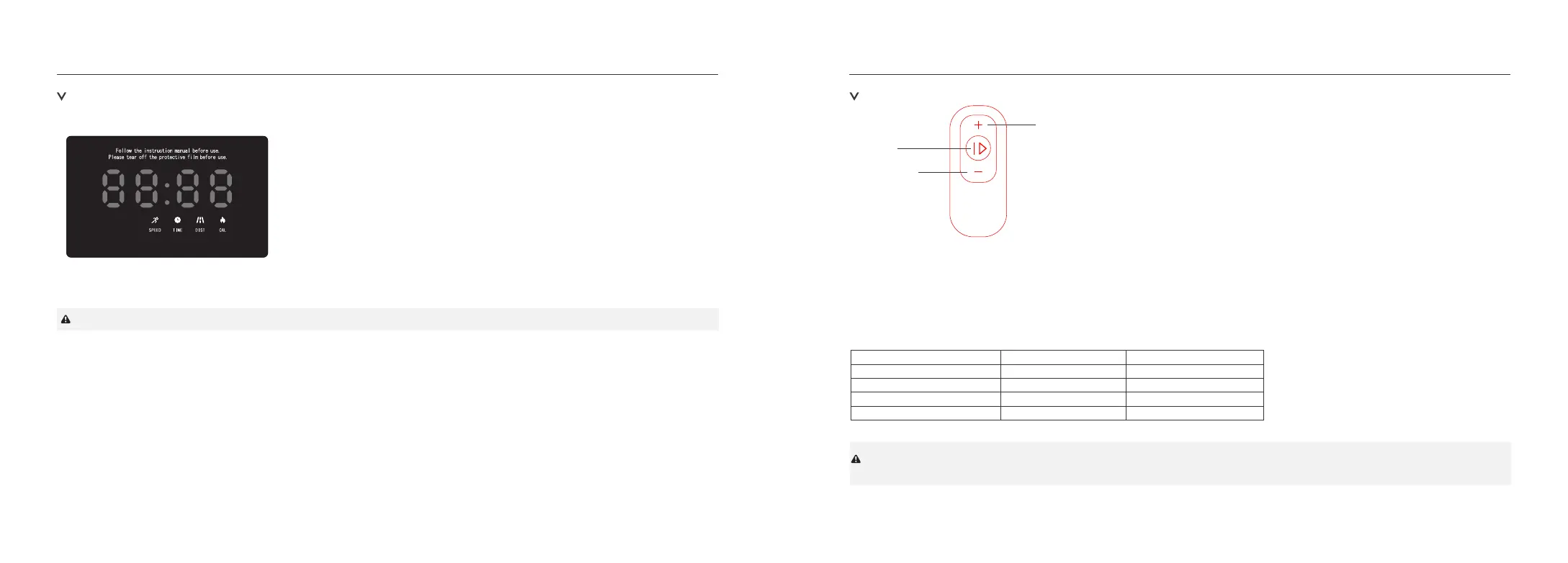
Speed+
Speed-
ON/OFF
Remote control
(1). Press the "Speed -" key to reduce the machine speed.
(2). Press "Speed +" to increase the speed of the machine.
(3). Press the "ON/OFF" button, and the machine will start or stop slowly.
1. In the standby state, directly press the "ON/OFF" button, the treadmill would start to move at the speed of 0.2 miles/hr, other windows start
counting up from 0, press "+","-" button to change the speed.
Window value display range
Time (minutes: seconds)
Speed (mph)
Distance (mile)
Calories (kcal)
0:00
0.6
0.00
0.0
0.00-99.59
0.6-3.8
0.00-99.99
0.0-9999
Setting ParameterInitial ValueDisplay range
(4). "Calories window"
Display the calorie consumption value, the display range is 0.0-9999 kcal.
The reverse count is decremented from the set value to zero, when the counter turns to 0, the machine will steadily descend to stop.
(2). "Time" window
Display exercise time. The time range is 0:00-99:59 minutes,
(3). "Distance" window
Display the moving distance, the display range is 0.00-99.99 miles, the reverse count is decremented from the set value to zero, when the
counter turns to 0, the machine will steadily descend to stop.
(1). "Speed" window
The current speed value is displayed in the running state, and the speed is on. The display range is 0.6-3.8 mph.
ATTENTION:0.6-3.8 MPH is the best walking speed, so our default value is 3.8 MPH
WIFI indicatorBluetooth indicator
When the machine is running, the display window automatically switches
every 5 seconds. The indicator light at the bottom of the luli window
changes with the display of the window. The information displayed in
different Windows is as follows:
Unmanned Shutdown:
In the operating state of the treadmill, if the treadmill detects an unmanned state for more than 10s, it will automaticallystop.


 To Next Page
 Loading...