41 —
© 2011 Skier’s Choice, Inc.
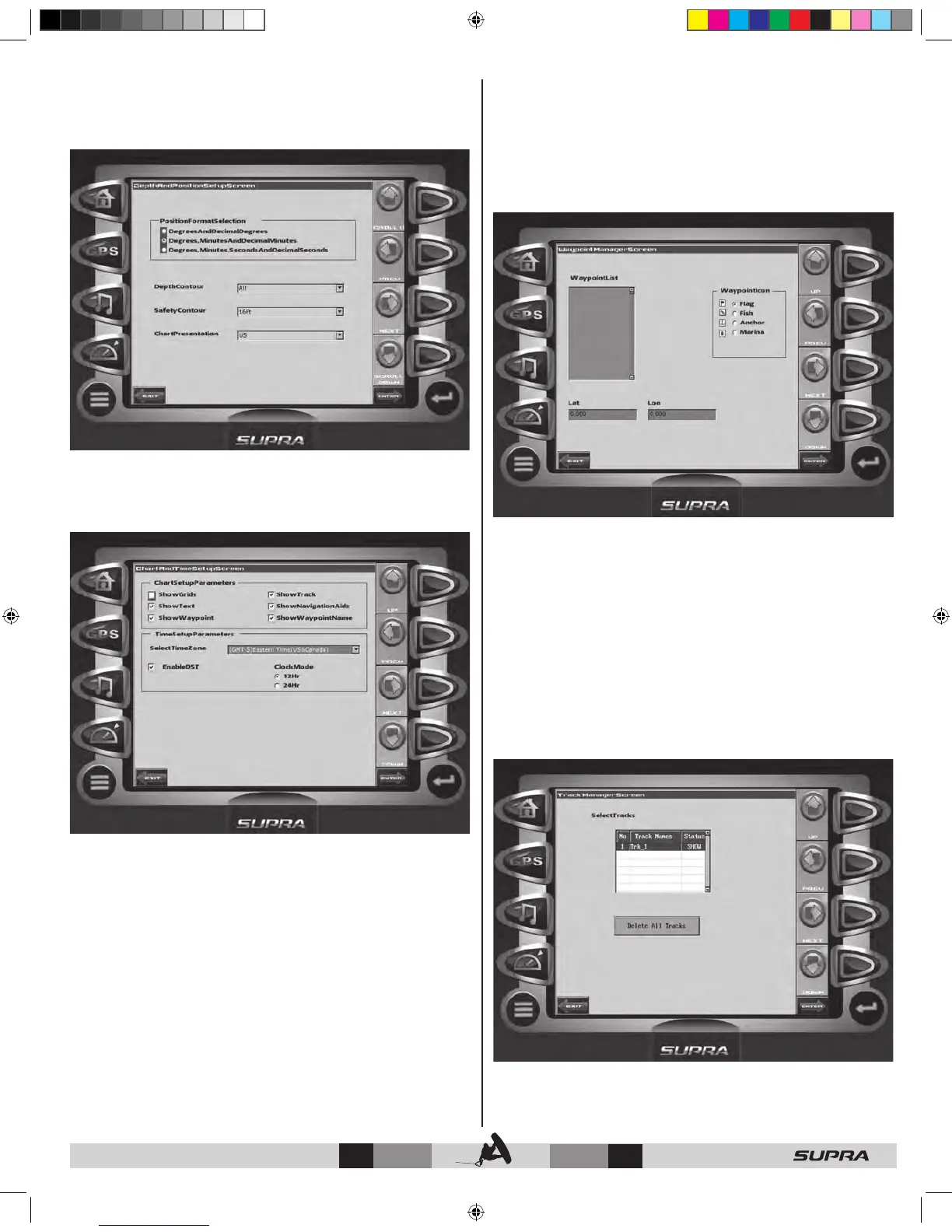
Depth and Position Setup
This feature allows you to define the amount of detail to display
for longitude and latitude information on the GPS map and
depth display.
Chart and Time Setup
This menu option allows you to set up viewing options for the
GPS Display.
Chart Setup Parameters – use the CHECK/UNCHECK soft
key to select the information you want displayed on the GPS
screen.
Time Setup Parameters – is used to select correct time zone
and clock mode for either 12-hour or 24-hour time formats.
You can also enable DST (Daylight Savings Time) by using the
CHECK/UNCHECK soft key to select the box.
Waypoint Manager
Waypoints allow you to mark specific locations by latitude and
longitude. Once the waypoints are established, the Waypoint
Manager allows you to associate an icon with them for
identification. You can delete a single waypoint by using the
DELETE key, or all of them at once with DELETE ALL. Pressing
the GO TO WPT key displays the GPS screen containing the
currently highlighted waypoint.
Waypoint List – displays a list of the waypoints that have
been set. Use the UP and DOWN keys to highlight the desired
waypoint.
Waypoint Icon – allows you to assign one of four different icons
to any of the waypoints listed.
Lat/Lon – Displays Latitude and Longitude values for the
currently highlighted waypoint on the
list.
Track Manager
You can set up multiple tracks for displaying on the GPS map.
The Track Manager allows you to select tracks to ‘show’ on the
map or ‘hide’ a map you are not currently using. You may DELETE
one track or ‘Delete All Tracks’ at once.



 To Next Page