Sutron Corporation 8310 & 7310 Users Manual 8800-1125Rev. 2.7 (BETA) 4/16/2014 pg. 106
Again, the irsenxt and irse commands must be received via Iridium short burst data (SBD)
message to take effect. These commands won’t work if issued over the logger command line.
Select Outputs
This menu shows a list of TxContent property values for all the outputs in the system. Pressing
SET/ENTER on one of the values will take you to the Iridium COMx menu for that particular
output, where you can change the value of TxContent, as well as view/change other properties
that affect Iridium transmissions.
Note: this is the same as the Iridium Settings accessed via Measurements/Mx/Ox/ Iridium
Settings. Changes can be made from either menu.
Select Outputs/TxContent
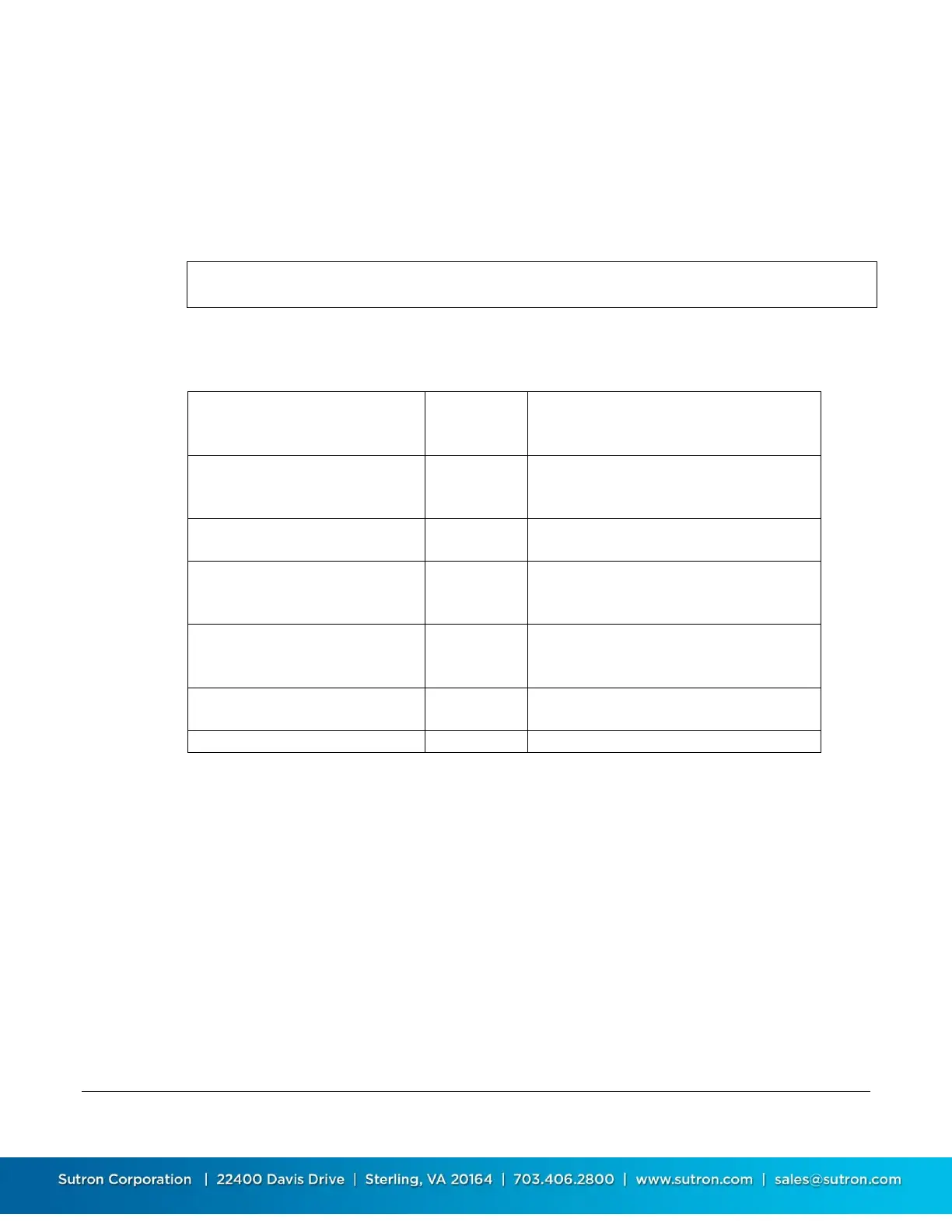
This property specifies what data to include in the transmission. See the following table for
possible values:
All the data logged for the output since
the last transmission will be
transmitted
Individual values logged for the output
since the last transmission will be
transmitted.
the time interval between readings
from the 8310 log
the time at which to begin extracting
data from the log in order to build a
message
No. of data items for each parameter
taken from 8310 log and encoded in
each self-timed transmission
Only the last value measured will be
transmitted.
Do not transmit this output.
Select Outputs/Sequence
Sequence determines the order of this output in the transmission message.
Select Outputs/TxAlarmMode
TxAlarmMode specifies when to trigger an alarm relative to the sensor going into and/or out of
alarm.
When TxAlarmMode is “TxIn”, an alarm transmission is triggered when the sensor enters an
alarm state (e.g., exceeds the hi-limit alarm threshold). When TxAlarmMode is “TxInAndOut”, an
alarm transmission is triggered when the sensor enters or exits an alarm state (exiting an alarm
state occurs when the sensor value is less than the limit by more than the deadband amount).
When TxAlarmMode is “Off”, no alarm transmission is ever triggered by the sensor going into or
out of an alarm state.
Station Setup/Communications//LAN > details
Power Scheduled
Enabled Yes


 To Next Page
 Loading...
