Sutron Corporation 8310 & 7310 Users Manual 8800-1125Rev. 2.7 (BETA) 4/16/2014 pg. 21
Unpacking
Carefully remove the 8310 from the shipping container.
Save the container and packing materials as they may be used to transport the 8310 to
the site or for shipping the unit back to the factory.
Note: If you want to return a unit to the factory, first fill out the Product Return Sheet located at
the back of this manual and then call the factory (703-406-2800) for an RMA number. This
procedure will help us to handle your equipment in the most efficient manner.
Connecting the Main Battery
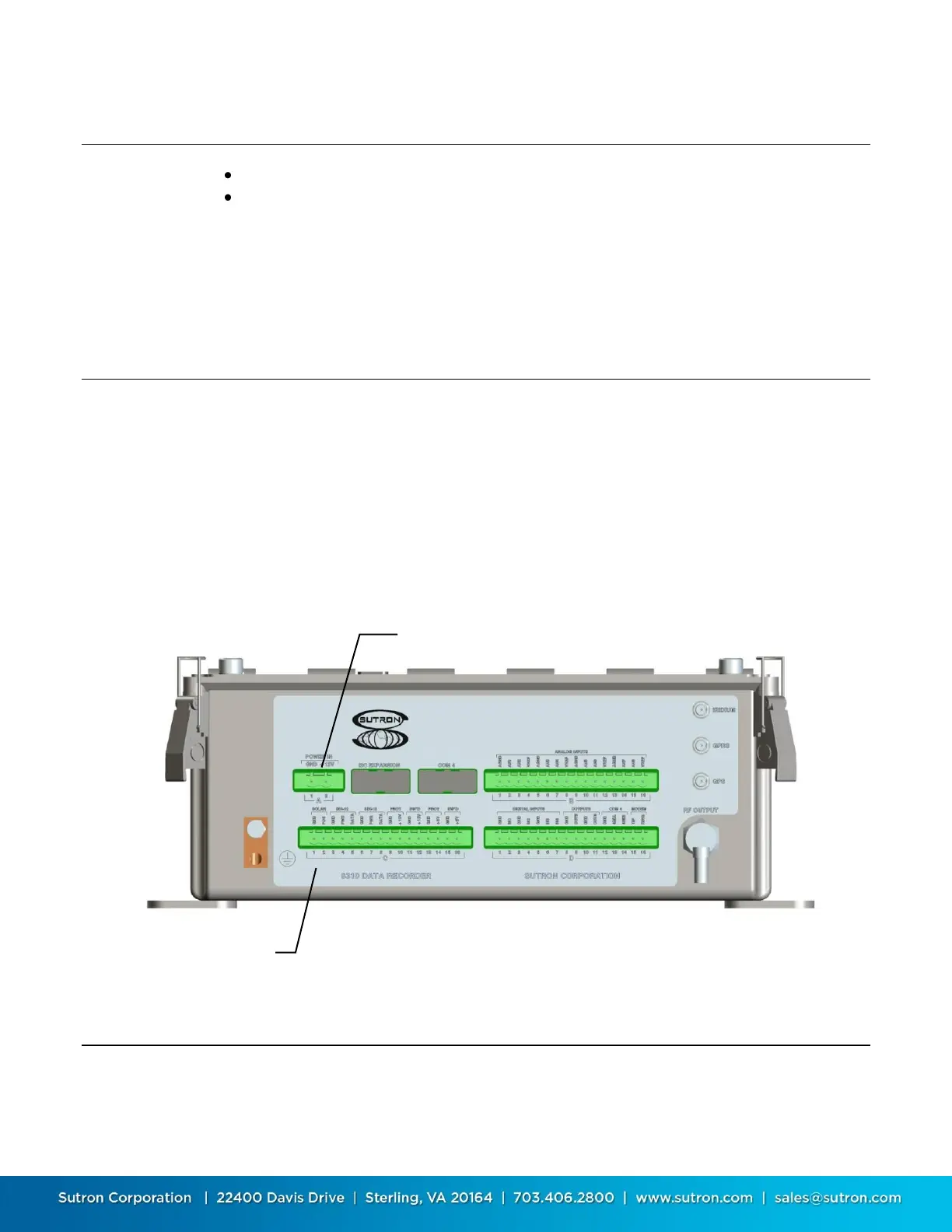
The 8310 runs off 9 to 18VDC with a peak power requirement of 1 amp (not provided). Connect
a suitable power source to the 8310 as shown below. When power is applied, the unit will
automatically startup and if configured, begin operations. The startup process takes about a
minute. When power is applied, the unit will first play some tones and display the message
“Sutron Data Recorder, Please Wait…” The display will then turn off and on again several times
as the unit starts. The unit is ready to operate when the “System Startup” message is displayed.
This message is only di
splayed for a few seconds before the display is turned off in order to conserve power.
Connecting the Charging Voltage
The next step is to connect a charging voltage to the 8310. Without a charging voltage, the 8310
will run using the power from the main battery. When the battery voltage drops, the 8310 may
stop operating until it is charged again. The 8310 can accommodate a charging voltage up to 22
volts that is common from a solar panel. A DC power supply could also be used as the charging


 To Next Page
 Loading...
