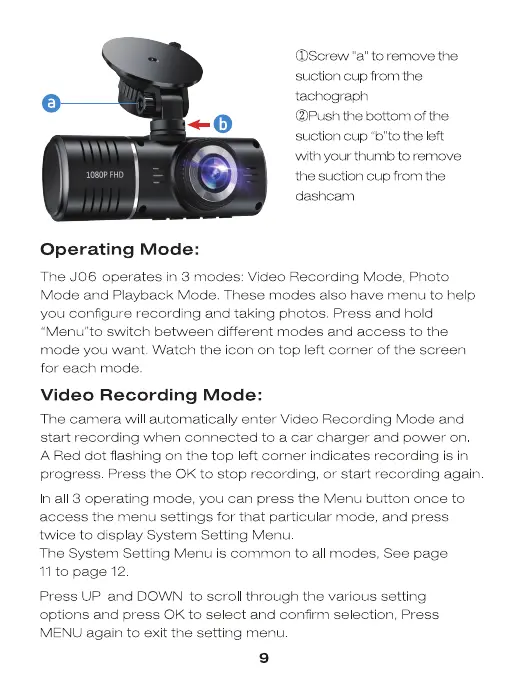
OScrew "a" to remove the
suction cup from the
tachograph
(2)Push the bottom of the
suction cup "b"to the eft
with your thumb to remove
the suction cup from the
dashcam
FHD
Operating Mode:
The J06 operates in 3 modes: Video Recording Mode, Photo
Mode and Playback Mode. These modes also have menu to help
you configure recording and taking photos. Press and hold
'Menu"to switch between different modes and access to the
mode you want. Watch the icon on top left corner of the screen
for each mode.
Video Recording Mode:
The camera will automatical y enter Video Recording Mode and
start recording when connected to a car charger and power on
A Red dot flashing on the top eft corner indicates recording is in
progress Press the 0K to stop recording, or start recording again
n al 3 operating mode, you can press the Menu button once to
access the menu settings for that particular mode, and press
twee to display System Setting Menu
The System Settng Menu is common to al modes, See page
11 to page 12
Press UP and DOWN to scrol through the various setting
options and press 0K to select and confirm selection, Press
MENU again to exit the setting menu
9


 To Next Page
 Loading...