EN - 19
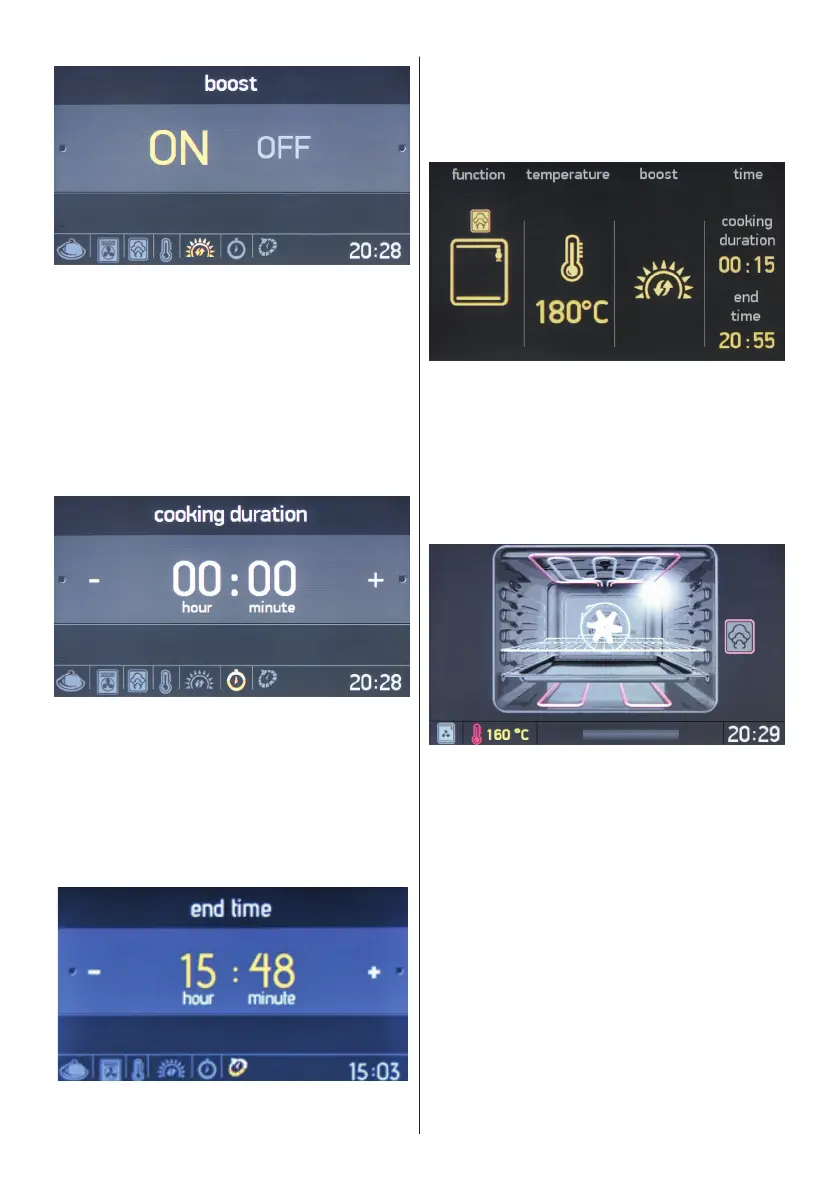
Boost
• Rotate the right knob in either direction
to highlight Boost “ON” or “OFF”.
• Press the right knob to select the
highlighted option.
• Use this function to heat the oven the
desired temperature as quickly as
possible. This mode is not appropriate
for cooking.
Cooking duration
• Rotate the right knob in either direction
to change the cooking duration.
• Press the right knob to set the cooking
duration.
• NOTE: If the cooking duration is set to
00:00, cooking will continue until you
manually stop it.
Cooking end time
• Rotate the right knob in either direction
to change the cooking end time.
• Press the right knob to set the cooking
end time.
The information screen
• Cooking will begin within 10 seconds of
the last action, or when the right knob is
pressed.
• Rotate the left knob anti-clockwise to go
back to the previous setting.
The animation screen displays:
• Cooking time
• Temperature
• Cooking start and end time
• Cooking function information.


 To Next Page