Need help?
Do you have a question about the SVBONY SM402 and is the answer not in the manual?
Instructions for using the glass work board.
Adjusting the focusing mechanism's resistance for smooth operation.
How to position and illuminate the specimen for observation.
Steps for adjusting focus and diopter for clear viewing.
How to adjust the distance between eyepieces for comfortable viewing.
Guidance on using eyepiece covers with/without glasses.
Procedures for installing and removing reticles from eyepieces.
Instructions for installing the microscope's luminaire or light source.
How to switch between binocular and photographic light paths.
Steps to assemble photographic tubes and eyepieces.
How to control the brightness of the base transmitted illumination.
Details on magnification, working distance, and field of view for the microscope.
Electrical details including power supply, transformer, and lighting source.
Common problems and their solutions for general microscope use.
Solutions for issues related to video display and image quality.
 General
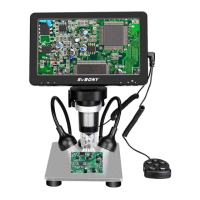
| Type | Digital Microscope |
|---|---|
| Sensor Type | CMOS |
| Display | LCD Screen |
| Illumination | LED |
| Video Resolution | 1920x1080 |
| Light Source | LED |
| Connectivity | USB |
| Power Supply | USB powered |
| Body Material | Metal |

 To Next Page